Antik Browser does one thing well: it runs many accounts from a single computer without those accounts looking like one person. The proxy is half of that equation. This guide covers what Antik Browser is and how to install it, then the part most tutorials rush, which is attaching a proxy to a profile the right way and picking the right proxy type for the work.
Antik Browser is an antidetect browser built for multi-account management. It runs on Windows 10 or higher, macOS (Intel), and macOS (M-series). Instead of one shared browser, you create many isolated profiles, and each profile keeps its own cookies, local storage, and browser fingerprint.
That fingerprint is the important part. Every profile presents its own user agent, screen size, time zone, WebGL hash, canvas hash, GPS coordinates, and font set. Because each profile is self-consistent and different from the next, the accounts you run inside them do not share one machine identity.
Antidetect browsers all share that core idea, so it helps to see how they differ before you commit. This breakdown of how antidetect browsers like Incogniton and Multilogin compare shows where each one fits. Antik Browser sits at the affordable end, with a clean profile manager, team sharing, and a Local API for automation.
Antik Browser is used anywhere one person or team needs to operate many accounts that platforms expect to belong to different people. The common applications:
The thread through all of these is account separation. Antik Browser handles the fingerprint side; a proxy handles the network side.
The features that matter once you start running real volume:
Antik Browser is a paid tool with a free trial. You can try it for up to 7 days at no cost, then choose a plan based on how many profiles you need to run at once.
At the time of writing, the published tiers are Lite at $20 per month for 30 profiles, Solo at $40 for 150 profiles, and Pro at $80 for 300 profiles. Team plans add unlimited team members: Team 500 at $149 per month and Team 1000 at $299. Custom plans are available for larger operations.
Pricing and profile limits change, so confirm the current numbers on the Antik Browser site before you buy. Your proxy spend is separate, and that is where matching the proxy type to the workload keeps costs sensible.
Installation is quick on either operating system.
Keep your account credentials and API token in a password manager. The API token, copied from your account screen, is what later unlocks the Local API for automation.
Before any proxy, you need a profile to attach it to. Creating one takes under a minute.
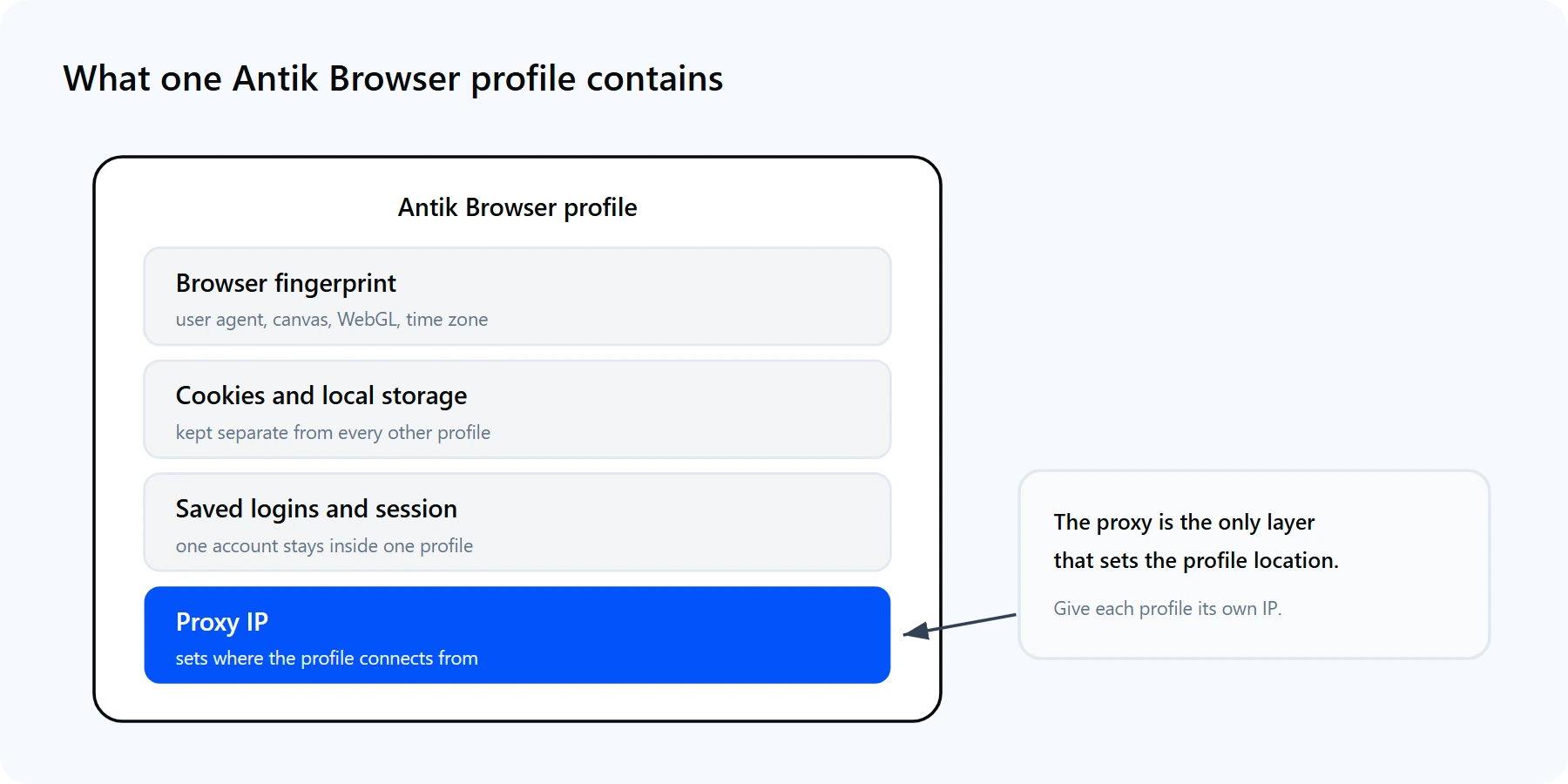
Each Antik Browser profile bundles a fingerprint, its own cookies and storage, and one proxy IP. The proxy is the only piece that sets the profile location.
Think of a profile as an identity made of four layers: the fingerprint, the cookies and storage, the saved logins, and the proxy. Antik handles the first three locally. The proxy is the only layer that decides where the profile appears to connect from, which is why the next two sections matter most.
A fresh profile with a perfect fingerprint still routes through your real IP. If you open ten profiles without proxies, every account shares one IP address, and platforms treat shared-IP accounts as associated. A proxy fixes that. It is also why most serious multi-account setups run on a residential proxy network. Three concrete reasons to put a proxy behind every profile:
Different jobs call for different proxy types. The table below maps common Antik Browser workloads onto the right Proxy-Cheap product.
| Workload | Best Proxy-Cheap fit | Why it fits |
|---|---|---|
| Long-lived social or seller accounts | Static Residential (ISP) | Same trusted residential IP per profile, held for the full session |
| High-trust mobile-first platforms | Mobile | Carrier IPs that match how real users connect on 4G and 5G |
| Research across many regions | Rotating Residential | Fresh IP per request or sticky session, wide country coverage |
| High-volume, low-sensitivity profiles | Datacenter | Fast, predictable per-IP pricing for bulk or test profiles |
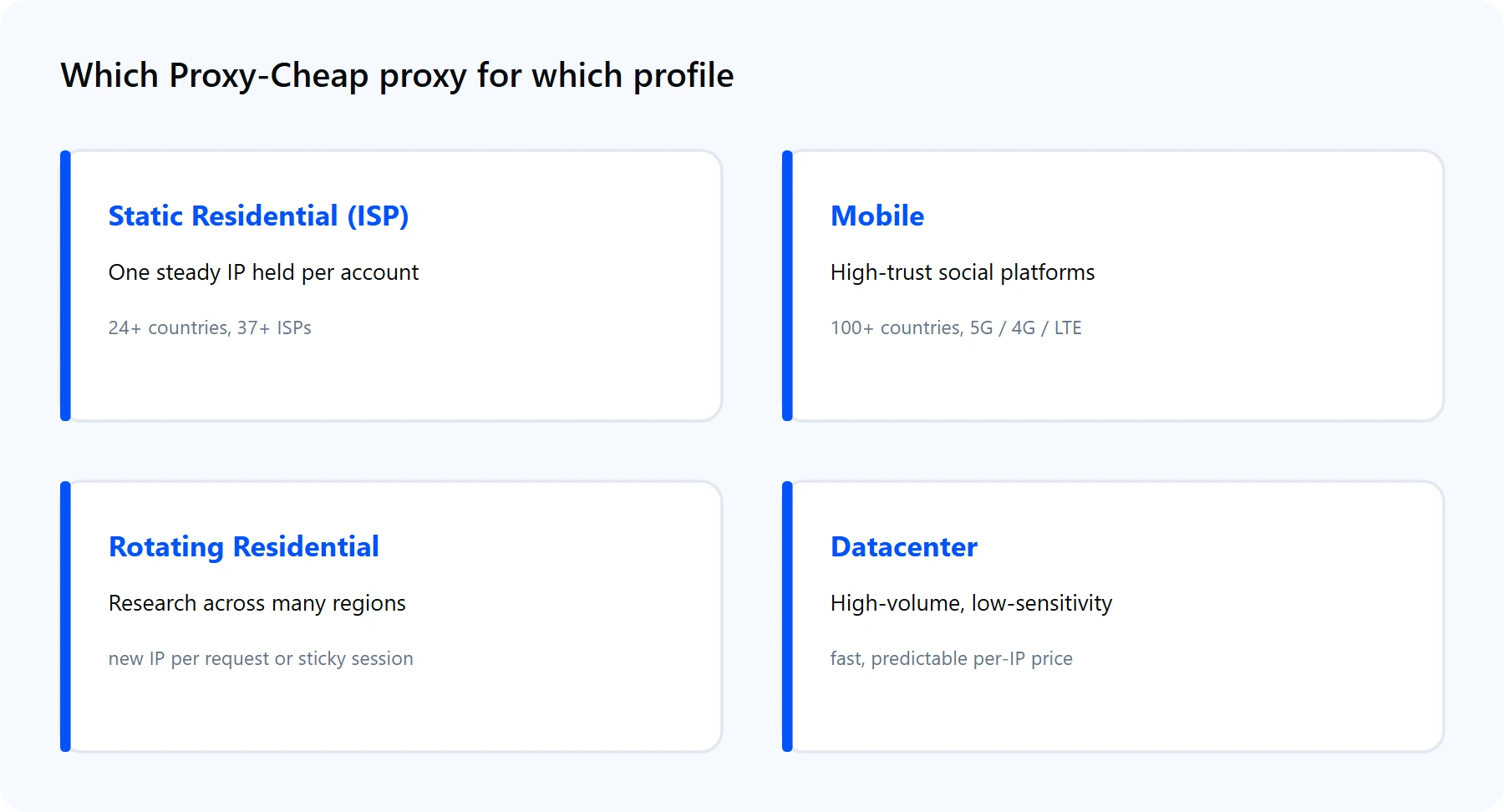
Pick the product by the shape of the workload, not the size of the budget. The links below match the cards above.
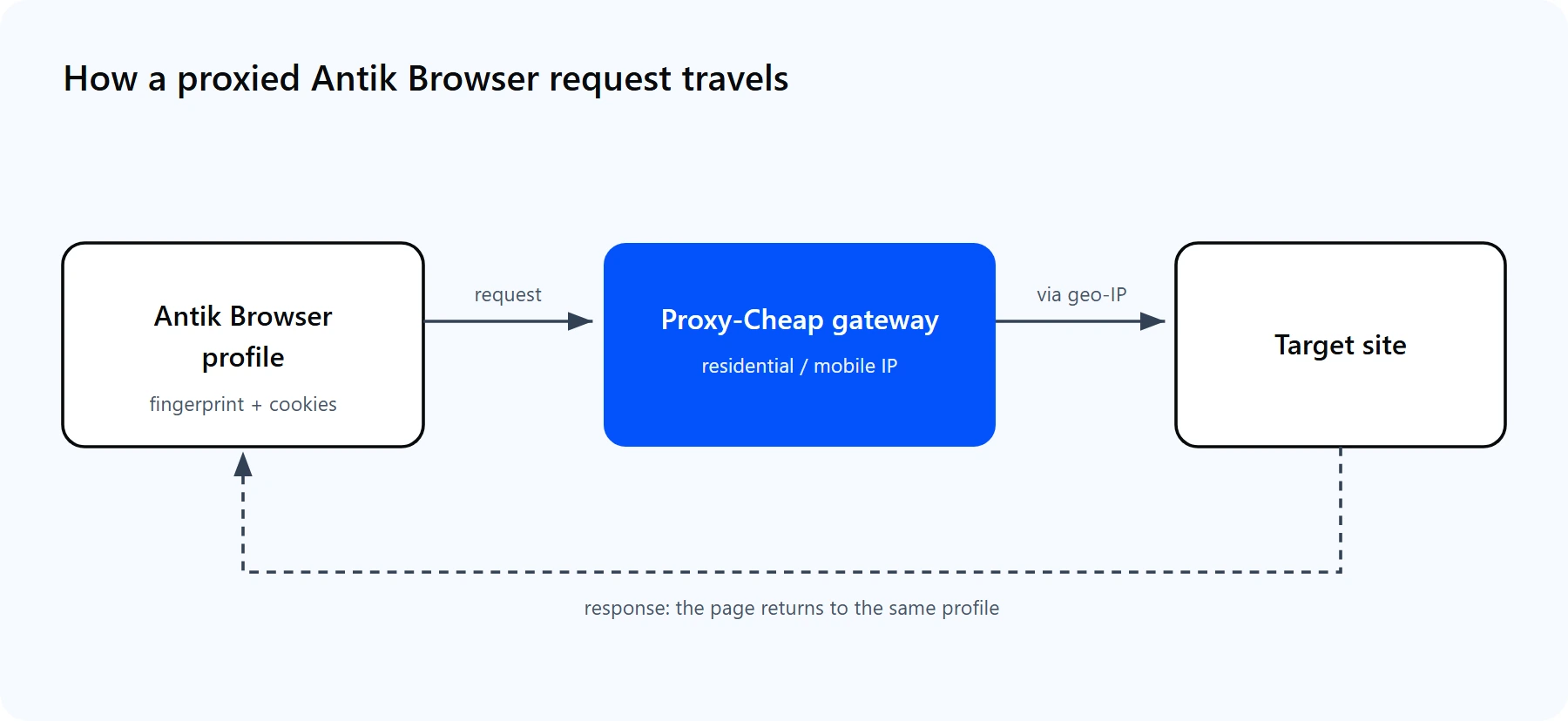
A profile sends its traffic to the Proxy-Cheap gateway, reaches the target site through a residential IP, and the response returns to that same profile.
First, get your credentials. In the Proxy-Cheap dashboard, open the Setup Credentials panel for your proxy. The format differs by product:
Antik Browser accepts those values as four separate fields, or pasted on one line:
# Proxy-Cheap delivers four values: host, port, username, password.
# Antik Browser reads them as four fields, or on one pasted line.
# Rotating residential, HTTP gateway (set the type to HTTP):
thehub.proxy-cheap.com:8080:<your-proxycheap-username>:<your-proxycheap-password>

# For static residential, ISP, datacenter, and mobile, use the unique
# host and port from your dashboard instead of the gateway:
<your-static-ip-host>:<port>:<your-proxycheap-username>:<your-proxycheap-password>Now add it to a profile:
A quick command line check confirms a proxy is live before you ever attach it:
# The response should show the proxy IP, not your own.
curl -x http://thehub.proxy-cheap.com:8080 \
     -U "<your-proxycheap-username>:<your-proxycheap-password>" \
"https://api.ipify.org?format=json"Three practical notes from real setups:
You get rotation in one of two ways, depending on the product:
For multi-account work, the second model is usually what you want. One account should keep one consistent IP, not a new one every request. So the common pattern is to buy a set of static residential or mobile IPs, paste the list, run Check all proxy, and bind one IP to each profile. Rotating residential is the better fit for research profiles that need wide regional reach rather than a fixed home.
For a deeper look at the trade-off, read static vs rotating proxies. The short version: pick static for identity, pick rotating for coverage.
Once you move past a handful of profiles, two Antik features save real time. Mass profile creation builds large batches at once, and the proxy manager lets you paste a whole list of IPs and assign them in bulk. The discipline that matters at scale is simple: keep one IP per profile so accounts stay separated as you grow.
Antik's Local API takes this further. Using the API token from your account, your scripts can create profiles, attach a proxy, and launch or stop a profile on demand. From there, an automation framework can drive the launched profile through its tasks. The key rule carries over: assign each automated profile its own dedicated IP, and keep the proxy region aligned with the profile fingerprint. Check the Antik Browser help center for the current Local API endpoints, since they evolve between releases.
Most Antik Browser proxy problems fall into a few buckets, and each has a quick fix.
1. The proxy check comes back red. The type or credentials are off. Confirm you selected the right type (HTTP versus SOCKS5), re-copy the host:port:username:password string with no stray spaces, and run Check all proxy again.
2. The check passes but the site behaves oddly. The profile signals disagree with the IP. Set the profile time zone, language, and WebRTC to the proxy country so the location reads as one place.
3. Accounts look associated. Two profiles shared one exit IP. Give each profile a dedicated static residential or mobile IP, or a unique sticky session, rather than one shared rotating exit.
4. The proxy works but feels slow. The exit is far from the target or the pool is busy. Choose an exit in or near the target market, and prefer static residential or ISP for steady throughput.
5. Authentication fails. Either the IP allowlist is not set or the username and password are swapped. Whitelist your current IP in the dashboard, or re-enter user and password, then re-check.
6. The profile launches on your real IP. The proxy is not bound to that specific profile. Open the profile Proxy section, confirm the proxy is attached, relaunch, and verify on an IP-echo page.
7. SOCKS5 will not connect with a username and password. Switch that profile to HTTP, which handles proxy authentication most reliably, or confirm SOCKS5 auth is enabled on the proxy.
For affordable multi-account work, Antik Browser is a strong, practical choice. The profile manager is clean, fingerprints are configurable, and the Local API means you are not locked into manual work. A few honest trade-offs to weigh.
Pros
Cons
The practical setup for most teams: run Antik Browser for the fingerprint layer, pair it with value-tier static residential or mobile IPs on pay-as-you-go billing, and you cover the vast majority of multi-account workloads without enterprise overhead.