
| User-agent type | Matching IP layer | Proxy-Cheap product | Best for |
|---|---|---|---|
| Desktop Chrome / Firefox | Residential or ISP | Rotating or static residential proxies | Standard pages, longer sessions |
| Mobile Chrome / Safari | Mobile | Mobile proxies | Mobile endpoints and apps |
| Any, high volume, public data | Datacenter | Datacenter proxies | Documentation crawls, public unprotected endpoints |
| Fixed-session desktop | Static residential / ISP | ISP proxies | Account-scoped or session-stable work |
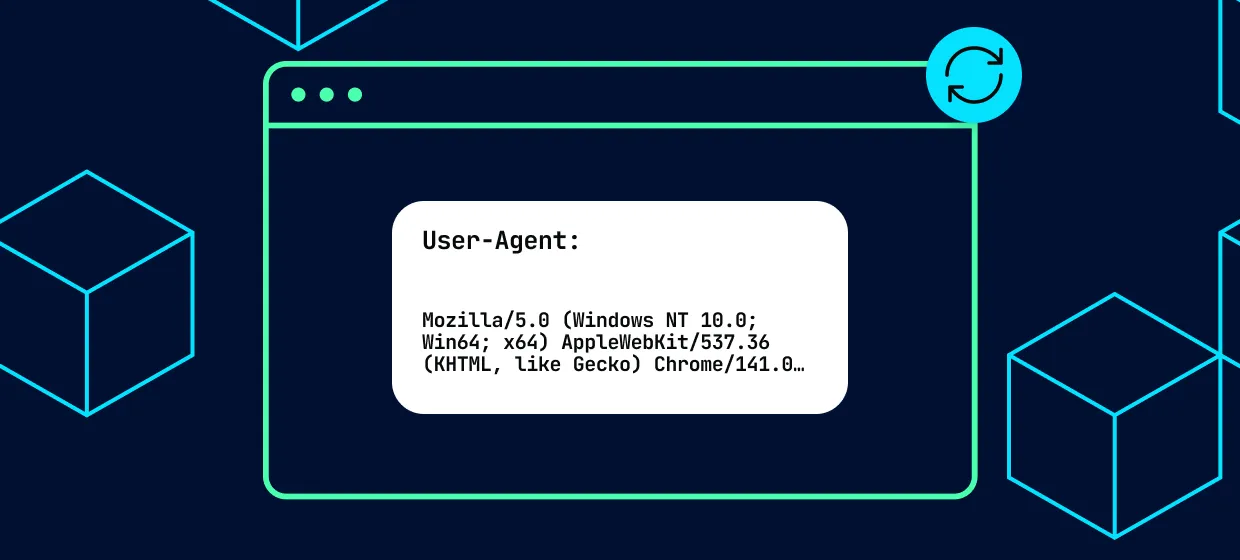
A user agent is a short text string a client sends in the HTTP User-Agent header. It identifies the browser, browser version, rendering engine, and operating system behind a request. Websites read it to choose which layout to serve (desktop or mobile), to record analytics, and to handle automated clients differently from browsers. In scraping, the string is the first thing a server reads about your request.
The header travels with every request, next to Accept-Language and the other request headers. You can read the User-Agent header (MDN) for the formal definition. Here is a current Chrome string broken into its parts:
Mozilla/5.0 (Windows NT 10.0; Win64; x64) AppleWebKit/537.36 (KHTML, like Gecko) Chrome/155.0.0.0 Safari/537.36
To see your own string, open developer tools, click any request in the Network tab, and read the request headers. Sites like whatismybrowser.com and httpbin.org/user-agent print it back too. The header reaches the server the same way through a proxy, as our guide to proxy types shows, so Proxy-Cheap users set it exactly as they would without one.
Scraping libraries send a default User-Agent that names the tool, for example python-requests/2.x or Scrapy/2.x. A server can read that string and serve automated clients a different response: an incomplete page, a challenge page, or placeholder data. Setting a current real-browser string in the request header is the first step toward receiving the same content a normal visitor loads.
We checked what each library sends with no configuration. Requests 2.34.2 sent python-requests/2.34.2 with Accept: / and no Accept-Language header. Scrapy 2.19.0 sent Scrapy/2.19.0 (+https://scrapy.org) with Accept-Language: en. Headless Chrome 141 under Selenium sent HeadlessChrome/141.0.0.0 on a Linux platform token. All three tell the server exactly what they are.
The string is one signal among several. Servers also read the other headers and the pace of your requests. So a real string is necessary for reliable web data collection, but not sufficient on its own.
The most reliable user agents for scraping in 2026 are strings from current, widely used browsers: Chrome on Windows and macOS, Firefox on Windows, Safari on macOS and iOS, and Chrome on Android. Because Chrome holds the largest desktop share, a current Chrome string is the most widely compatible choice on most sites. Keep every string current, since browser versions change roughly monthly.
Chrome accounted for about 65% of desktop browser usage worldwide in September 2026, according to StatCounter browser market share data. The strings below match the stable versions as of October 19, 2026 (Chrome and Edge 155, Firefox 158, Safari 27).
| Browser | OS | Example string | Best for |
|---|---|---|---|
| Chrome 155 | Windows | Mozilla/5.0 (Windows NT 10.0; Win64; x64) AppleWebKit/537.36 (KHTML, like Gecko) Chrome/155.0.0.0 Safari/537.36 | Default choice for standard desktop pages |
| Chrome 155 | macOS | Mozilla/5.0 (Macintosh; Intel Mac OS X 10_15_7) AppleWebKit/537.36 (KHTML, like Gecko) Chrome/155.0.0.0 Safari/537.36 | Desktop pages, US and EU markets |
| Chrome 155 | Linux | Mozilla/5.0 (X11; Linux x86_64) AppleWebKit/537.36 (KHTML, like Gecko) Chrome/155.0.0.0 Safari/537.36 | Developer tools and docs sites |
| Chrome 155 | Android | Mozilla/5.0 (Linux; Android 10; K) AppleWebKit/537.36 (KHTML, like Gecko) Chrome/155.0.0.0 Mobile Safari/537.36 | Mobile-optimized pages, paired with a mobile IP |
| Firefox 158 | Windows | Mozilla/5.0 (Windows NT 10.0; Win64; x64; rv:158.0) Gecko/20100101 Firefox/158.0 | Adding variety to a desktop rotation |
| Safari 27 | macOS | Mozilla/5.0 (Macintosh; Intel Mac OS X 10_15_7) AppleWebKit/605.1.15 (KHTML, like Gecko) Version/27.0 Safari/605.1.15 | Desktop pages that render differently for Safari |
| Safari 27 | iOS | Mozilla/5.0 (iPhone; CPU iPhone OS 18_6 like Mac OS X) AppleWebKit/605.1.15 (KHTML, like Gecko) Version/27.0 Mobile/15E148 Safari/604.1 | iPhone layouts and mobile endpoints |
| Edge 155 | Windows | Mozilla/5.0 (Windows NT 10.0; Win64; x64) AppleWebKit/537.36 (KHTML, like Gecko) Chrome/155.0.0.0 Safari/537.36 Edg/155.0.0.0 | Windows-heavy markets and B2B sites |
A few details trip people up. The Android string really does say "Android 10; K" on every device, because Chrome freezes those values. Safari also freezes the OS version, so the iOS string keeps an older OS token while the Safari version moves forward. Chrome 156 began its early rollout on October 14, so bump the number when it reaches full stable.
For standard pages, a desktop string is the safer default. To generate strings in code, the fake-useragent library works, with one catch covered below. For manual checks, the Chrome proxy extension lets you switch proxies while you compare what a page returns.
To set a user agent in Python requests, pass a headers dict with a User-Agent key to requests.get(). In Scrapy, set USER_AGENT in settings.py or per request. In Selenium, add the string through browser options before the driver launches. After sending, confirm the value the server received by requesting httpbin.org/user-agent.
Requests. Pass the string with its companion headers, then read back what the server saw:
python import requests headers = { "User-Agent": ( "Mozilla/5.0 (Windows NT 10.0; Win64; x64) " "AppleWebKit/537.36 (KHTML, like Gecko) " "Chrome/155.0.0.0 Safari/537.36" ), "Accept": "text/html,application/xhtml+xml,application/xml;q=0.9,*/*;q=0.8", "Accept-Language": "en-US,en;q=0.9", } response = requests.get("https://httpbin.org/user-agent", headers=headers, timeout=10) print(response.status_code, response.json())
To send traffic through a SOCKS5 proxy, install the extra first with pip install "requests[socks]". A session keeps the headers on every request:
python import requests session = requests.Session() session.headers.update({ "User-Agent": ( "Mozilla/5.0 (Windows NT 10.0; Win64; x64) " "AppleWebKit/537.36 (KHTML, like Gecko) " "Chrome/155.0.0.0 Safari/537.36" ), "Accept-Language": "de-DE,de;q=0.9,en;q=0.8", }) # SOCKS5 needs the extra: pip install "requests[socks]" proxy = "socks5h://USERNAME:PASSWORD@HOST:PORT" session.proxies.update({"http": proxy, "https": proxy}) response = session.get("https://httpbin.org/headers", timeout=15) print(response.json()["headers"]["User-Agent"]) print(response.json()["headers"]["Accept-Language"])
The socks5h scheme resolves DNS on the proxy side. If you need the host and port values, here is how to find your proxy server address.
Scrapy. Set USER_AGENT once, then override it per request where needed:
python import json import scrapy class UserAgentSpider(scrapy.Spider): name = "ua_check" custom_settings = { # Project-wide alternative: put USER_AGENT in settings.py "USER_AGENT": ( "Mozilla/5.0 (Macintosh; Intel Mac OS X 10_15_7) " "AppleWebKit/537.36 (KHTML, like Gecko) " "Chrome/155.0.0.0 Safari/537.36" ), "DEFAULT_REQUEST_HEADERS": { "Accept": "text/html,application/xhtml+xml,application/xml;q=0.9,*/*;q=0.8", "Accept-Language": "en-US,en;q=0.9", }, } async def start(self): # Uses USER_AGENT from custom_settings yield scrapy.Request("https://httpbin.org/user-agent", callback=self.parse) # Per-request override (wins over the setting) yield scrapy.Request( "https://httpbin.org/user-agent?per_request=1", headers={ "User-Agent": ( "Mozilla/5.0 (Windows NT 10.0; Win64; x64; rv:158.0) " "Gecko/20100101 Firefox/158.0" ) }, callback=self.parse, ) def parse(self, response): self.logger.info("Server saw: %s", json.loads(response.text)["user-agent"])
Run it with scrapy runspider ua_spider.py. Note the async def start() method: on Scrapy 2.19, a spider with only the older start_requests() sent zero requests in our test and closed without an error. For proxies, set request.meta["proxy"] (HTTP and HTTPS proxies).
Selenium. Add the string as a Chrome argument before the driver starts:
python import json from selenium import webdriver from selenium.webdriver.common.by import By UA = ( "Mozilla/5.0 (Windows NT 10.0; Win64; x64) " "AppleWebKit/537.36 (KHTML, like Gecko) " "Chrome/155.0.0.0 Safari/537.36" ) options = webdriver.ChromeOptions() options.add_argument("--headless=new") options.add_argument(f"--user-agent={UA}") options.add_argument("--lang=en-US") driver = webdriver.Chrome(options=options) try: driver.get("https://httpbin.org/headers") headers = json.loads(driver.find_element(By.TAG_NAME, "pre").text)["headers"] print(headers["User-Agent"]) print(headers.get("Sec-Ch-Ua")) finally: driver.quit()
Each snippet checks httpbin.org/user-agent or its /headers sibling, so you see exactly what arrived. In the Selenium output, the second line still reports the real browser version; the Client Hints section fixes that. To manage proxies from code too, see how to connect proxies programmatically or the Proxy-Cheap API docs.
User-agent rotation cycles through a list of real-browser strings so requests spread across several browser profiles instead of one. Rotation helps, but on its own it is incomplete: the string has to stay consistent with the other request headers and with the IP address behind it. A mobile user agent sent from a datacenter IP, or a US browser string paired with a non-US IP, is an inconsistent profile.
The fix is to rotate whole profiles, not bare strings. Chrome and Firefox send different Accept headers, so each string should carry its own:
python import random import requests # Each profile keeps the string and its companion headers together PROFILES = [ { # Chrome 155 on Windows "User-Agent": "Mozilla/5.0 (Windows NT 10.0; Win64; x64) AppleWebKit/537.36 " "(KHTML, like Gecko) Chrome/155.0.0.0 Safari/537.36", "Accept": "text/html,application/xhtml+xml,application/xml;q=0.9," "image/avif,image/webp,image/apng,*/*;q=0.8", }, { # Chrome 155 on macOS "User-Agent": "Mozilla/5.0 (Macintosh; Intel Mac OS X 10_15_7) AppleWebKit/537.36 " "(KHTML, like Gecko) Chrome/155.0.0.0 Safari/537.36", "Accept": "text/html,application/xhtml+xml,application/xml;q=0.9," "image/avif,image/webp,image/apng,*/*;q=0.8", }, { # Firefox 158 on Windows "User-Agent": "Mozilla/5.0 (Windows NT 10.0; Win64; x64; rv:158.0) " "Gecko/20100101 Firefox/158.0", "Accept": "text/html,application/xhtml+xml,application/xml;q=0.9,*/*;q=0.8", }, ] def fetch(session, url, accept_language="en-US,en;q=0.9"): headers = dict(random.choice(PROFILES)) headers["Accept-Language"] = accept_language # match the IP's country return session.get(url, headers=headers, timeout=15) with requests.Session() as session: for _ in range(5): r = fetch(session, "https://httpbin.org/user-agent") print(r.status_code, r.json()["user-agent"].split(") ")[-1])
If you want strings generated for you, fake-useragent can filter by browser and platform:
python from fake_useragent import UserAgent ua = UserAgent(browsers=["Chrome", "Edge"], os=["Windows", "Mac OS X"], platforms="desktop") pick = ua.getRandom # dict with the string plus browser and version fields print(pick["useragent"]) print(pick["browser"], pick["browser_version"]) # check the version before you send it
Here is the catch we found. fake-useragent 2.2.0, the latest release, ships a bundled dataset whose newest Chrome entry is version 136. The current stable version is 155. When we asked for min_version=150.0, it found no match and quietly fell back to a Chrome 122 string with only a warning. Check the version field, or keep your own list current.
Manual rotation has other limits: someone has to keep the list fresh and pair each string with its headers as volume grows. The IP side matters just as much. Rotating residential proxies give each profile a fresh residential exit, and unlimited bandwidth proxies suit long crawls where data volume is hard to predict.
A user agent works best when the IP address agrees with it. Match a mobile user agent to a mobile proxy, a desktop browser string to a residential or ISP IP, and keep the Accept-Language header aligned with the IP's country. Reserve datacenter IPs for high-throughput requests to public, unprotected endpoints, where header realism matters less and speed matters more.
| Task | User agent | IP type | Accept-Language | Why it fits |
|---|---|---|---|---|
| Mobile pages or app endpoints | Chrome Android or Safari iOS | Mobile | Language of the carrier's country | Mobile strings are expected from carrier networks |
| Standard desktop pages | Chrome or Firefox desktop | Rotating residential | Language of the exit country | Home broadband IPs match desktop browser traffic |
| Logged-in or multi-step sessions | One fixed desktop string | Static residential (ISP) | One fixed language | The same IP and string for the whole session |
| Docs, sitemaps, public catalogs | Any current string | Datacenter IPv4 | Default language | High throughput and steady speed for public data |
Mobile string, mobile IP. A Chrome Android or iPhone Safari string tells the server to expect a phone, so it fits a carrier network, which mobile proxies provide.
Desktop string, residential or ISP IP. Desktop browsers usually sit on home broadband. For longer sessions, static residential proxies keep the same IP for as long as you hold it, and ISP proxies cover both static and rotating options. Keep one string per session so nothing changes mid-flow.
Datacenter for throughput. Datacenter proxies are built for speed and volume. They fit documentation crawls and public endpoints, where throughput is the main priority.
Whichever browser string you send, the user agent works best when the IP agrees with it. Proxy-Cheap offers rotating residential, mobile, ISP, and datacenter proxies under one pay-as-you-go account with no monthly commitment, so you can match the string to the right IP and scale as your project grows.
The proxy setup guides cover wiring a proxy into common tools step by step. There are no setup costs, and you can cancel anytime.
Chromium-based browsers such as Chrome and Edge also send Client Hints, headers such as Sec-CH-UA and Sec-CH-UA-Mobile, alongside the User-Agent string. Servers compare the two, so a desktop User-Agent paired with mobile Client Hints is an inconsistent signal. Keep Accept, Accept-Language, and Accept-Encoding aligned with the browser you name, and match Accept-Language to the country of the IP you route through.
Client Hints exist for privacy. Chrome trimmed detail out of the User-Agent string and moved it into structured headers. By default, Chrome sends three: the brand and major version (Sec-CH-UA), a mobile flag (Sec-CH-UA-Mobile), and the platform (Sec-CH-UA-Platform). Servers can ask for more through Accept-CH, as Chrome's User-Agent Client Hints docs explain. Firefox and Safari do not send these headers.
This matters most with browser automation. When we set a Chrome 155 Windows string through the --user-agent flag, headless Chrome 141 still sent Sec-Ch-Ua: "Chromium";v="141" and Sec-Ch-Ua-Platform: "Linux". Two layers, two different stories. Setting the string and the hints together through the Chrome DevTools Protocol fixed it:
python import json from selenium import webdriver from selenium.webdriver.common.by import By options = webdriver.ChromeOptions() options.add_argument("--headless=new") driver = webdriver.Chrome(options=options) # Keep the string and the Client Hints on the version that is really running major = driver.capabilities["browserVersion"].split(".")[0] ua = ( "Mozilla/5.0 (Windows NT 10.0; Win64; x64) " "AppleWebKit/537.36 (KHTML, like Gecko) " f"Chrome/{major}.0.0.0 Safari/537.36" ) driver.execute_cdp_cmd("Network.setUserAgentOverride", { "userAgent": ua, "acceptLanguage": "en-US,en", "platform": "Win32", "userAgentMetadata": { "brands": [ {"brand": "Chromium", "version": major}, {"brand": "Google Chrome", "version": major}, ], "platform": "Windows", "platformVersion": "10.0.0", "architecture": "x86", "model": "", "mobile": False, }, }) try: driver.get("https://httpbin.org/headers") headers = json.loads(driver.find_element(By.TAG_NAME, "pre").text)["headers"] for name in ("User-Agent", "Sec-Ch-Ua", "Sec-Ch-Ua-Platform", "Accept-Language"): print(f"{name}: {headers.get(name)}") finally: driver.quit()
After the change, every layer reported the same version on Windows. The language rule is just as concrete. If you route through a German IP, send de-DE,de;q=0.9,en;q=0.8 so the language matches the exit country. The same discipline applies to ad-verification testing, where every layer of the request should reflect the market you are checking.
Collect only publicly available data, check the site's robots.txt, review its terms of service, and keep request rates modest so you do not strain the server. Responsible collection, reasonable delays, and respect for a site's stated rules keep a project on solid footing. When a task needs country-specific data, route through region-specific IPs for location-accurate testing rather than ignoring a site's rules.
A robots.txt file tells crawlers which URLs they may access; see how robots.txt works (Google). Terms of service matter just as much, especially for pages behind a login. Rules also vary by jurisdiction, so consult a legal professional when unsure.
Before scraping, look for an API. It gives structured data under the site's own terms, while scraping reads the rendered page. When no API meets your needs, careful scraping of public pages works well for market research and SEO data collection, including geo-specific checks for quality assurance.