
You send a GET request to a product page, print the HTML, and the price, reviews, or listings you need are nowhere to be found. Teams building scrapers with Proxy-Cheap run into this the moment a target site moves from static pages to JavaScript-rendered pages: a plain HTTP client only ever sees the page's initial response before the browser finishes loading anything. This guide covers the three ways to get that data anyway: render the page with a headless browser, or find and call the API it uses directly, with working code for each.
Dynamic web scraping in Python means extracting data that a page loads with JavaScript after the initial HTML arrives, rather than data that ships in the first response. A plain HTTP client like Requests reads that first response and stops, so anything added afterward with JavaScript never shows up, and BeautifulSoup, however good it is at parsing, can only parse HTML it's already given: the webpage content has to be there before it can read any of it.
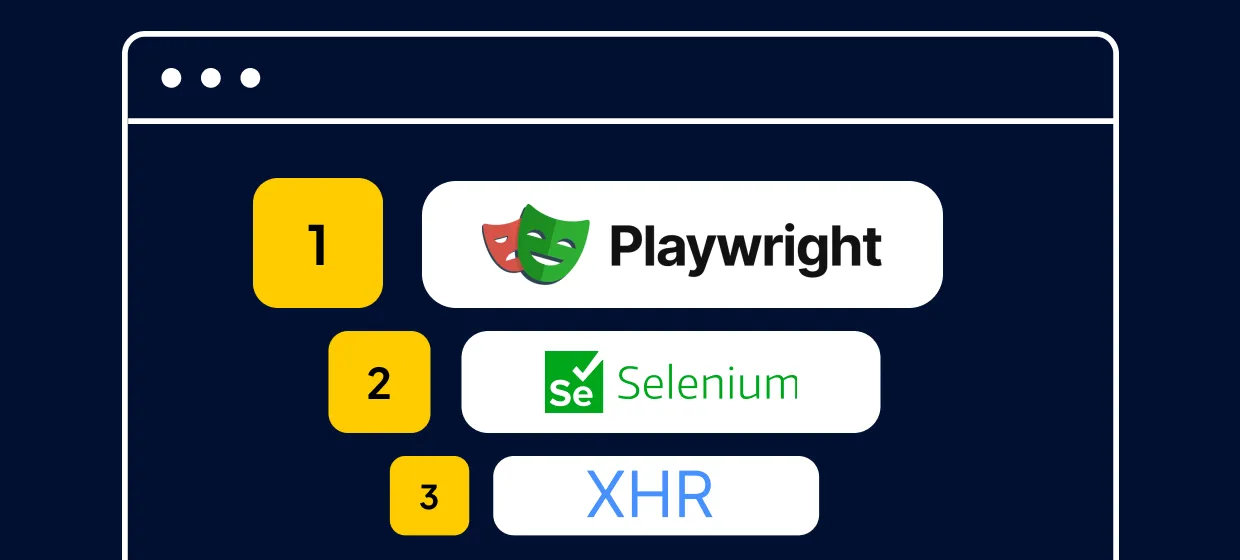
There are three reliable approaches, each suited to a different job. You can render the page with a headless browser such as Playwright or Selenium, the two most common browser automation libraries in Python, and let a real browser engine execute JavaScript before you extract data. You can intercept the XHR/API call the page makes in the background and query that endpoint directly with an HTTP client. Or you can route the problem to a scraping API that renders the page on its end and hands back finished HTML or JSON.
Requests and BeautifulSoup remain the right choice for static websites; the trouble starts the moment a target adds client-side rendering on top of that.
| Approach | Best for | Speed | Handles client-side rendering | Setup cost |
|---|---|---|---|---|
| XHR/API interception (Requests) | Pages that fetch JSON from a findable endpoint | Fastest | No | Low |
| Headless browser (Playwright / Selenium) | Client-side rendered SPAs, interaction, infinite scroll | Slower | Yes | Medium |
| Scraping API | Teams that want to skip infrastructure | Varies | Yes | Paid |
Show Image Pick XHR interception first for speed, fall back to a headless browser when the page renders entirely on the client side.
The rule of thumb: check the Network tab first. If the data comes from a JSON endpoint, calling it directly with Requests is the fastest and simplest of the three. If the content only appears after user interactions like scrolling or clicking, or the page builds everything client-side with no clean endpoint, reach for a headless browser instead.
This matters for any web data collection workflow, from price monitoring to localization QA, because picking the wrong method up front wastes either your time or your infrastructure budget. Scraping APIs make sense when a team wants to skip building and maintaining that browser automation layer altogether, at the cost of an ongoing per-request price.
Playwright launches a real browser and provides full browser emulation, executing JavaScript exactly as a visitor's browser would, then returning the fully rendered HTML. It's the recommended default in 2026: it auto-waits for elements before interacting with them, supports Chromium, Firefox, and WebKit through a single API, and runs faster than Selenium in most benchmarks via its direct connection to the Chrome DevTools Protocol.
Install the required libraries with pip, then download the browser binaries Playwright needs:
bash pip install playwright playwright install
A minimal render-and-parse script opens the target URL, waits for a real element to appear, and reads the resulting page source:
python from playwright.sync_api import sync_playwright from bs4 import BeautifulSoup with sync_playwright() as p: browser = p.chromium.launch(headless=True) page = browser.new_page() page.goto("https://example.com/products") page.wait_for_selector(".product-card") html = page.content() browser.close() soup = BeautifulSoup(html, "html.parser") for card in soup.select(".product-card"): print(card.get_text(strip=True))
wait_for_selector is the part that matters: it pauses the script until that CSS selector appears in the DOM, so you're letting the page finish loading before you extract content, instead of guessing with a fixed delay. For pages that fire several requests before settling, page.goto(url, wait_until="networkidle") waits until the network has been quiet for a short stretch, a reasonable default when you don't know exactly which element to wait for.
Handling infinite scrolling requires an additional loop. Scroll down, give the page a moment to load the next batch, and compare the page height before and after:
python last_height = page.evaluate("document.body.scrollHeight") while True: page.mouse.wheel(0, 15000) page.wait_for_timeout(1500) new_height = page.evaluate("document.body.scrollHeight") if new_height == last_height: break last_height = new_height
When the height stops changing, every item the page will load has loaded, and page.content() returns the final HTML for parsing.
Playwright runs in headless mode by default, which is what you want for a scheduled job, but switching to headless mode (headless=False) is worth doing whenever a selector isn't matching. Watching the real browser window makes it obvious whether the problem is timing or a wrong selector. For quick manual checks in your own Chrome browser instead of a scripted one, the Chrome proxy extension gives you the same proxy control with no code involved.
See the official Playwright for Python docs for the full API, including the async version of everything shown here.
Selenium automates a real browser and fully executes JavaScript, so it returns the same rendered content as Playwright. It has the largest community of any browser automation library and the widest browser and language support, making it a practical fallback when a target needs a specific browser build, or you're adding data extraction to an existing Selenium test suite.
Install it, then launch headless Chrome:
bash pip install seleniumpython from selenium import webdriver from selenium.webdriver.chrome.options import Options from selenium.webdriver.common.by import By options = Options() options.add_argument("--headless=new") options.add_argument("--no-sandbox") driver = webdriver.Chrome(options=options) driver.get("https://example.com/products") cards = driver.find_elements(By.CSS_SELECTOR, ".product-card") for card in cards: print(card.text) driver.quit()
Tested against Selenium 4.47.0 with Python 3.11. Selenium's built-in driver manager automatically resolves a matching ChromeDriver, so you don't need to install one by hand. If you'd rather install the webdriver manager tooling yourself to pin an exact driver version, pip install webdriver-manager handles the download and caching for you instead.
--headless=new is the current headless flag; the older --headless still works on most Chrome builds but renders slightly differently in edge cases. By.CSS_SELECTOR covers most element selection, whether you're targeting a class name or an id attribute, though By.CLASS_NAME and By.XPATH reach specific elements a plain CSS selector can't match cleanly.
The one habit worth building early is replacing time.sleep() with an explicit wait. A fixed sleep either wastes time waiting for a page that has already loaded, or gives up too early on a slow one:
python from selenium.webdriver.support.ui import WebDriverWait from selenium.webdriver.support import expected_conditions as EC wait = WebDriverWait(driver, 10) cards = wait.until(EC.presence_of_all_elements_located((By.CSS_SELECTOR, ".product-card")))
WebDriverWait polls the page until the condition is true or the timeout is reached, so the script only waits as long as it actually needs to.
Choose Selenium over Playwright when you need a browser build that Playwright doesn't ship, when your team already maintains a Selenium codebase, or when a dependency only integrates with Selenium's WebDriver protocol. For a new project with no existing constraints, Playwright's auto-waiting removes a category of timing bugs.
Some sites route their own traffic through an internal proxy API before it reaches their backend, which is part of why an endpoint in the Network tab won't always match a public API reference; the proxy API guide covers that architecture in more depth.
See the official Selenium documentation for the full WebDriver API reference.
Many dynamic pages fetch their data from a JSON API in the background and render it into the DOM afterward. If you can find that endpoint, you can skip the browser entirely, because you're asking the server for the same data it would otherwise use to build the page in front of you.
Open your browser's DevTools, switch to the Network tab, and watch the network requests the target webpage fires. Filter to Fetch/XHR and reload the page, then look for a request that returns a JSON response rather than HTML, images, or scripts. Click it, and you'll see the full request URL, any query parameters (such as page numbers or category filters), and the request headers the site sends along.
Requests is the standard Python library for calling an endpoint like this directly. Once you have the URL, replay it:
python import requests url = "https://example.com/api/products" params = {"page": 1, "limit": 20} response = requests.get(url, params=params, headers={"User-Agent": "Mozilla/5.0"}) data = response.json() for item in data["items"]: print(item["name"], item["price"])
Tested against Requests 2.33.1. The response comes back in JSON format, so response.json() gives you a plain Python dict with no HTML parsing required.
Most endpoints paginate, so loop over the page or offset parameter until the response comes back empty:
python import requests all_items = [] page = 1 while True: response = requests.get( "https://example.com/api/products", params={"page": page, "limit": 20}, ) payload = response.json() items = payload.get("items", []) if not items: break all_items.extend(items) page += 1 print(f"Collected {len(all_items)} records")
From here, writing the collected data out to a CSV file with the standard library's csv module, or loading it into a DataFrame for further processing, is the same as any other API integration, and parsing JSON responses page by page this way scales to large catalogs without ever opening a browser.
This method has two honest limits. It doesn't work when the JSON is already embedded in the page's initial HTML rather than fetched separately (some frameworks server-render the first view and hydrate from there), and endpoints can change shape or add new parameters without warning, so a script built around one can break without any visible change to the page itself. When either applies, automated browsers are the more resilient option, even though they're slower.
See the official Requests documentation for session handling, retries, and authentication helpers beyond what's shown here.
Every request you send, whether it's a rendered page from Playwright or a direct call to a JSON endpoint, leaves from a single IP address by default: yours. For a handful of test requests, that's fine. For a job that runs on a schedule, covers multiple markets, or sends enough volume to look unusual from a single address, routing traffic through proxies keeps the collection geo-specific and maintains the pacing of a large job spread across many IPs instead of one.
Both Playwright and Selenium accept a proxy at launch, so the change is a few lines, not a rewrite. Playwright takes it directly in the launch() call:
python from playwright.sync_api import sync_playwright with sync_playwright() as p: browser = p.chromium.launch( proxy={ "server": "http://proxy-us.proxy-cheap.com:5959", "username": "USERNAME", "password": "PASSWORD", } ) page = browser.new_page() page.goto("https://example.com/products")
Every request from that browser instance routes through the gateway, including any XHR calls the page fires internally. On rotating residential and mobile lines, proxy rotation happens automatically on the provider's side, so each session can use a different IP address with no extra code.
Selenium's Chrome options accept a proxy through the --proxy-server flag, but it's worth knowing what that flag actually supports before you build around it. Chrome reads the host and port from --proxy-server cleanly, but it does not reliably accept a username and password embedded in the same string. That makes --proxy-server a clean fit for proxies that authenticate by whitelisted IP, static residential, datacenter, and static mobile all support this, while rotating residential and rotating mobile proxies authenticate by username and password and need one extra step in Selenium (a small generated browser extension that supplies the credentials) to work the same way. Playwright's proxy dictionary handles both authentication methods natively, which is one more reason it's the simpler default for proxy-heavy jobs:
python from selenium.webdriver.chrome.options import Options PROXY = "gateway:port" # whitelisted IP, no credentials needed in the URL options = Options() options.add_argument(f"--proxy-server={PROXY}") options.add_argument("--headless=new") driver = webdriver.Chrome(options=options)
Which proxy type fits depends on the job. Rotating residential proxies work well for broad public web collection, where you want IPs that match a real market, drawing from a large pool of residential IP addresses across many countries. Datacenter proxies are built for high-throughput jobs against public JSON endpoints or documentation-style crawls, where speed matters more than the IP's origin. Rotating mobile proxies use real carrier IP addresses and suit mobile-first targets, whereas a residential or datacenter IP behaves differently from a phone's connection.
Whichever type you pick, the credentials go in the same place in the code above; only the gateway and product line change.
Dynamic pages introduce three problems that don't show up on static sites: content that hasn't loaded yet, content hidden behind infinite scroll, and servers that slow down or reject requests when you send them too quickly. The fix for all three is the same set of habits across all the methods above: wait on real elements instead of fixed delays, scroll and check for new content instead of assuming a page has loaded, and pace requests instead of firing them as fast as the network allows.
For infinite scroll specifically, the pattern that works everywhere is the one shown earlier: scroll, wait, compare the page's height (or item count) to the last measurement, and stop once it stops growing. That works whether the page is adding blog posts, product cards, or search results.
For request pacing, respect a Retry-After header when a server sends one, and treat HTTP 429 and 503 responses as a signal to slow down rather than retry immediately. An exponential backoff wrapper handles both cleanly:
python import time import requests def get_with_backoff(url, params=None, max_retries=4): for attempt in range(max_retries): response = requests.get(url, params=params, timeout=10) if response.status_code == 200: return response if response.status_code in (429, 503): wait = 2 ** attempt time.sleep(wait) continue response.raise_for_status() raise RuntimeError("Max retries exceeded")
Each retry waits longer than the last (1, 2, 4, then 8 seconds), which gives a temporarily overloaded server room to recover instead of hitting it again immediately. See HTTP 429 Too Many Requests for the full semantics of the status code.
Some sites also run what's generally called an anti-bot system: extra JavaScript checks, CAPTCHAs, or stricter rate limits that kick in when traffic looks unusual. Reaching for specialized tools like stealth plugins on top of your browser automation library is rarely the first fix worth trying; the same reliability habits already covered, waiting, scrolling, and pacing, solve most of what trips these systems in normal data-collection use.
For a job large enough that pacing alone isn't practical, spreading requests across static residential proxies keeps each IP's request rate looking reasonable even as the job's total volume grows. This is the same reliability engineering behind any market research workflow collecting pricing, listings, or sentiment data at scale: the goal is consistent, well-paced collection, not a race to grab everything in the shortest possible time.
A dynamic website doesn't send all of its content in the initial HTML response. Instead, the server sends a minimal page, often close to empty, and JavaScript running in the browser executes and fetches the real content afterward, usually from an API, then writes it into the page's structure once it arrives. JavaScript rendering is the step that turns minimal HTML into the page a visitor sees, and it's the step a plain HTTP client never triggers, since content that has to load dynamically won't appear without a browser.
You can check this yourself. Open a target webpage, disable JavaScript in your browser's settings, and reload it. If most of the content disappears, the site is dynamic and needs one of the three methods above. If the content stays, a plain HTTP client and BeautifulSoup are enough on their own, since you're dealing with static HTML that the server has already sent.
Most modern websites built this way use a JavaScript framework: React, Vue, Angular, and Svelte are the most common, and each renders some or all of the page on the client side rather than shipping finished HTML from the server. That's a deliberate trade-off, not a flaw: client-side rendering makes pages feel faster once loaded, at the cost of an empty first response for anything that isn't a full browser.
This is also where proxy type matters. Different types of proxies suit different parts of a scraping job, and understanding residential, datacenter, and mobile IP addresses helps explain why the proxy code above asks for a specific gateway rather than a generic one.