
Proxy address means two related things depending on who is asking: the connection string your software points at, and the IP that a website records for your traffic. This guide covers both. It walks through every common type, shows the format with real examples, and explains how to find or set one up.
A proxy address is the network location of a proxy server, written as a host and a port in host:port form. The host is either an IP address such as 198.51.100.23 or a domain name such as proxy.example.com. The port, for example 8080 or 5959, tells your software which service to reach on that host.
When you set this address in your browser, operating system, or script, your requests travel to the proxy server first. The proxy forwards each request to the destination, receives the response, and passes it back to you. The destination logs the proxy IP, not your device IP, which is the property most people are after.
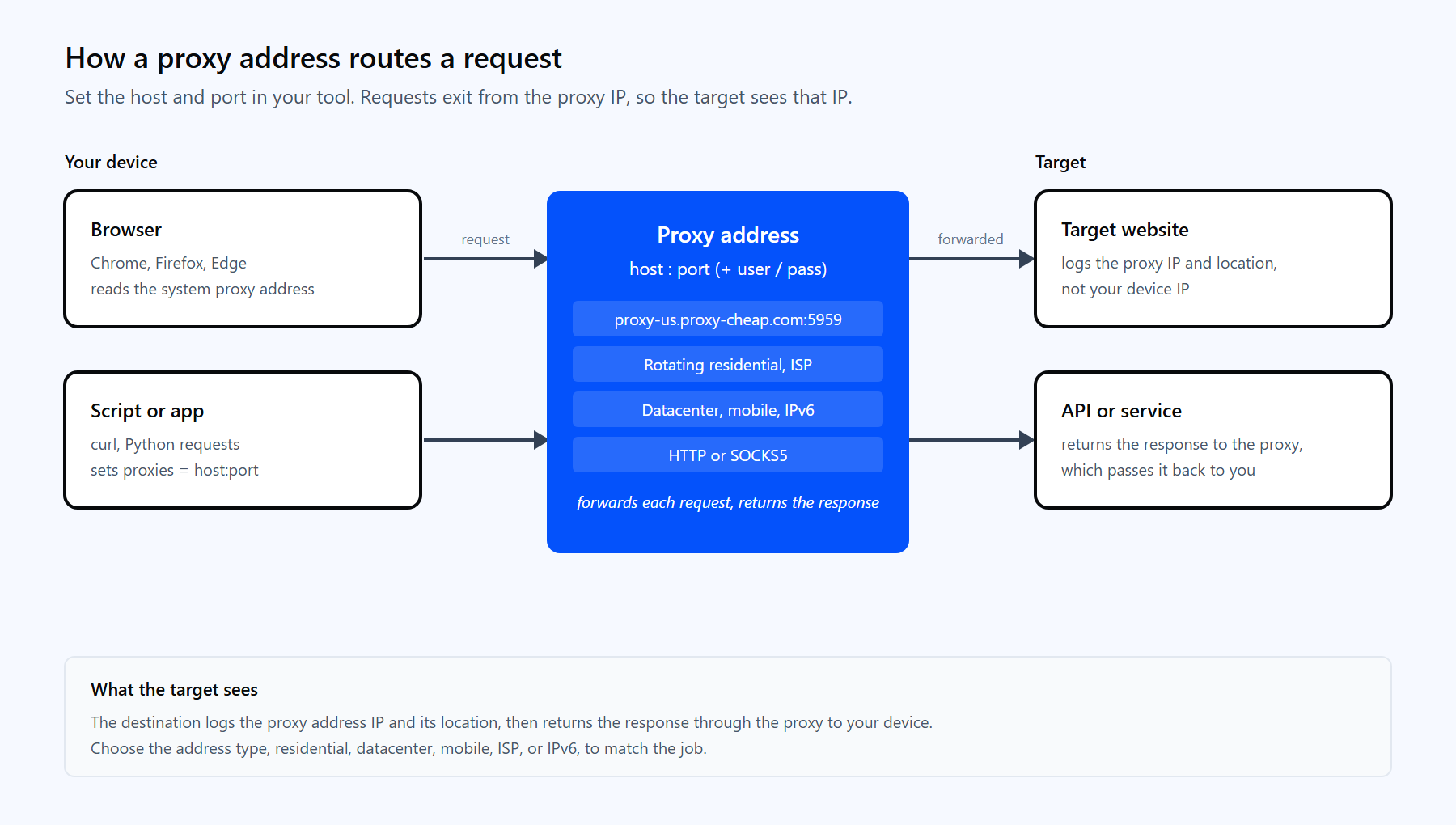
A request travels from your device to the proxy address, out to the target site, and back. The site records the proxy IP, not your device IP.
Two unrelated meanings share the name. In Microsoft Entra ID and Active Directory, proxyAddresses is a directory attribute that lists a user mailbox email aliases, and a separate nonprofit uses the term for a postal forwarding service. This article is about proxy server addresses used for network routing.
Most proxy addresses follow the same IP:port pattern. For example, 192.0.2.10:3128 points to the host 192.0.2.10 on port 3128. A hostname can replace the IP, as in proxy.example.com:8080, which is common for rotating gateways where the IP behind the name changes on its own.
A proxy address has up to three parts:
Here are three valid examples in different formats:
A free public proxy might be listed as plain 45.93.10.2:3128, while a managed service gives you a stable gateway name plus a username and password generated in your dashboard.

Proxy addresses are grouped by where the IP comes from, which IP version it uses, whether it changes, and which protocol it speaks. Here are the eight types you will actually choose between.
A residential proxy address belongs to a real home device assigned by an internet service provider. Because the IP looks like an ordinary household connection, sites treat the traffic as a normal visitor, which keeps success rates high on consumer-facing targets. Residential addresses suit price monitoring, ad verification, and gathering publicly available data across many regions. Proxy-Cheap residential proxies draw from a large pool with country, city, and state targeting.
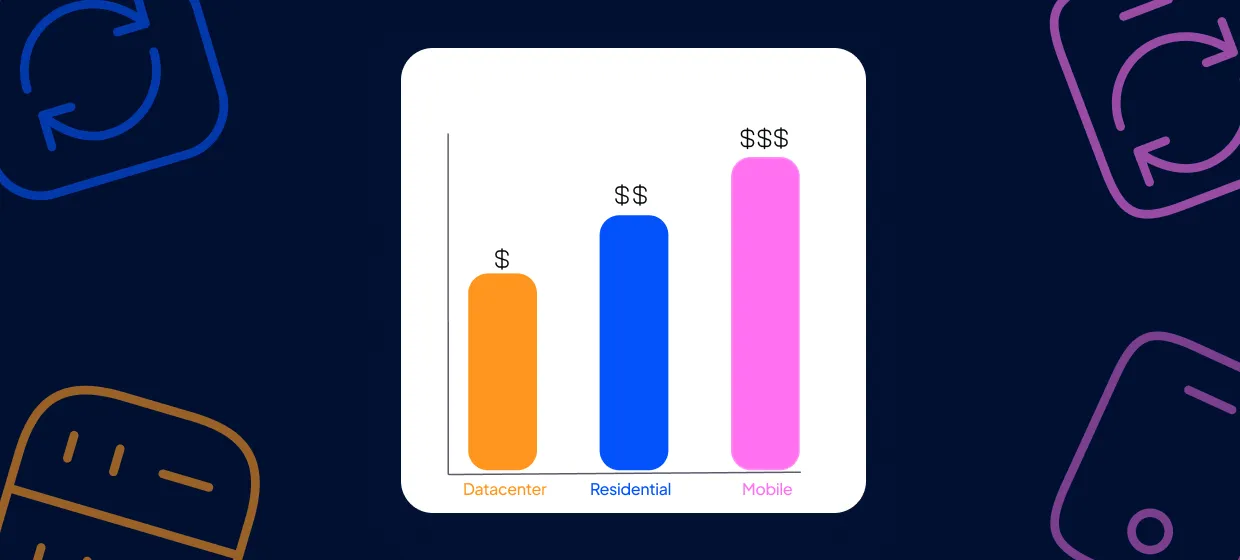
A datacenter proxy address comes from a server in a hosting facility rather than a home connection. These addresses are fast and economical, with predictable per-IP pricing, and they deliver high throughput on documentation, public catalogs, and other unprotected content. They are the best-value option when the origin of the IP is not the priority. Proxy-Cheap datacenter proxies offer both IPv4 and IPv6 in multiple countries.
A mobile proxy address routes through a 3G, 4G, 5G, or LTE connection on a real carrier network. Mobile IPs carry high trust because many real users share each carrier IP, so they fit social media management, ad checks, and testing on mobile-first platforms. Proxy-Cheap mobile proxies span 100+ countries on rotating and static plans.
An ISP proxy address, also called static residential, is a fixed IP hosted in a datacenter but registered to an internet service provider. You get residential-level trust with datacenter speed, and the same IP stays with you for as long as you hold the plan. That makes it ideal for account-bound tasks and session-aware dashboards. Proxy-Cheap static residential proxies assign one IP per proxy for the full term.
This pair describes whether the address changes. A rotating proxy address gives you a new exit IP automatically, either on every request or on a sticky session of around 30 minutes, which spreads a large job across many IPs and keeps you within each site rate limits. A static proxy address holds one IP for the whole session, which you want for logins and stateful workflows. Proxy-Cheap rotating residential proxies handle rotation at the gateway, so a single address covers the entire pool.
This pair describes the IP version. An IPv4 proxy address uses the familiar four-number format such as 198.51.100.23 and works everywhere, which is why it is the default. An IPv6 proxy address uses the longer hexadecimal format such as 2001:db8::1 and is far cheaper to supply in bulk, so it fits large jobs on sites that already support IPv6. Proxy-Cheap IPv6 proxies give you a vast pool for high-volume data collection and SEO tracking.
This pair describes the protocol the address speaks. An HTTP proxy address handles web traffic and is the most compatible choice for browsers and scraping libraries. A SOCKS5 proxy address works at a lower level and carries any TCP or UDP traffic, which suits non-web tools and high-throughput transfers. Proxy-Cheap SOCKS5 proxies are available across the residential and static lines.
This pair describes how many people use the address. A dedicated proxy address is yours alone, so its reputation and speed depend only on your own traffic. A shared proxy address splits the cost across several users, which is cheaper but means another user volume can slow it down. For consistent performance on important work, choose a dedicated address. Proxy-Cheap ISP proxies provide dedicated static IPs with flexible authentication.
If a proxy is already set on your device or network, the address lives in your operating system or browser settings. Here is where to look on each platform.
Open Settings, go to Network & internet, then Proxy. Under Manual proxy setup you will see the address and port if one is set. To read it from the command line, open Command Prompt or PowerShell and run:
| netsh winhttp show proxy |
A configured system proxy returns a line such as Proxy Server(s): 198.51.100.23:8080. If none is set, the command reports Direct access (no proxy server).
Open System Settings, choose Network, select your active connection, click Details, then Proxies. Any configured proxy address and port appear next to the enabled protocol, such as Web Proxy (HTTP) or SOCKS Proxy.
Both browsers use the operating system proxy. Open Settings, search for proxy, and click Open your computer proxy settings, which sends you to the Windows or macOS panel above.
Firefox keeps its own proxy configuration. Open Settings, scroll to Network Settings, and click Settings to view the manual proxy address and port.
Open Settings, go to Network & internet, tap Wi-Fi, press and hold your network, choose Modify network, expand Advanced options, and read the Proxy host name and Proxy port.
Open Settings, tap Wi-Fi, tap the information icon next to your network, and scroll to Configure Proxy. A manual entry shows the server address and port.
Most Linux tools read proxy settings from environment variables. Print them with:
| env | grep -i proxy |
Look for http_proxy, https_proxy, and all_proxy, each holding a value such as http://198.51.100.23:8080. Desktop environments like GNOME also expose the address under Settings, Network, Network Proxy.

Setting up a proxy address means pointing your tool at the provider host and port and adding your credentials. A paid service gives you a gateway name or a dedicated IP plus a username and password from the dashboard. Keep the username and password in their own fields, never inside the host string.
The Proxy-Cheap rotating residential gateway is a clear example. The US endpoint is proxy-us.proxy-cheap.com:5959 and the EU endpoint is proxy-eu.proxy-cheap.com:5959, and every request through the gateway gets a fresh IP.
Test an address quickly with curl. The -x flag sets the proxy host and port, and -U passes the username and password separately:
| curl -x proxy-us.proxy-cheap.com:5959 -U <your-proxycheap-username>:<your-proxycheap-password> https://api.ipify.org |
A working proxy returns the exit IP assigned to your request, not your own. In Python, the requests library takes the same details in a proxies dictionary:
import requests
# Credentials stay in their own variables, not baked into the host string. proxy_user = "<your-proxycheap-username>" proxy_pass = "<your-proxycheap-password>" proxy_host = "proxy-us.proxy-cheap.com:5959"
proxy = "http://%s:%s@%s" % (proxy_user, proxy_pass, proxy_host) proxies = {"http": proxy, "https": proxy}
resp = requests.get("https://api.ipify.org?format=json", proxies=proxies, timeout=15) print(resp.json()) # prints the proxy IP, confirming the address works |
For a dedicated IP from the static, ISP, or datacenter lines, swap the gateway name for the exact host and port shown in your dashboard. If your server runs from a fixed IP, you can add that IP to the proxy allowlist instead and drop the username and password entirely.
The best proxy address is the one that matches your workload. Use the matrix below to map a task to a first-choice type, then refine by IP version, rotation, and protocol. If you are weighing the two most common options, the datacenter vs residential proxies guide compares them in depth.
| Use case | First-choice address | Also works |
|---|---|---|
| Large-scale public-web data collection | Rotating residential | Datacenter |
| Account-bound tasks and logins | ISP (static residential) | Mobile |
| Social media and app testing | Mobile | ISP (static residential) |
| High-throughput crawls of public docs | Datacenter | IPv6 |
| Localized pricing and ad checks | Residential, geo-targeted | Mobile |
| Bulk jobs on IPv6-ready sites | IPv6 | Datacenter |
| Non-web TCP or UDP transfers | SOCKS5 | HTTP |
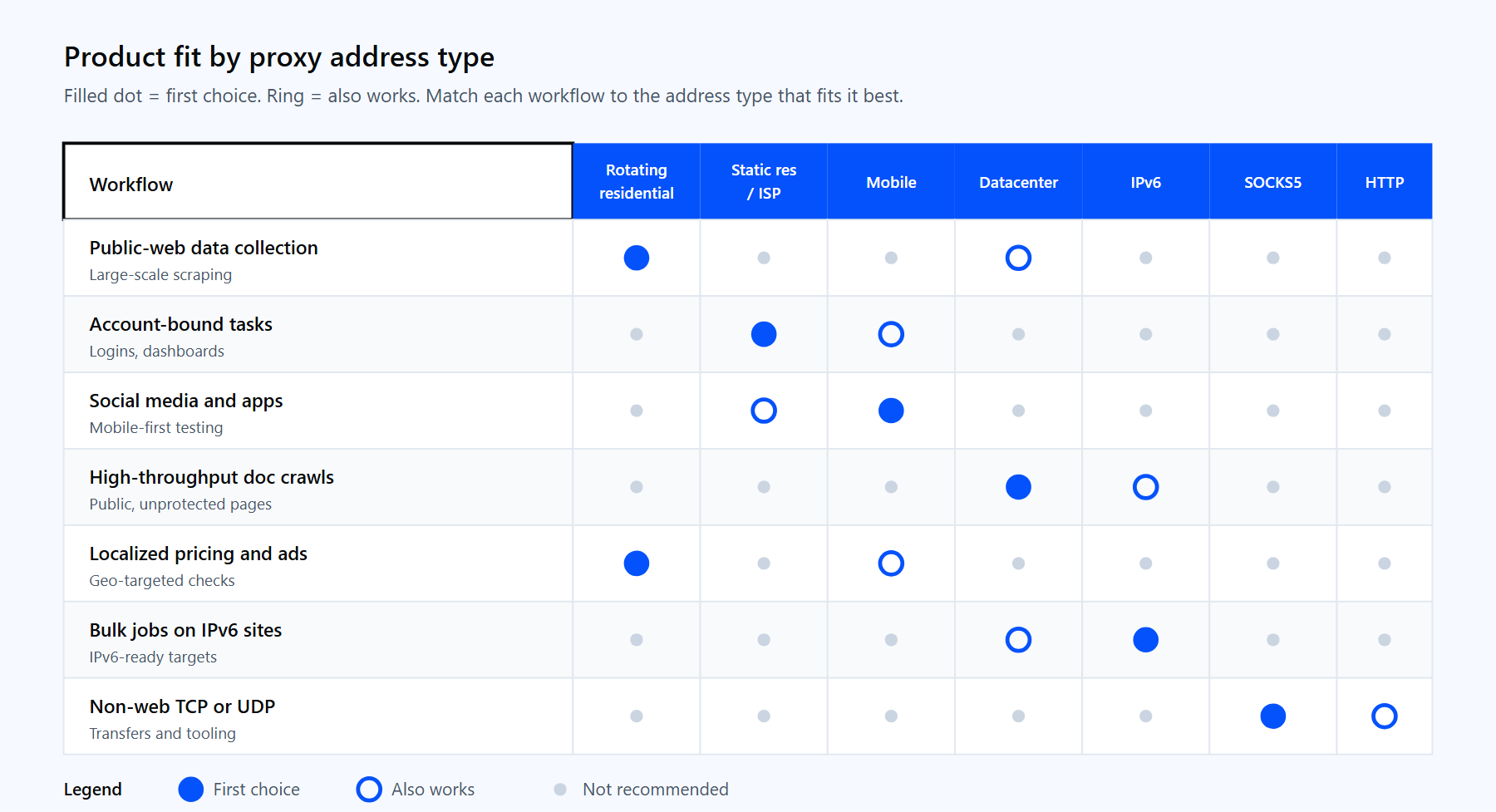
Match the workload to the first-choice address type, then refine by version, rotation, and protocol.
Whichever type fits, Proxy-Cheap offers it on pay-as-you-go billing with no setup costs and no monthly commitment. Compare the options on the pricing page and start with the address type that matches your first project.