

Key takeaways:
The short answer: choose an HTTP or HTTPS proxy when your traffic is web based and you want header control, caching, or content filtering. Choose a SOCKS5 proxy when you need to route any protocol, including UDP, or you want the lowest overhead. The table below shows the differences at a glance, then each section explains them.
| Attribute | HTTP / HTTPS proxy | SOCKS5 proxy |
| OSI layer | Application (layer 7) | Session (layer 5) |
| Traffic it handles | HTTP and HTTPS web traffic | Any TCP or UDP traffic |
| Protocol awareness | Reads and can modify HTTP headers | Forwards traffic without reading it |
| UDP support | No | Yes |
| Caching and filtering | Yes, content aware | No |
| Built-in encryption | None (HTTPS tunnels TLS to the site) | None (relies on the app's TLS) |
| Authentication | Username and password | Username and password |
| Typical speed | Slight overhead from parsing | Low overhead, often slightly faster |
| Best for | Web scraping, caching, header control | Any protocol, P2P, real-time apps |
The core difference is awareness. An HTTP proxy understands the web requests it carries, so it can act on them. A SOCKS5 proxy is a general-purpose tunnel that moves bytes without interpreting them.
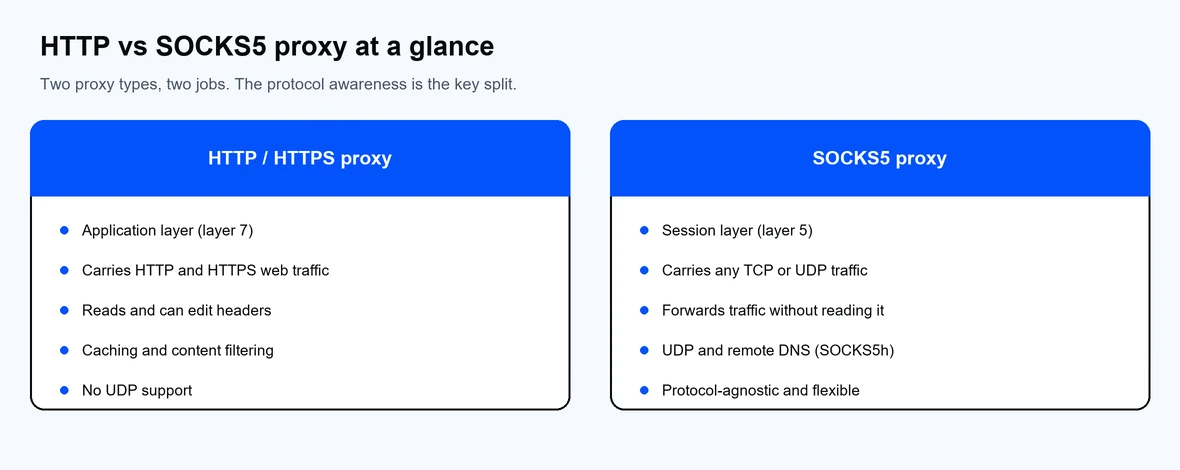
HTTP proxies understand web traffic; SOCKS5 forwards any protocol.
An HTTP proxy sits between your client and a web server and handles HTTP and HTTPS requests. Because it works at the application layer, it can read request headers, apply rules, cache responses, and filter content. An HTTPS proxy is an HTTP proxy that supports the CONNECT method, which opens a TLS tunnel so encrypted traffic passes through to the destination.
This awareness is the strength of an HTTP proxy. It is well suited to web data collection where you want to set headers, manage cookies, or cache repeated requests. It only carries web traffic, so it is not the tool for non-web protocols.
A SOCKS proxy works at the session layer and forwards traffic for any application without reading the contents. SOCKS4 is the older version and handles TCP connections only. SOCKS5 is the current version and adds three useful capabilities:
Because SOCKS5 does not interpret traffic, it works with almost any protocol, which is why it is the flexible, general-purpose option.
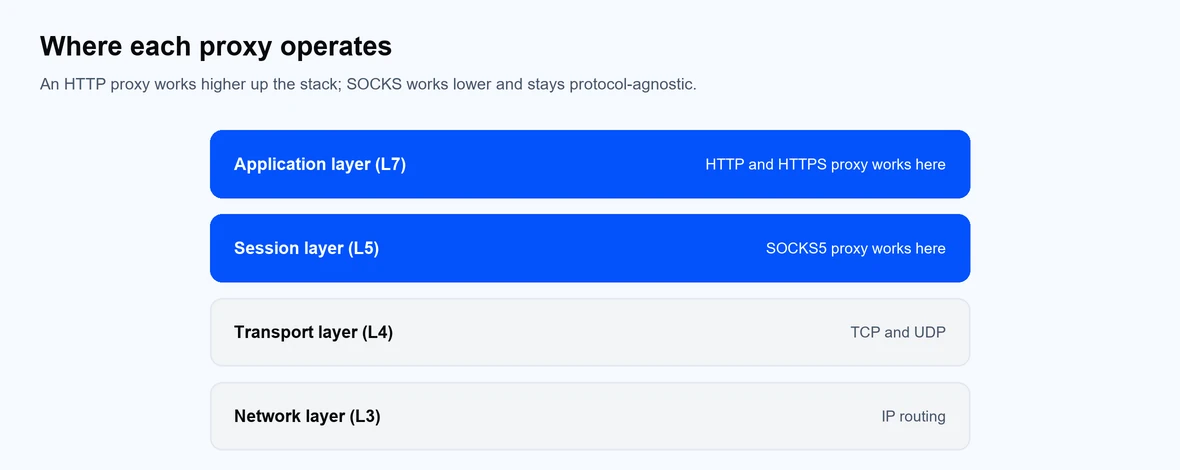
An HTTP proxy works at layer 7; SOCKS5 works at layer 5.
Often, but not always. A SOCKS5 proxy does not parse or rewrite requests, so it adds slightly less overhead per connection, which can help with high-volume or non-web traffic. An HTTP proxy adds a little processing because it reads headers, though it can also cache repeated responses and return them faster.
In practice, real-world speed depends more on the network, the IP type, and the distance to the target than on the protocol. For most users the difference is small, so choose based on the traffic you route rather than raw speed.
Both protocols are used for scraping, and the right pick depends on the job. An HTTP proxy gives you header and cookie control and can cache repeated requests, which suits structured web crawls. A SOCKS5 proxy carries any protocol with low overhead, which suits high-volume jobs and targets that are not plain HTTP.
What matters most for scraping is the IP type behind the proxy, not the protocol. Residential and ISP IPs hold up better on protected targets than datacenter IPs. For a deeper look at setup and IP choice, see our guide to proxies for web scraping. Proxy-Cheap offers both HTTP and SOCKS5 across its product lines, so you can match the protocol to the workload.
An HTTPS proxy is still an HTTP proxy. The difference is that it supports a TLS tunnel to the destination, so your encrypted web traffic stays encrypted end to end. It remains web specific and content aware.
SOCKS5 does not add encryption of its own. When you send HTTPS traffic through SOCKS5, the encryption comes from the application, and the proxy simply forwards the encrypted stream. So an HTTPS proxy secures web traffic at the proxy level, while SOCKS5 leaves security to the app and trades that for protocol flexibility.
Match the protocol to the task:
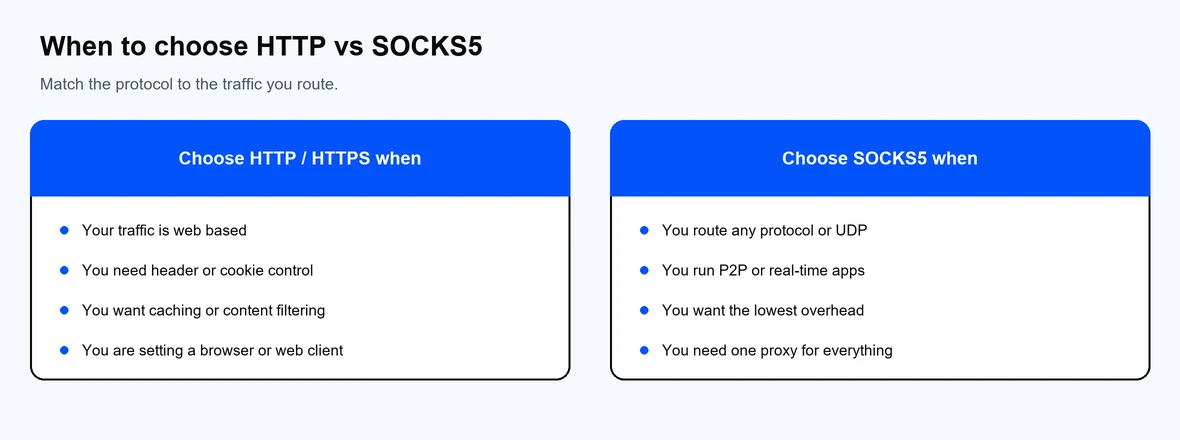
Match the protocol to the traffic you route.
If you mostly route web traffic, an HTTP or HTTPS proxy is the simpler fit. If you need one proxy that handles many protocols, SOCKS5 is the more flexible option. You can set either type in your browser or system: see how to set up a proxy in Windows or how to configure a proxy in Google Chrome.
When you are ready to buy, Proxy-Cheap supports both protocols across SOCKS5 proxies, residential proxies, ISP proxies, datacenter proxies, and pay-as-you-go rotating residential proxies. For a wider view, compare the best proxy providers.