
Key takeaways:
The short answer: a proxy pool is a collection of IP addresses you send requests through, rotating between them so your traffic is spread out and harder to rate-limit. The sections below explain how pools work, the types, how pool size matters, and how to use one in code.
A proxy pool is a set of IP addresses grouped together and used in rotation. Instead of routing every request through one proxy, your traffic is distributed across many IPs in the pool. This spreads the load, reduces the chance of hitting a rate limit on any single IP, and keeps success rates higher on large jobs.
Providers manage the pool for you: you connect to a gateway or a list of endpoints, and the provider assigns IPs from the pool. You can also build your own small pool by rotating through a list of proxies in code.
A proxy pool works through rotation. Each request, or each short session, uses a different IP from the pool, so the target sees traffic spread across many addresses rather than one.
With rotating residential proxies, the provider handles rotation at the gateway, so you send requests to one endpoint and the pool does the rest.
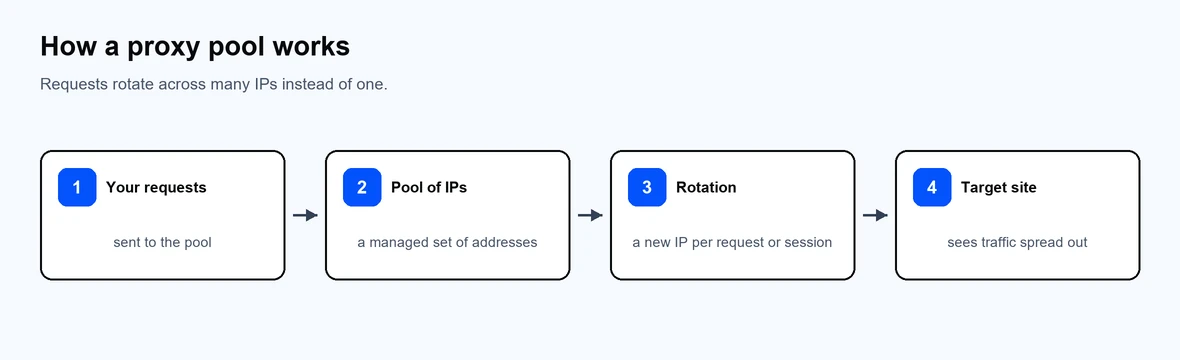
Requests rotate across many IPs instead of one.
The pool type is defined by the IPs inside it. Each fits different work:
| Pool type | IP source | Best for |
| Residential | Real consumer IPs | High-trust targets, location-accurate work |
| Datacenter | Server IPs | High-throughput public content |
| Mobile | Carrier IPs | Social platforms, mobile-first sites |
| ISP | Static residential in datacenters | Long, stable sessions |
| IPv6 | Abundant IPv6 addresses | Cheap, large-scale scraping |
Choose the pool type by the target: residential proxies for protected sites, datacenter proxies for public data, ISP proxies for stable sessions, and mobile proxies for mobile targets.
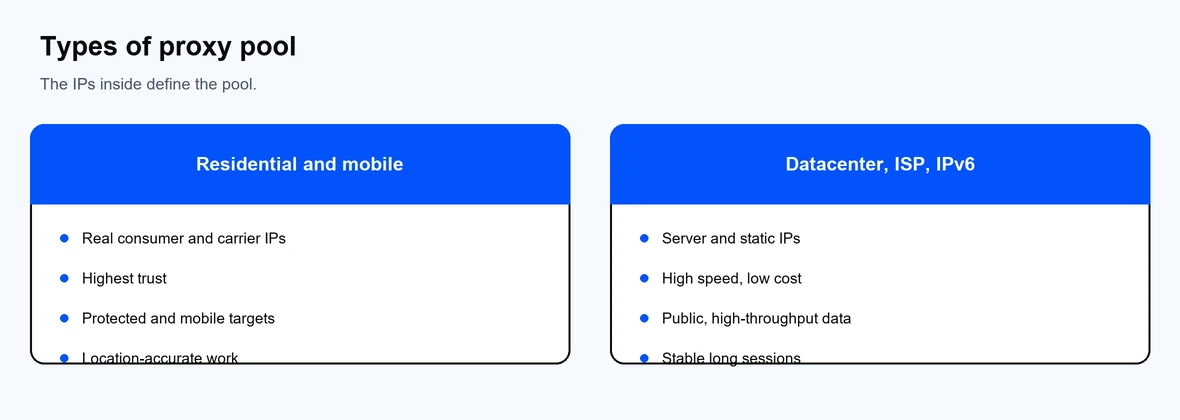
The IPs inside define the pool.
Pool size is the number of unique IPs available to rotate through. A larger pool spreads requests across more addresses, so each IP sends fewer requests and is less likely to be rate-limited. For high-volume scraping, a bigger pool usually means higher success rates and fewer retries.
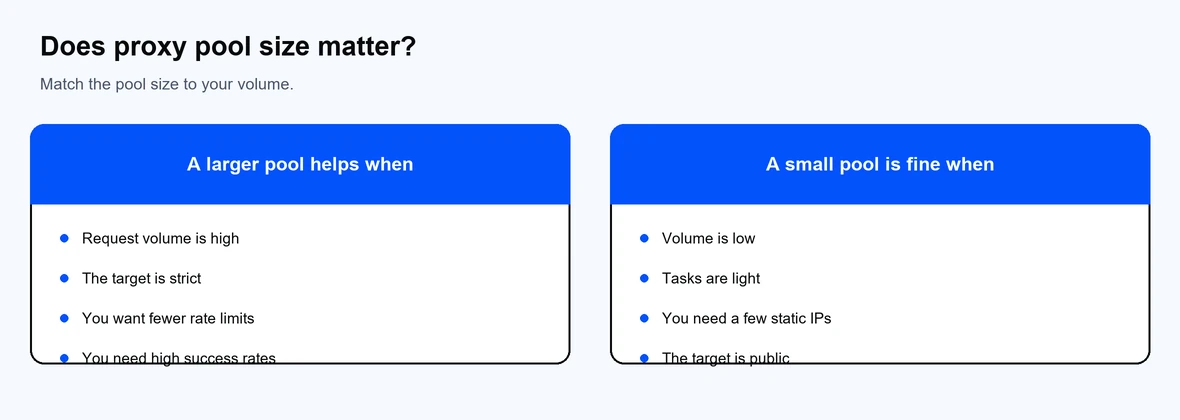
Match the pool size to your request volume.
Pool size matters most when demand is heavy or the target is strict. For light, low-volume tasks, a small pool or even a few static IPs is enough. Match the pool size to your request volume rather than buying the largest pool by default.
For a managed pool, you route requests through the provider gateway and let it rotate. To rotate a small pool yourself, pick an IP per request. This example uses Python and requests, tested with requests 2.34.2:
import random
import requests
proxy_pool = [
"http://<username>:<password>@proxy-us.proxy-cheap.com:5959",
"http://<username>:<password>@proxy-eu.proxy-cheap.com:5959",
]
proxy = random.choice(proxy_pool)
r = requests.get(
"https://httpbin.org/ip",
proxies={"http": proxy, "https": proxy},
timeout=30,
)
print(r.json())
For larger jobs, a managed rotating pool is simpler and more reliable than maintaining your own list, since the provider replaces bad IPs and handles rotation. See our data scraping use cases for setup ideas.
A few practices keep a pool healthy:
If a small self-managed pool is exhausted, requests start failing as every IP hits limits. A managed pool from Proxy-Cheap avoids this by rotating across a large, maintained set of IPs, and you can compare providers in our roundup of the best proxy providers.