

Key takeaways:
The short answer: IP rotation means sending your traffic from a changing set of IP addresses instead of one. A rotating proxy service assigns a new IP per request or per session, so the target sees spread-out traffic. The sections below explain how it works, the types, and how to set it up.
IP rotation is the process of switching the IP address used for outgoing requests. Instead of every request coming from one address, requests are distributed across many IPs from a pool. This reduces the load on any single IP and lowers the chance of hitting a rate limit.
Rotation is usually handled by a proxy provider: you connect to a gateway, and it assigns IPs from a large pool automatically. You can also rotate manually by cycling through a list of proxies in your own code.
IP rotation works by assigning a different IP to each request or session:
With rotating residential proxies, the provider rotates at the gateway, so you send requests to one endpoint and the pool assigns the IPs.
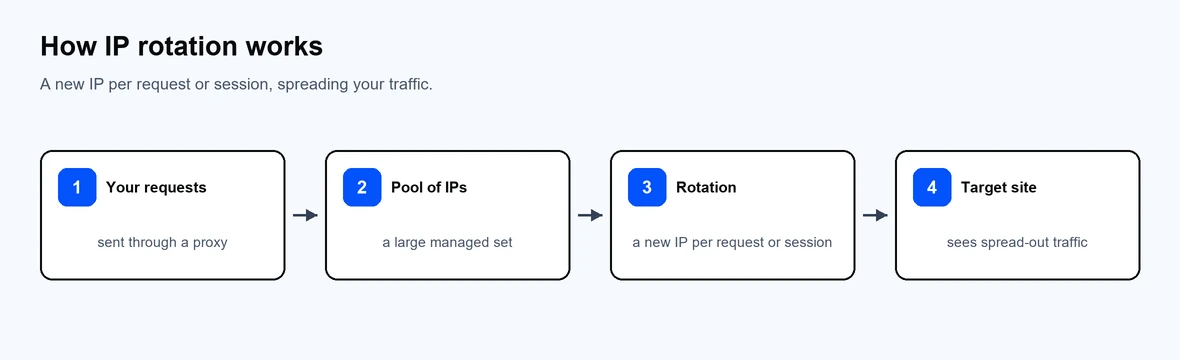
A new IP per request or session spreads your traffic.
The choice comes down to whether you need spread or consistency:
| Rotating IPs | Static IPs | |
| IP behavior | Changes per request or session | Fixed for the subscription |
| Best for | Large-scale scraping, distributed crawling | Account management, consistent identity |
| Trust over time | New IP each time | Builds a stable footprint |
| Typical products | Rotating residential, rotating mobile | ISP, static residential, datacenter |
Use rotating IPs to spread high-volume traffic, and static IPs like ISP proxies for session-aware, account-bound work.
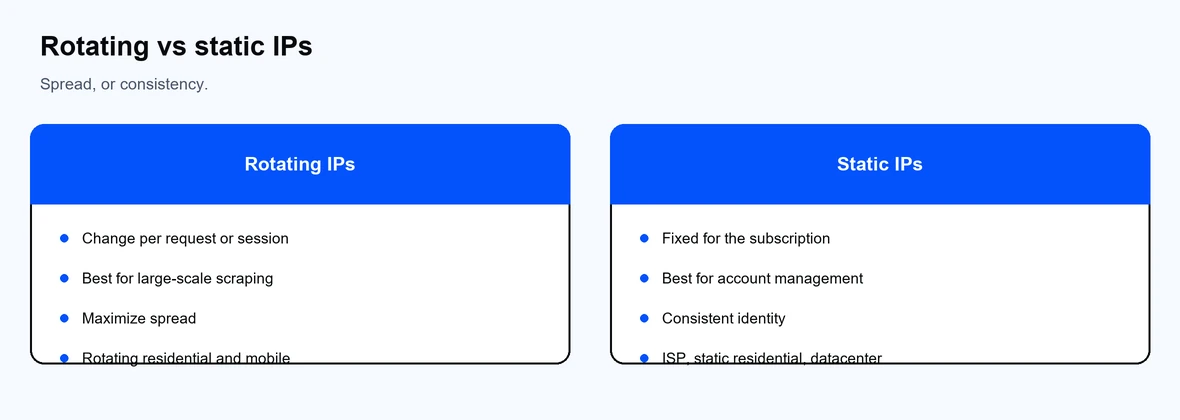
Rotating IPs for spread; static IPs for a consistent identity.
An IP rotation service is a managed proxy provider that rotates IPs for you at the gateway. You do not maintain a list or replace bad IPs; the provider handles the pool. This is the simpler and more reliable option for most users.
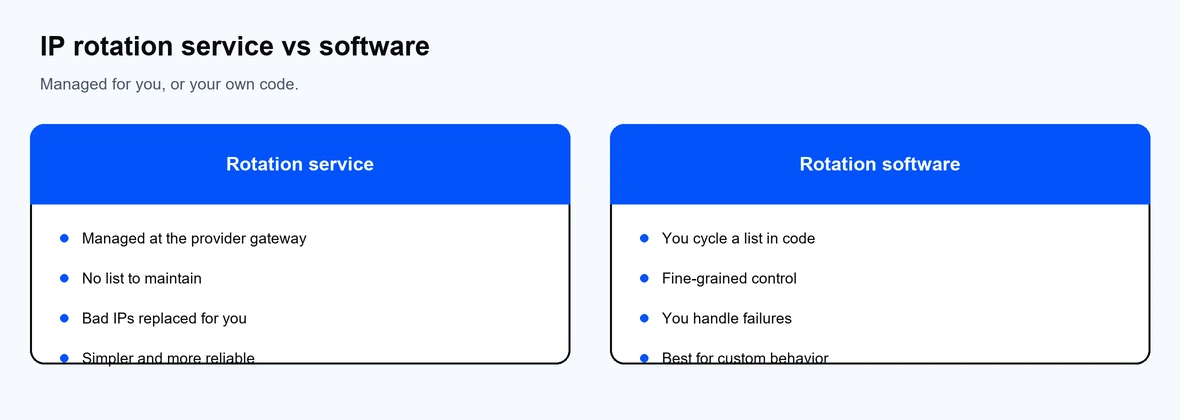
A managed service handles rotation; software gives you custom control.
IP rotation software is a tool or your own code that cycles through a list of proxies you supply. It gives you fine control but means you manage the list, handle failures, and replace flagged IPs yourself. Many teams use a managed service and add light rotation logic in code only where they need custom behavior.
For a managed service, point your client at the provider gateway and it rotates automatically. To rotate a small list yourself, pick an IP per request. This example uses Python and requests, tested with requests 2.34.2:
import random
import requests
proxies = [
"http://<username>:<password>@proxy-us.proxy-cheap.com:5959",
"http://<username>:<password>@proxy-eu.proxy-cheap.com:5959",
]
for _ in range(5):
proxy = random.choice(proxies)
r = requests.get(
"https://httpbin.org/ip",
proxies={"http": proxy, "https": proxy},
timeout=30,
)
print(r.json())
For larger jobs, a managed rotating pool from a provider like Proxy-Cheap is simpler than maintaining your own list, since the provider handles rotation and replaces bad IPs. See our data scraping use cases for setup ideas.
Rotate IPs when you send many requests to the same target and want to avoid rate limits:
Do not rotate when a task needs one consistent identity, such as managing a single account, where a static IP is the better fit. Match the proxy type too: residential proxies for protected targets, datacenter proxies for public content, and mobile proxies for mobile-first sites. Decide between SOCKS5 or HTTP based on your traffic, and compare providers in our roundup of the best proxy providers.