

Key takeaways:
Requests and HTTPX cover the same job, fetching data over HTTP, with nearly the same API. The choice comes down to whether you need async and HTTP/2. This guide compares them on the differences that matter, with code tested on httpx 0.28.1 and requests 2.34.2, and shows how to route either one through a proxy.
Requests is the long-standing Python HTTP library, known for a clean, readable API. It is synchronous, which means each call runs to completion before the next one starts. That simplicity is why it remains the default for most scripts.
HTTPX is a newer client with a Requests-compatible API. It adds an async interface, HTTP/2 support, strict timeouts, and built-in streaming helpers, while still offering a familiar synchronous mode. If you have used Requests, HTTPX will feel immediately familiar.
| Feature | Requests | HTTPX |
| Sync API | Yes | Yes |
| Async API | No | Yes (AsyncClient) |
| HTTP/2 | No | Yes (with httpx[http2]) |
| Follows redirects by default | Yes | No |
| Streaming downloads | Basic | Built in, with num_bytes_downloaded |
| Timeouts | Optional | Enabled by default |
| Proxy parameter | proxies= (dict) | proxy= (single) or mounts= |
| Maturity | Very large community | Modern, actively developed |
The headline difference is async. Everything else is close enough that most Requests code ports to HTTPX with small edits, as long as you account for redirects and timeouts.
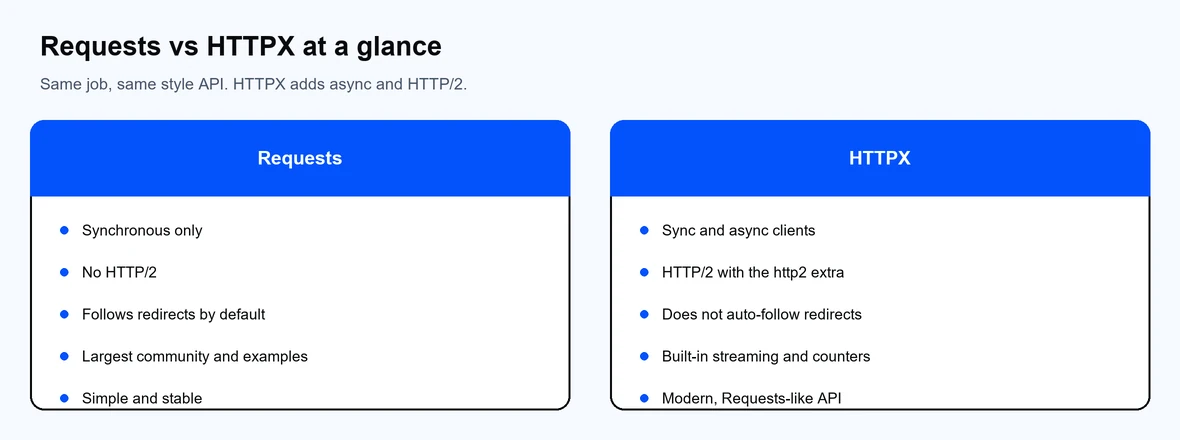
Requests is sync-only; HTTPX adds async, HTTP/2, and streaming.
Install either library with pip. For HTTP/2 or SOCKS support in HTTPX, add the extra in quotes so the shell does not expand the brackets:
pip install requests httpx
pip install "httpx[http2]"
pip install "httpx[socks]"
A basic GET looks almost identical in both. Requests:
import requests
r = requests.get("https://httpbin.org/get", timeout=15)
print(r.status_code, r.json())
HTTPX:
import httpx
r = httpx.get("https://httpbin.org/get", timeout=15)
print(r.status_code, r.json())
One difference to remember: Requests follows redirects automatically, while HTTPX does not. Turn it on per request or per client:
import httpx
r = httpx.get("https://httpbin.org/redirect/1", follow_redirects=True)
print(r.status_code)
Async is the reason most teams reach for HTTPX. With AsyncClient you can issue many requests concurrently instead of waiting for each one. The same client can negotiate HTTP/2 when you enable it:
import asyncio
import httpx
async def main():
async with httpx.AsyncClient(http2=True, timeout=15) as client:
r = await client.get("https://httpbin.org/get")
print(r.status_code, r.http_version)
asyncio.run(main())
In testing, that request negotiates HTTP/2 and returns HTTP/2 as the version. Requests has no async mode and no HTTP/2, so for concurrent or HTTP/2 work HTTPX is the only one of the two that fits.
For large responses, stream the body instead of loading it into memory. HTTPX exposes a running num_bytes_downloaded counter on the response, which is useful for progress reporting:
import httpx
with httpx.Client(timeout=15) as client:
with client.stream("GET", "https://httpbin.org/bytes/100000") as r:
for chunk in r.iter_bytes():
pass # write to disk, update a progress bar, etc.
print("downloaded:", r.num_bytes_downloaded)
Requests streams with stream=True and iter_content, but it has no equivalent built-in byte counter, so you track progress yourself.
Both libraries route through a proxy in one line. Use your Proxy-Cheap host, port, and credentials. With rotating residential, the gateways are proxy-us.proxy-cheap.com:5959 and proxy-eu.proxy-cheap.com:5959.
Requests takes a proxies dictionary:
import requests
proxies = {
"http": "http://<proxycheap-username>:<proxycheap-password>@proxy-us.proxy-cheap.com:5959",
"https": "http://<proxycheap-username>:<proxycheap-password>@proxy-us.proxy-cheap.com:5959",
}
r = requests.get("https://httpbin.org/ip", proxies=proxies, timeout=30)
print(r.json())
HTTPX 0.28 uses a single proxy argument. The older proxies= dictionary was removed, so update any code that still uses it:
import httpx
client = httpx.Client(
proxy="http://<proxycheap-username>:<proxycheap-password>@proxy-us.proxy-cheap.com:5959",
timeout=30,
)
r = client.get("https://httpbin.org/ip")
print(r.json())
client.close()
For a SOCKS5 proxy, install the extra (pip install "httpx[socks]" or requests[socks]) and use a socks5:// URL. Choosing between protocols is covered in our guide to SOCKS5 and HTTP proxies. For rotation patterns across many IPs, see our walkthrough on IP rotation in Python.
For a single synchronous request, the two are close, and network distance and the target server matter far more than the library. The real gap appears under concurrency. Sending a batch of requests one at a time with Requests is bound by the sum of each round trip. An async HTTPX client sends them together, so a hundred requests finish in roughly the time of the slowest one rather than the total.
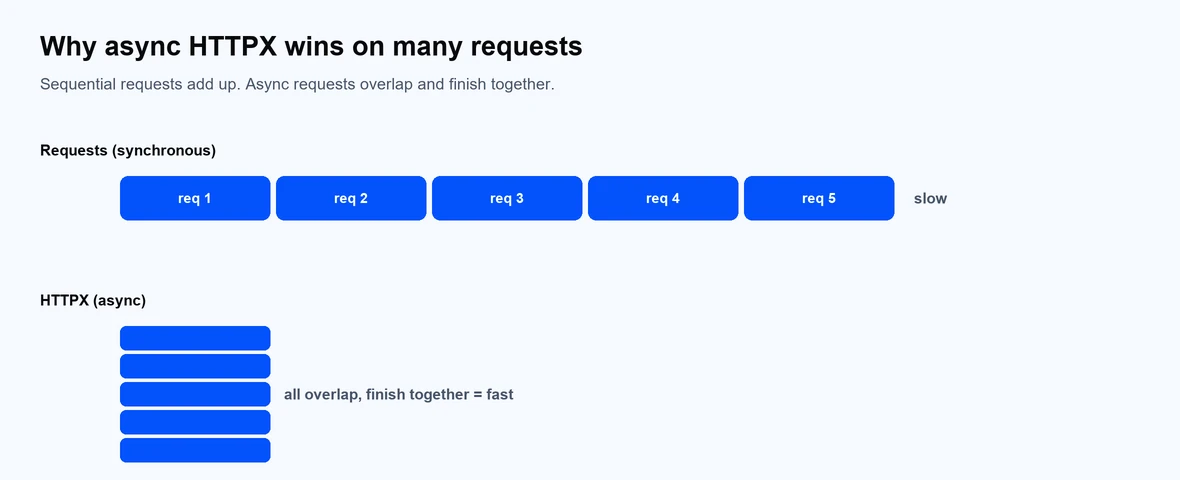
Sequential requests add up; async requests overlap and finish together.
So the honest answer is: not meaningfully faster for one call, but dramatically faster for many concurrent calls. If your workload is high-volume web scraping or many parallel API calls, async HTTPX wins. For a handful of sequential calls, you will not notice a difference.
Thread safety is also worth noting: both requests.Session and httpx.Client are safe to share across threads for sending requests. For high concurrency in a single thread, use async AsyncClient rather than spinning up many threads.
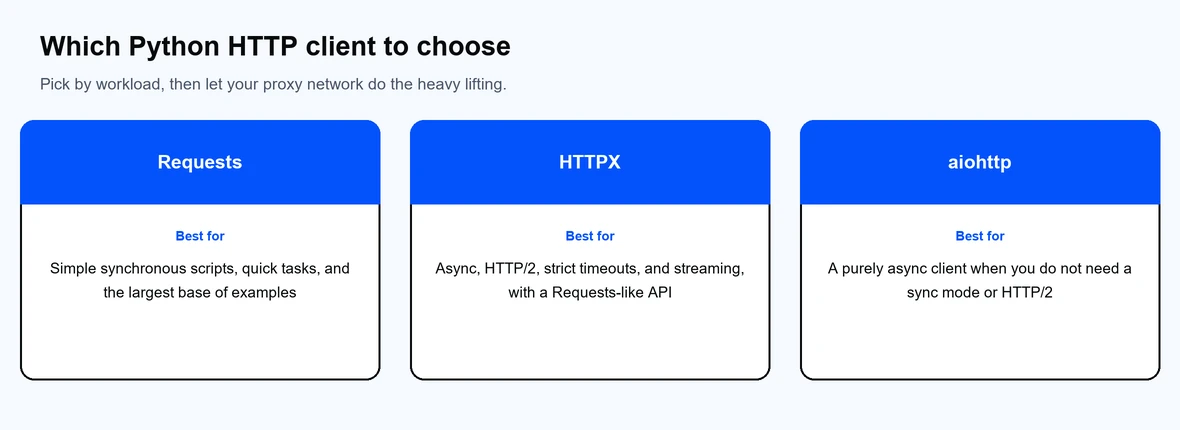
Pick by workload, then let the proxy network do the heavy lifting.
Pick by workload:
For most data-collection projects the deciding factor is the proxy network, not the client. Pair either library with rotating residential proxies, residential proxies, datacenter proxies, or ISP proxies from Proxy-Cheap, and see our data scraping use cases for setup ideas or our roundup of the best proxy providers to compare options.