-p-2000.webp)

The short answer: a proxy server address is a host and a port, and you find it in your device's network or proxy settings, where any active proxy is listed. The table shows where to look on each platform, then each section walks through it.
| Platform | Where to look |
| Windows 11 / 10 | Settings > Network & internet > Proxy |
| macOS | System Settings > Network > connection > Details > Proxies |
| iPhone / iPad | Settings > Wi-Fi > (i) > Configure Proxy |
| Android | Settings > Network & internet > Wi-Fi > network > Proxy |
| Command line | netsh winhttp show proxy (Windows), scutil --proxy (macOS) |
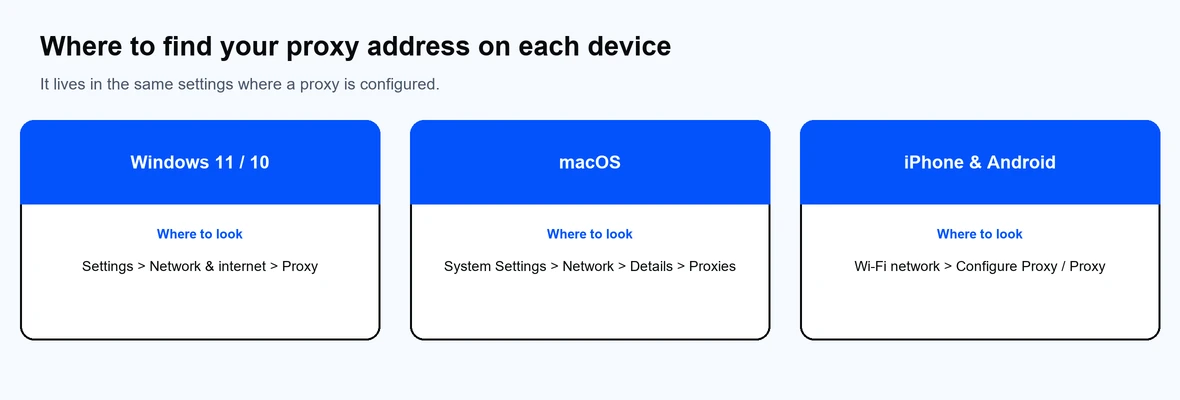
It lives in the same settings where a proxy is configured.
A proxy server address is the location your device sends traffic to when it uses a proxy. It has two parts: a host, which is a hostname or IP address, and a port number, joined as host:port. For example, proxy-us.proxy-cheap.com:5959 points to a host on port 5959.
You need both parts to connect. Some proxies also need a username and password, which are separate from the address. If a proxy is already set up on your device, its address is stored in your network settings, which is where you read it back.
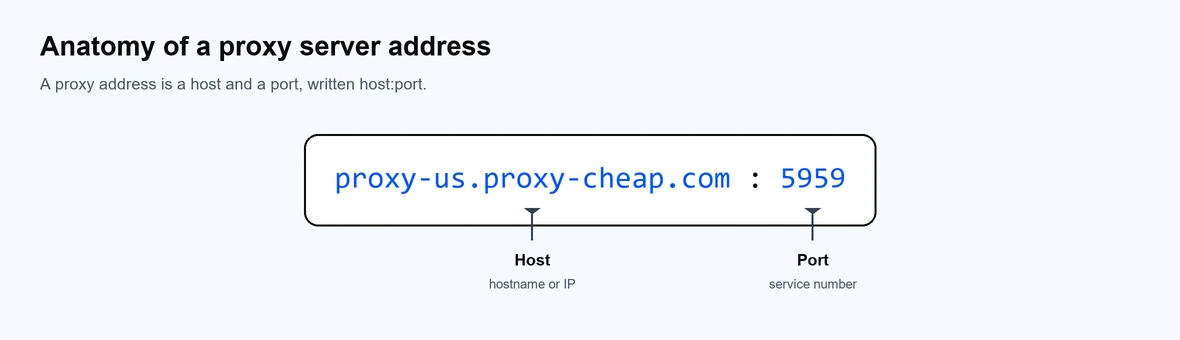
A proxy address has two parts: the host and the port.
You can also open the classic panel by running inetcpl.cpl, then Connections > LAN settings, where the same address appears. For the full walkthrough, see how to set up a proxy in Windows.
On mobile, the proxy lives on the Wi-Fi network you are connected to.
iPhone or iPad: open Settings > Wi-Fi, tap the i next to your network, then tap Configure Proxy. If it is set to Manual, the Server and Port are your proxy address.
Android: open Settings > Network & internet > Wi-Fi, tap your network, open the Proxy or Advanced options, and read the Proxy hostname and Proxy port.
For a Wi-Fi proxy, the address and port are tied to that specific network, not to your device as a whole. Open the proxy settings for the active Wi-Fi network using the steps above, and you will see the host in the address field and the number in the port field. If you switch to a different Wi-Fi network or to mobile data, the proxy no longer applies, so check the network you are actually connected to.
The command line is the fastest way to confirm the address on a computer.
These read the system proxy that most apps, including browsers, follow.
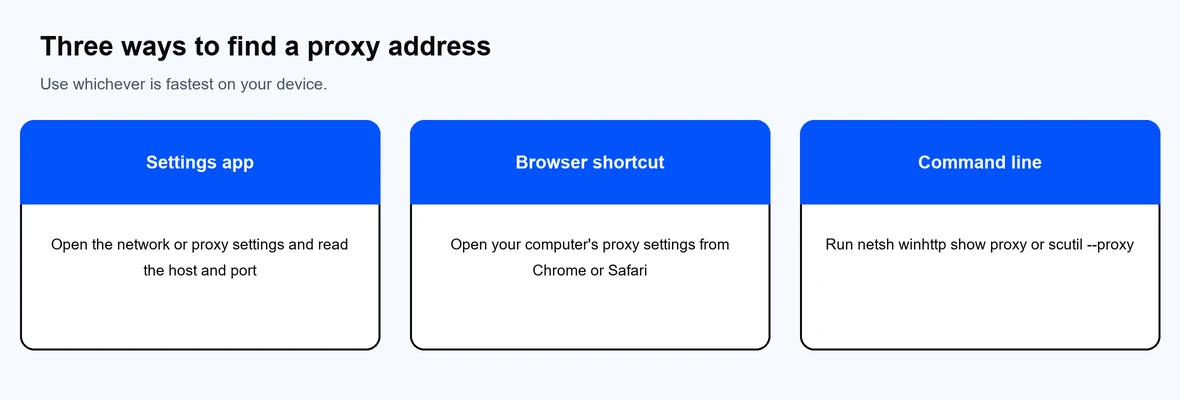
Use whichever method is fastest on your device.
If you do not have a proxy yet, the address comes from a provider, not from your device. After you buy a proxy, the dashboard shows the host and port to enter. With Proxy-Cheap, rotating residential proxies use the gateways proxy-us.proxy-cheap.com:5959 and proxy-eu.proxy-cheap.com:5959, while static products assign a unique host and port per IP in the setup panel.
Match the proxy type to your task: residential proxies for high-trust work, datacenter proxies for fast public-data access, and ISP proxies for long, stable sessions. To learn what the address means, see our explainer on the proxy address, and to enter it in a browser see how to configure a proxy in Chrome or Safari. Decide between SOCKS5 or HTTP based on your traffic, or compare providers in our roundup of the best proxy providers.