Started using proxies on your mobile, but want to kick it up a notch with Shadowrocket? That's great! Shadowrocket is a powerful tool for managing proxies and making all your connections that much more secure.
While this app is mostly dedicated to iOS, it also has legitimate alternatives for Android mobile devices. In this guide, we'll look at how to set up Shadowrocket for your Proxy-Cheap proxies.
Shadowrocket is a proxy utility mobile app built for easier proxy management, improved online security, and better encryption to access region-specific content safely. Originally, the proxy management app was only available for iOS devices. However, with increased popularity and different usage scenarios, Shadowrocket alternatives are also available on Google Play.
The Shadowrocket app provides users with considerable customization options, which is particularly important for a more tech-savvy audience, looking to get more from proxies than just enhanced security. Shadowrocket offers advanced features like global routing rules for regular traffic, ad filtering, improved connection speeds, and a better overall browsing experience.
To sum up, Shadowrocket is designed for managing proxies on iOS devices, making it easy to get the most out of your proxies. If you’re unfamiliar with proxies, you can learn more in our guide on what is a proxy.
Shadowrocket works to provide more control over users' internet traffic connections with added features for detailed configurations. In addition to that, Shadowrocket also has:
Despite Shadowrocket offering advanced features for more technical users, the app is designed with the end-user in mind, focusing on usability and simplicity. In this section of the article, we'll go over the quick setup guide to get your Shadowrocket app up and working.
Also, if you're new to proxies or haven't configured them on your iOS devices, check out our detailed guide on how to configure a proxy on iPhone.
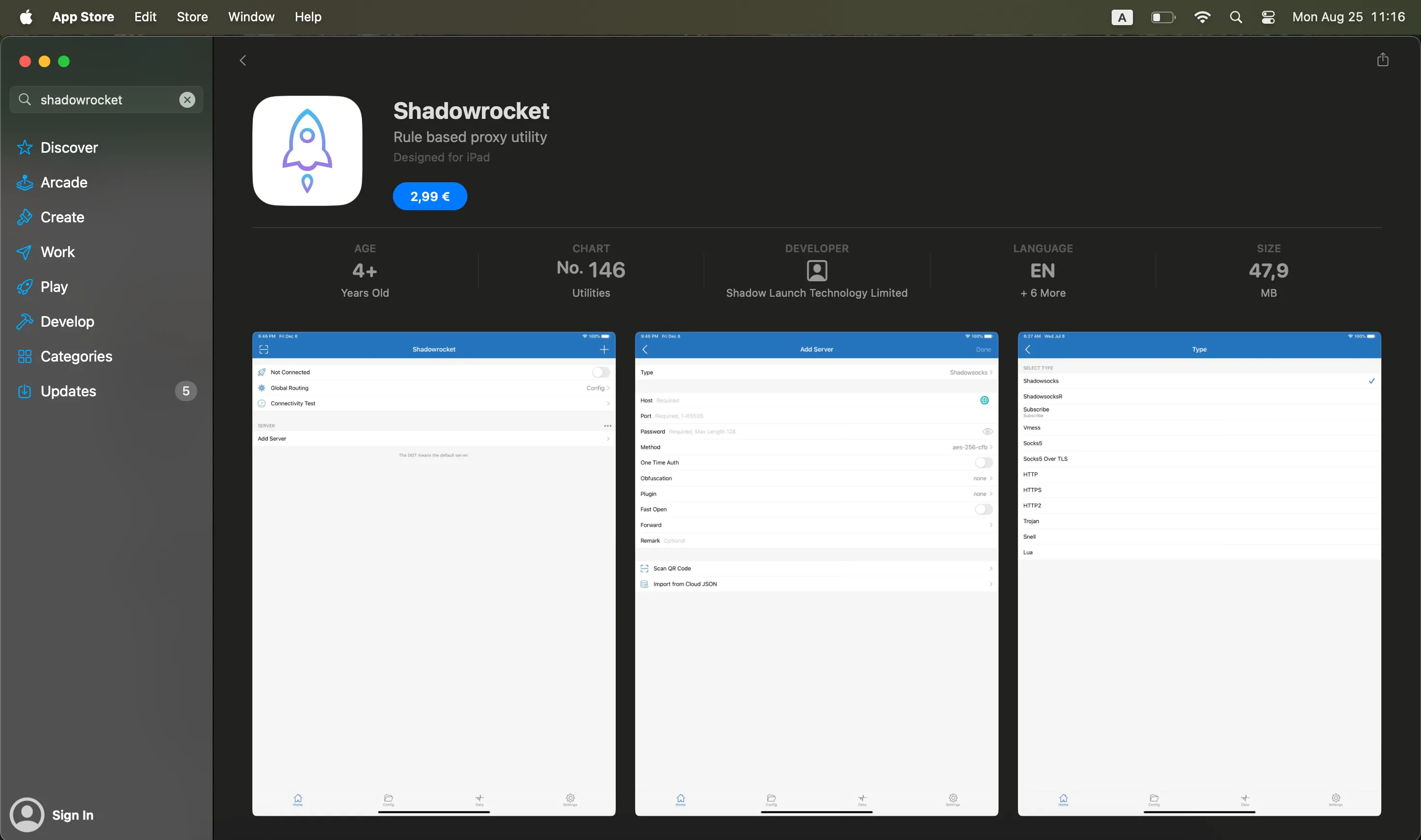
Step 1: Go to the Mac App Store or mobile Apple Store on your iPhone, search for purchase and download Shadowrocket.
Step 2: Install and open Shadowrocket. You'll likely be asked to allow the application to add VPN configurations, so make sure to tap on Allow.
Step 3: Once you're in the app, add a proxy server from your proxy provider like Proxy-Cheap. Choose from options like HTTP, SOCKS5, or even residential proxies depending on your plan.
Step 4: Enter the server address (e.g., 123.45.67.89), port number (e.g,. 8080), and login credentials (username and password) provided by your proxy service.
Step 5: After successfully entering the details and enabling your proxies, tap on Done to save the information you just entered. Don't forget to toggle the switch next to the proxy profile to connect.
Step 6: Use Shadowrocket's built-in testing tools to run speed or connectivity tests to see whether or not your proxies are working as intended, and there are no connection issues.
Currently, Shadowrocket is only available for iOS devices, but there are reliable options for Android users that work just as well with Proxy-Cheap. Particularly, NapsternetV and HTTP Injector are two of the most popular choices.
While they may not be the same as the Shadowrocket app, these Android applications offer the same level of security for internet traffic, routing it through select servers. Plus, when it comes to configuration, the process is nearly identical to Shadowrocket.
For those who'd rather not use third-party apps, there's always the option of manually configuring proxies with proper authentication measures directly from your Android Wi-Fi settings. Let's go through the necessary steps – just keep in mind that some phrases or navigation may differ depending on your Android device and model version.
That's it! Once you apply these settings, all traffic from that specific Wi-Fi connection will route through your proxy. For a detailed walkthrough, see our guide on how to set up a proxy on Android.
Earlier in the article, we established that Shadowrocket is a great proxy management tool with a list of strong features. But how to choose the right type of proxy that fits your browsing needs best?
Since the Shadowrocket app is extremely versatile, you can choose between different settings to configure specific proxy types. For example, you could consider:
All of these proxy types, and more, are offered by Proxy-Cheap, making it a great pairing choice with Shadowrocket to truly customize your browsing experience for privacy, performance, and stability.
Proxy-Cheap is a well-known and used proxy service provider with global coverage, offering high-quality IPs, fast speeds of up to 1000 Mbps, and unlimited bandwidth. Users can choose between a selection of flexible pricing plans to suit anyone's needs.
All offered proxy types are fully optimized for a smooth and uninterrupted browsing experience with complete online privacy. Coupled with dedicated 24/7 customer support, everyday users and experts can utilize Proxy-Cheap's accessible proxies with Shadowrocket's customized proxy management features.
Even if you do everything right and set up your Shadowrocket correctly, some issues might happen. Let's review the most common issues and how to solve them for a problem-free use.
Another common error type you could potentially encounter is when Shadowrocket doesn't connect properly. In this case, the first step is to review your Proxy-Cheap credentials and if they're entered correctly.
If all the information is entered correctly, the next step should be to ensure you've selected the right proxy type for the proxy plan you've bought from Proxy-Cheap. Finally, the famous on/off solution might just do the trick and make all connection problems go away.
Whether you're looking for cross-platform availability, accessing geo-specific websites, web scraping at scale, or securing all your online connections, pairing Shadowrocket with Proxy-Cheap is a great solution.
With worldwide IP coverage, lightning-fast proxies, reliable connections, and affordable proxy plans, Proxy-Cheap benefits both individuals and small-to-medium-sized businesses. All you have to do to try Proxy-Cheap now is sign up, pick residential, datacenter, mobile, or other proxies, and set up those proxies for Shadowrocket.