
Imagine trying to book concert tickets before they sell out, but the website keeps limiting you for refreshing too often. Or maybe you're conducting market research, but your IP gets flagged before you even begin. That’s where residential proxies come in.
A residential proxy routes your connection through an IP assigned to a physical location by an Internet Service Provider (ISP), so your traffic reflects a genuine residential network. Unlike datacenter proxies, which can be easily identified and limited, residential proxies provide better privacy, security, and access to region-specific content.
Whether you're scraping data, managing multiple accounts, or ensuring smooth automated tasks, residential proxies offer a reliable solution. In this guide, we'll walk you through how to use residential proxies step by step, ensuring you get the most out of them while maintaining stable, reliable sessions.
Residential proxies are a type of proxy server that assigns you a residential IP address - one provided by an actual Internet Service Provider (ISP) rather than a data center. This makes your online activity match a typical end-user environment rather than automated traffic, helping maintain stable, reliable sessions. When you connect to the internet using a residential proxy server, your traffic is routed through a real device with a legitimate residential IP, keeping your own IP private and supporting more consistent access. Instead of using the same IP address for every request, a proxy IP address ensures better privacy and access.
There are two main types of residential proxies: rotating residential proxies, which change the proxy IP address periodically and are ideal for web scraping and automated data collection, and static residential proxies, which maintain the same IP address, making them useful for logging into multiple accounts without triggering security alerts. Businesses often use residential proxies to conduct market research, scrape valuable data, and manage multiple social media or eCommerce accounts efficiently. They are also widely used for maintaining online privacy and accessing region-specific content, allowing users to browse region-specific websites seamlessly.
Residential proxies offer enhanced privacy, more reliable connectivity, and higher success rates for various online tasks. Since they route traffic through a residential proxy server with a legitimate residential IP address, they provide connections that match typical end-user environments, supporting stable, reliable sessions. Unlike datacenter proxies, which are easily flagged, residential proxies help you access from more networks reliably, ensuring smoother browsing and better access to region-specific content.
Businesses frequently use residential proxies for market research, allowing them to scrape competitor pricing and gather valuable insights without triggering bans. Sneaker resellers rely on rotating residential proxies to cop limited-edition sneakers from retailers that enforce strict purchase limits. Additionally, companies use proxies for ad verification, ensuring that their ads appear correctly and aren’t subject to fraud or manipulation.
For users who need to access websites that serve content by location, a proxy provider can assign a new IP address, allowing seamless browsing across different regions. Businesses also benefit from a residential proxy network, which enables them to test localized content and conduct operations across multiple geographies with reliable connectivity. For stronger, encrypted protection alongside proxy routing, some teams pair their setup with a residential VPN. To explore more real-world applications, check out the top 10 residential proxy use cases and see how they can enhance digital strategies.
The first step in setting up residential proxies is selecting a trustworthy proxy provider that meets your needs. Not all proxies are created equal, so it's essential to evaluate key factors such as speed, pricing, and IP rotation before making a decision. A good provider will offer a vast pool of residential IP addresses sourced from real devices, ensuring better privacy and more stable, reliable sessions.
When choosing a proxy server, consider whether you need rotating residential proxies for tasks like web scraping and automation or static ones for account management. Speed is another critical factor - slow proxies can disrupt browsing, while a fast connection allows seamless data extraction and smooth access to regionally limited content. Pricing also matters; some providers charge per gigabyte, while others offer unlimited bandwidth plans.
Additionally, a reputable provider should offer a broad network of IPs, allowing you to access websites with consistent, reliable connectivity. A diverse IP address pool supports more stable, reliable sessions, making it easier to access from more networks on platforms with strict security measures. Taking the time to research and compare options will ensure you get the best balance of performance, security, and cost for your specific use case.
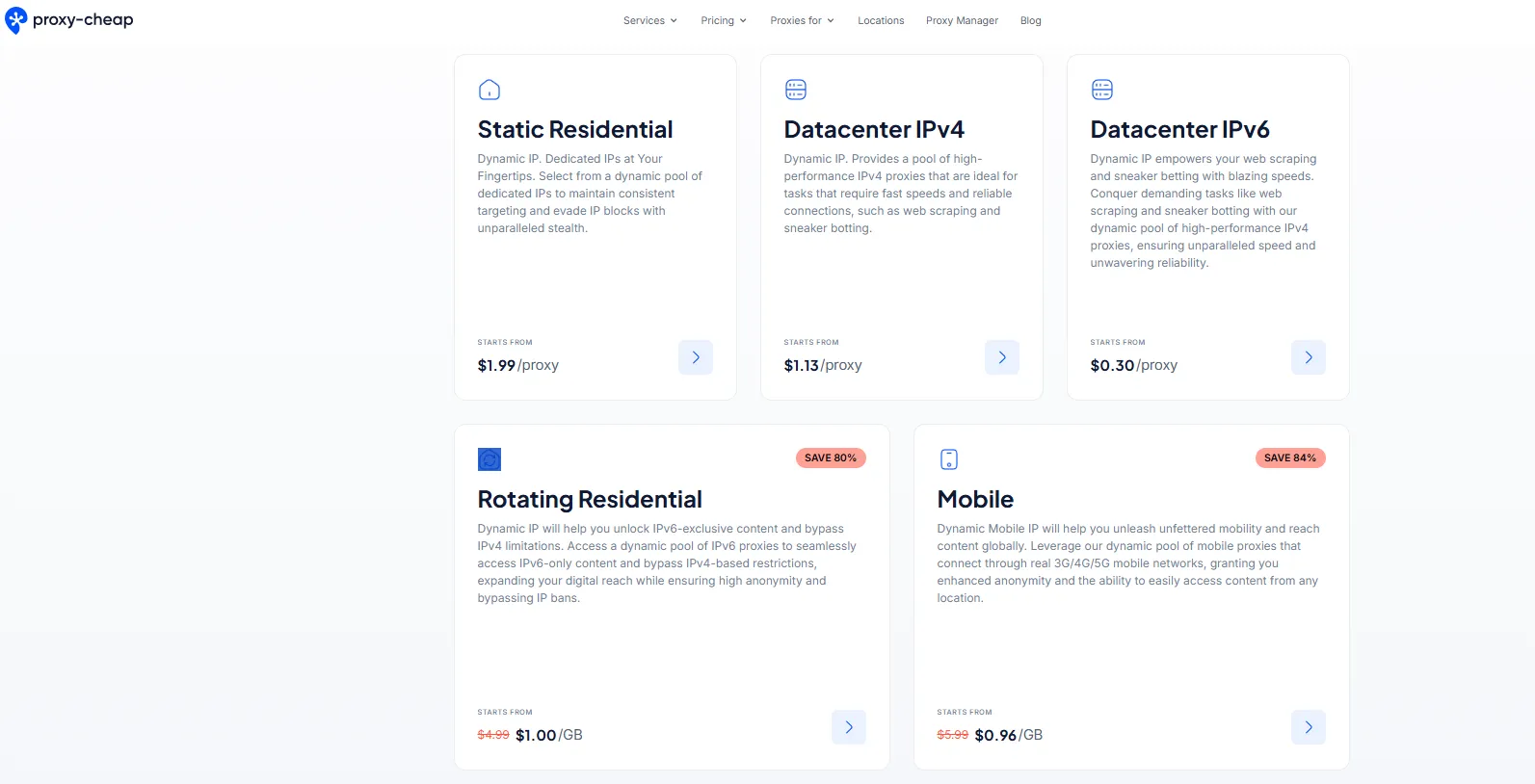
Once you’ve chosen a reliable provider, the next step is selecting the right plan based on your usage needs. Residential proxy plans vary in terms of the number of residential IP addresses, bandwidth limits, and pricing structures, so it’s important to choose one that aligns with your specific requirements. If you need proxies for tasks like web scraping or automation, a plan with multiple rotating IPs is ideal. However, if you require consistency, a fixed IP address may be the better option.
When selecting a plan, consider whether you need ISP proxies, which provide a stable connection with an IP address assigned by an internet service provider, or if a more dynamic proxy type suits your needs. Some providers offer flexible proxy server options, allowing you to switch between shared and dedicated proxies depending on your use case. If you only require one IP address for secure browsing or account management, a smaller plan may suffice, whereas high-bandwidth tasks demand a larger package.
Be cautious of free proxies, as they often come with security risks and slower speeds. Investing in a paid plan ensures reliability, better security, and access to high-quality proxies that function without frequent disruptions. Taking the time to analyze your needs will help you find a plan that offers the best balance of performance and cost.
After purchasing a plan, your proxy provider will send you the necessary credentials to connect to the proxy server. These typically include an IP address, port number, username, and password. Some providers also offer an authentication method based on your device's IP, so you can connect without entering login credentials for a seamless experience. Understanding how residential proxies work is crucial at this stage, as different configurations may be required depending on your use case.
Unlike data center proxies, which are easily identified, residential proxies use IPs assigned by internet service providers, so they match typical end-user environments online. This allows you to access websites with consistent, reliable connectivity and fewer verification challenges. Once you receive your credentials, you can manually enter them into your browser, automation tool, or software settings to start using the proxy.
If you have concerns about legality, rest assured that using proxies is generally allowed as long as they are not used for malicious activities. You can check out this guide on are proxies legal to understand the ethical and legal considerations before proceeding. Having the correct credentials ensures a secure and smooth proxy setup, enabling efficient browsing and data gathering.
Setting up residential proxies varies depending on the device or platform you're using. Whether you're configuring them on a computer, mobile device, browser, or automation tool, the process involves connecting to a proxy server and entering the correct credentials. Below are simple steps for different setups.
To configure a proxy on Windows, follow these steps:
On Mac:
Mac and Windows both support static residential proxies if you need a stable connection with a specific IP address, or rotating residential proxies if you prefer automatic IP changes for more stable, reliable sessions.
For iPhone and iPad users:
For Android users:
Some providers offer mobile proxies, which use real residential devices to make your internet activity look more natural, helping to maintain reliable connectivity when browsing.
For Google Chrome:
For Firefox:
Browser extensions from reputable proxy providers allow you to switch between several locations quickly, making it easier to browse region-specific content.
If you're using a web scraper or automation tools, integrating proxies helps maintain stable, reliable sessions. Most software allows proxy input through the network settings:
Unlike data center proxies, which can be easily detected, residential servers offer better security, making them a safer choice for accessing data from websites. By properly configuring proxies on your devices, you can enjoy seamless and reliable browsing.
Even with a well-configured residential proxy server, users may experience issues such as connection failures, slow speeds, or authentication errors. Below, we’ll address the most common problems and provide practical solutions to keep your proxy running smoothly.
Issue: Your proxy isn’t working, and you’re unable to access websites. This could be due to incorrect settings, expired credentials, or an IP address that is receiving rate limiting.
Solution:
Issue: Pages take too long to load, or connections lag significantly when using proxies. This is often caused by overloaded residential servers, high traffic, or a proxy located far from your physical location.
Solution:
Issue: Your login credentials for the proxy server are rejected, preventing you from connecting. This may happen due to incorrect details or an expired authentication session.
Solution:
Issue: Some websites may detect and limit your proxy server, preventing access. This can occur if the website has strict anti-bot measures or if your proxy’s IP address has been flagged.
Solution:
Issue: Some web pages may not load properly, missing images, text, or interactive elements when using a proxy. This might be due to incorrect proxy settings or firewall rules.
Solution:
By addressing these common issues and optimizing your residential proxy network, you can ensure smooth and uninterrupted browsing while enjoying the benefits of enhanced privacy, security, and reliable access to global content.
Using residential proxies can enhance privacy, security, and access to region-specific content, but improper use can lead to bans, security risks, or legal issues. To make the most of your proxies while staying compliant and efficient, follow these best practices.
Do:
Don’t:
Do:
Don’t:
Do:
Don’t:
Do:
Don’t:
Do:
Don’t:
By following these best practices, you can ensure smooth, secure, and responsible use of residential proxies while avoiding bans and maximizing efficiency.
Residential proxies offer a powerful solution for maintaining privacy, accessing region-specific content, and performing tasks like web scraping, market research, and ad verification with reliable connectivity. By choosing a reliable proxy provider, rotating IPs smartly, and following best practices, you can maximize the effectiveness of your proxies while staying secure and compliant.
If you're looking for high-quality residential proxies, Proxy-Cheap provides affordable and reliable proxy solutions tailored to various needs. Whether you need rotating residential proxies for automated tasks or static residential proxies for consistent access, Proxy-Cheap has you covered.
Start using residential proxies today and enjoy seamless, reliable browsing with enhanced privacy and performance!