

Proxy types are categorized based on how they handle traffic and their operational characteristics. The main proxy types are HTTP proxies, SOCKS and SOCKS5 proxies, transparent proxies, high-privacy proxies, shared proxies, and private or dedicated proxies. Each type handles traffic in a different way and fits tasks like browsing, data collection, automation, and account management.

A proxy server is a middle point between your device and the internet. The proxy server receives requests from clients and then forwards them to the target website or service. You send your request to the proxy. The proxy forwards it to the target website or service. The reply comes back to the proxy first, and then to you.
This extra step hides your real IP address from the target. The website only sees the IP address of the proxy. This helps with privacy, security, traffic control, and access to content from different regions.
If you want a deeper introduction to the basics, you can read this guide on what proxies are. It explains core ideas like IP masking, traffic routing, and how proxies differ from VPNs.
Using a proxy server can transform your internet experience, whether you’re an individual seeking privacy or a business aiming to optimize operations. Proxy servers are widely considered an essential tool for anyone looking to access market-specific content, protect sensitive data, or simply improve connection speeds. Here’s how different types of proxies can benefit you or your organization:
One of the most common reasons people turn to proxies is to access region-specific content. By routing your requests through a proxy IP based in another country, you can access content from multiple regions that would otherwise be unavailable in your location. This is often used for accessing media platforms, research, or reaching services while traveling.
Proxies also help reduce bandwidth usage and costs. Many proxy servers cache frequently accessed internet resources, so when multiple users send a request for the same content, the proxy can deliver it directly without fetching it again from the web. This not only reduces bandwidth but can also improve internet speeds, especially in office environments where many employees access the same sites.
Security is another major benefit. A proxy server acts as an extra layer of protection between your device and the wider internet, filtering out malicious traffic and keeping known harmful websites away from your connection. This helps mitigate security risks such as malware, phishing, and even large-scale attacks like SYN flood denial attempts. For organizations, proxies can be configured to monitor and control user activity, ensuring employees use internet resources responsibly and securely.
Privacy is generally a top priority for many users. By concealing your actual IP address and replacing it with the proxy’s own IP address, proxies make it much harder for websites and third parties to track your online activity. This is especially valuable for regular internet users concerned about privacy, as well as businesses conducting sensitive research or competitive analysis.
Mobile proxies are ideal for accessing content as if you were browsing from a mobile device, which can be crucial for app testing or reaching mobile-specific sites reliably. Datacenter proxies, on the other hand, are known for their speed and stability, making them suited for high-volume tasks where performance is key. Free proxies are easily accessible and can be useful for quick tests, but they often suffer from poor stability, limited bandwidth, and higher security risks.
Proxy servers are highly compatible, supporting various devices and operating systems—from desktops and laptops to mobile devices and tablets. They can be configured to work with different protocols, such as HTTP, HTTPS (hypertext transfer protocol secure), and SOCKS, making them flexible for a wide range of use cases.
Before we go into detail, here is a quick overview of the most common proxy types you will see online. There are various types of proxies, each supporting different kinds of network traffic and applications, such as media platforms, gaming, email, and web requests:
Using different proxies can help you find the most effective solution for your specific needs, especially for tasks like web scraping or accessing various services.
The rest of this guide explains each group, shows where it fits best, and helps you match the right proxy type to your real use case.
One way to group proxy types is by the network protocol they support. This tells you what kind of data the proxy can handle.

HTTP proxies work with HTTP and HTTPS traffic. In practice, this means they are ideal for browsing and for tools that send requests over the web, such as scrapers or SEO tools.
An HTTP proxy understands the HTTP protocol. It can see the headers of your request. In some cases, it can also change them. This is useful for tasks like adding custom headers, managing cookies, or caching web pages.
For secure websites that use HTTPS, the proxy can still forward traffic. In many setups, it is responsible for passing the encrypted data between the client and the server. Your browser and the website keep end to end encryption, while the proxy only sees connection data, such as IPs and ports.
If you want to use HTTP proxies for real projects, check the provider documentation for HTTP proxy services. There you can see common use cases such as price monitoring and web automation.
HTTP proxies are usually easy to set up. Most browsers support them in their settings. Many apps and scripts also accept an HTTP proxy address and port. This makes them a good first choice for users who are new to proxies.

SOCKS proxies, and especially SOCKS5, are more flexible than HTTP proxies. They work at a lower level and do not need to understand the specific application protocol.
SOCKS5 can handle many types of traffic, including web browsing, email, FTP, and even some media or gaming connections. It can forward TCP traffic and, in some cases, UDP traffic. SOCKS5 proxies are also commonly used for peer-to-peer (P2P) connections, such as file sharing or online gaming, because they facilitate direct communication between users. This makes SOCKS5 a good choice for complex tools that open many kinds of connections.
To understand this protocol in more depth, read this full guide on what a SOCKS proxy is. It explains the SOCKS handshake, authentication options, and key differences from HTTP.
In real use, SOCKS5 proxies are popular for bots, desktop apps, and tools that are not limited to simple web requests. Many providers offer SOCKS5 proxies with IP pools that you can use for automation or multi account work.
If you are unsure whether to pick HTTP or SOCKS5, ask what kind of traffic your app sends. If it only does normal web requests, HTTP is fine. If it uses many protocols or you do not know, SOCKS5 is usually safer.
Another way to think about proxy types is how many people use the same IP address and who owns the IP range. This affects speed, risk of bans, and cost. Issues can occur when multiple requests are coming from the same IP address, especially in shared proxy scenarios, as this can lead to rate limiting or overload.

Shared proxies are IP addresses used by many customers at the same time. You all route traffic through the same pool.
The main benefit is lower price. Because the provider splits cost across many users, you pay less per IP. For light usage, testing, or non critical tasks, this can be a smart choice.
The main drawback is noise. Other users may send aggressive traffic through the same IPs. If a website limits that IP, your traffic is affected too. This can cause more captchas or interruptions. Shared proxies may also involve multiple proxy attempts to maintain access and stable sessions, which can further impact reliability.
To see detailed pros, cons, and typical use cases, you can read this article on what shared proxies are. It explains when sharing an IP pool makes sense and when you should avoid it.
Shared proxies are good for:
They are not ideal for account sensitive tasks, such as long term social media or online banking.

Private proxies, sometimes called dedicated proxies, are IP addresses that only you use. No other customer sends traffic from the same IP.
This isolation brings several benefits. First, your reputation is under your control. If you follow good practices, your IPs stay cleaner for longer. Second, performance is more stable, because you do not share bandwidth with heavy users.
To learn more about setup details and security benefits, it is useful to read about what a private proxy is. That guide goes into how private IPs help with privacy and why they are better for sensitive work.
Many providers also sell dedicated proxies as a higher tier of private access. These plans often come with fixed IPs, clear bandwidth limits, and sometimes better support.
Private or dedicated proxies cost more per IP than shared ones. But they are the right choice for:
Not all proxies protect your identity in the same way. Some reveal that a proxy is in use, while others try to hide this fact and give you a more natural profile. The privacy and security features of each proxy type should be carefully assessed to determine their suitability for specific privacy needs.
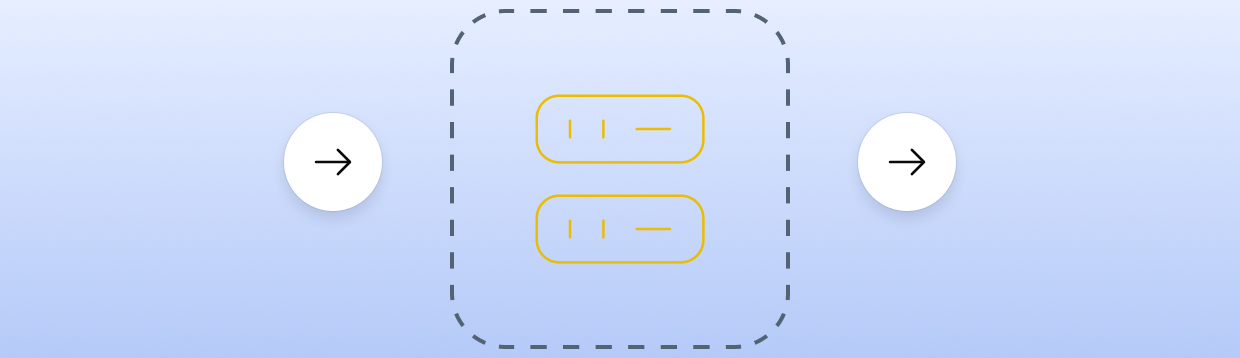
A transparent proxy forwards your request but also passes your original IP in special headers. The target website can see that you use a proxy and can also see your real IP. Transparent proxies are also susceptible to specific security threats, such as SYN flood denial of service attacks.
These proxies are common in company and school networks. They help admins filter traffic, cache content, or apply usage policies. They are not meant for privacy.
If you want to see how these headers look and how websites detect them, read this explanation of what a transparent proxy is. It shows examples and common use cases.
For most privacy tasks, transparent proxies are not useful. But they are important inside managed networks, where control and logging are more important than privacy.

High-privacy proxies remove or change headers that reveal your real IP. The target website can still see that traffic comes from a proxy IP, but it should not see your own address.
There is also a stricter level often called a fully private or high-privacy proxy. These proxies try to hide that a proxy is used at all. They remove proxy related headers and behave like a normal user address as much as possible.
When choosing between high-privacy and fully private proxies, consider the intended purpose: whether your main goal is privacy or matching typical end-user traffic for testing. High-privacy proxies are useful for tasks where you must not expose your home or office IP but you do not mind if a site knows that you use a proxy.
Elite level proxies are better when you need to blend into normal traffic. For example, if you run long scraping sessions or manage many accounts, high privacy reduces the risk of manual review.
If you want more detail on how these systems work, you can read this guide on what a high-privacy proxy server is. It explains header changes and how sites typically identify proxy traffic.

Static proxies give you the same IP address each time you connect. Rotating proxies change the IP periodically or on every request.
Static proxies are best when you need a stable identity. Many websites track sessions by IP and cookies together. If your IP keeps changing, they may treat this as risky behavior.
Use static proxies for tasks such as:
Rotating proxies shine when you make many short requests that do not need a stable identity. By changing IPs often, you spread traffic over a larger pool. This makes you look more like many different users and reduces the load on each IP.
Use rotating proxies for tasks like:
Both static and rotating setups can exist for HTTP and SOCKS5 proxies. The key is to match the rotation style to how the target site watches IP behavior. In some cases, a combination of static and rotating proxies can be used to balance stability and privacy, depending on the specific requirements of your task.

Proxy types also differ by where their IPs come from. This has a big impact on trust level and cost.
Datacenter proxies use IPs from cloud or hosting providers. These IP ranges are easy to get in bulk and are fast and stable.
The main benefits are speed and price. Datacenter IPs usually have strong hardware behind them and good network links. Providers can sell them at lower cost.
The main risk is that some websites mark datacenter ranges as high risk. Many bots and scrapers use them, so security teams watch them closely.
Datacenter proxies work well for:
Residential proxies use IPs from real home internet connections. Websites tend to trust these IPs more, because they match typical end-user networks.
Providers often get these IPs from partner apps or devices. Traffic is routed through real user hardware.
The main benefit is higher trust and better success rate on strict sites. The main downside is higher cost and sometimes slower speed, since home lines vary by region.
Residential proxies are a strong choice for:
Mobile proxies use IPs from mobile carriers. These IPs change often and are shared by many users behind carrier grade NAT.
Websites are very careful when limiting mobile IPs. Limiting a single address might affect many real users. This gives mobile proxies a strong reputation and high success rate.
On the other hand, mobile proxies are the most expensive type for many providers. They can also be slower and less stable, due to network changes and signal issues.
Mobile proxies are best for:
A proxy list is a collection of proxy IPs, ports, and sometimes extra data such as username, password, and location. You load this list into your software or browser and pick which entries to use.
Proxy lists can mix many proxy types. For example, a list might include HTTP proxies from data centers, SOCKS5 proxies from residential IPs, and a few mobile endpoints.
If you want to see what a real list looks like and how to test it, read this guide on what a proxy list is. It walks through common formats and validation steps.
When you work with proxy lists, it is important to label each entry with type and origin. Good labels include:
Clear labels help you route the right traffic through the right proxy type. This avoids mistakes where you use a weak proxy on a strict site.
Choosing the right proxy type starts with your real goal. Ask what you want to do and what risk level is acceptable.
Here are some common use cases and the proxy types that often fit them well:
In practice, you will often combine several types. For example, you might use cheap shared datacenter proxies for early testing and then switch to private residential proxies for production work.
When you compare proxy providers, do not look only at price. Check:
Providers like Proxy-Cheap usually describe each product line in detail so you can see which proxy type is behind each plan.
Speed and reliability matter as much as privacy. Different proxy types have different tradeoffs.
Datacenter proxies usually give the best raw speed. They sit in strong data centers with high bandwidth. For high volume tasks where latency matters more than perfect trust, they are often the best choice.
Residential and mobile proxies may be slower or more variable. However, they tend to deliver higher success rates on hard targets. You might accept slower speed if it means fewer interruptions and retries.
Shared proxies can hit speed limits if many users send heavy traffic at once. Private or dedicated proxies give you more predictable performance, since you are not competing with others on the same IP.
Static proxies avoid the extra overhead of reconnecting with new IPs. Rotating proxies add some management cost, but they help spread requests and reduce the load per IP. This can lead to fewer captchas and bans overall.
The best way to balance these factors is to run small tests. Try a few proxy types on your real workflow and measure both speed and success rate. Then scale the setup that meets your goals.
Different proxy types also offer different security and privacy levels. Proxies provide an important layer of security by acting as intermediaries that shield user data and protect against threats.
Transparent proxies are weak for privacy. They can expose both your use of a proxy and your true IP. They are best for controlled networks where an admin must monitor traffic.
High-privacy and fully private proxies protect your origin IP better. They strip or change headers that would expose you. For many privacy and research tasks, this level is enough.
HTTP proxies can see the content of unencrypted HTTP traffic. For HTTPS, they usually see only metadata. SOCKS5 proxies are more neutral, since they forward traffic at a lower level and do not inspect application headers.
No proxy type replaces basic security hygiene. You should still:
For sensitive work, combine strong proxy types with good browser or tool settings and, if needed, extra layers like multi factor authentication.
You now know the main proxy types by protocol, access model, privacy level, rotation style, and IP source. You have seen how HTTP, SOCKS5, shared, private, transparent, high-privacy, datacenter, residential, and mobile proxies each fill a clear role.
The next step is simple. Map your use case to the traits you need most: speed, trust level, stability, or price. Then pick a proxy plan that uses the right mix of proxy types, such as static dedicated HTTP IPs for account work or rotating SOCKS5 residential IPs for scraping.
When you are ready to act, choose a trusted provider, review their HTTP, SOCKS5, and dedicated proxy plans, and start with a small test. Once you see good speed and success rates, scale your usage and lock in the proxy types that give you the best results.