Key takeaways:
The short answer: Safari follows the system proxy, so you set it in macOS network settings on a Mac and in the Wi-Fi settings on an iPhone. There is no proxy panel inside Safari itself. The table shows the quick path on each device, then each section walks through it in full.
Safari proxy setup at a glance
| Device | Where to set it | Quick path |
| Mac (macOS) | System network settings | System Settings > Network > connection > Details > Proxies |
| iPhone / iPad | Active Wi-Fi network | Settings > Wi-Fi > (i) > Configure Proxy > Manual |
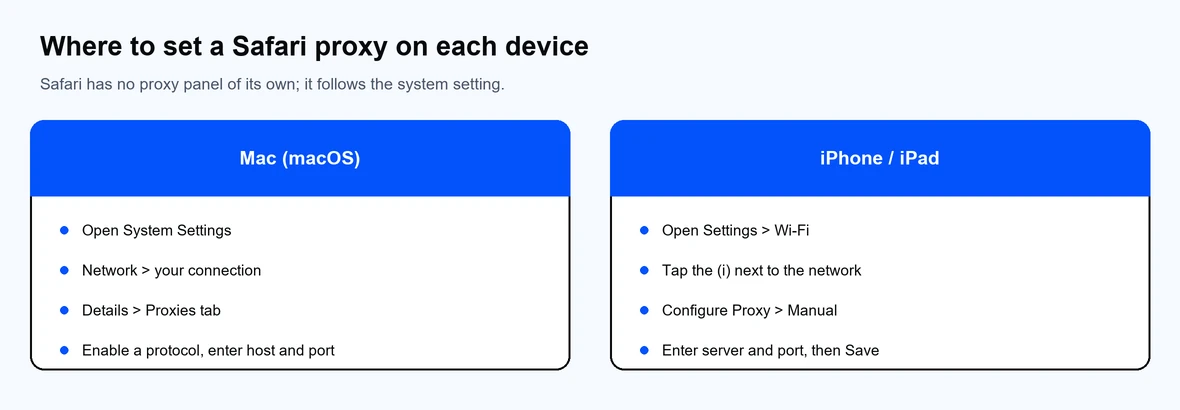
Safari follows the system proxy on Mac and the Wi-Fi proxy on iPhone.
Safari on a Mac uses the macOS network proxy, so you configure it once and Safari follows it.
If you prefer the command line, networksetup -setwebproxy "Wi-Fi" host port sets it, and scutil --proxy shows the current configuration.
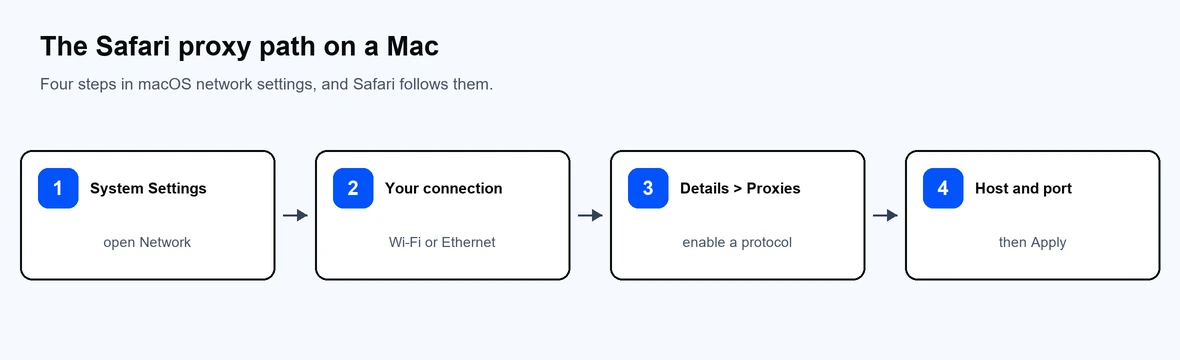
Four steps in macOS network settings, and Safari follows them.
Safari on iOS uses the proxy set on the Wi-Fi network you are connected to.
Mobile data connections do not use a manual proxy, so a Wi-Fi proxy only applies while you are on that Wi-Fi network.
A proxy auto-config (PAC) file lets an organization define proxy rules once and apply them everywhere.
Use a PAC file when a network administrator provides one, or when you want different proxy rules for different sites.
Most paid proxies require authentication. On both Mac and iPhone, the proxy settings include fields for a username and password once you enable authentication. Enter the credentials from your provider dashboard, not in the server field.
If Safari keeps prompting for the proxy password, the saved credentials are missing or incorrect. Re-enter them in the same proxy settings panel and save again.
Removing a proxy uses the same panels.
If a proxy setting keeps returning, a configuration profile or a management tool may be applying it, which is common on managed or work devices.
A misconfigured proxy is a frequent cause of Safari connection errors. Work through these:
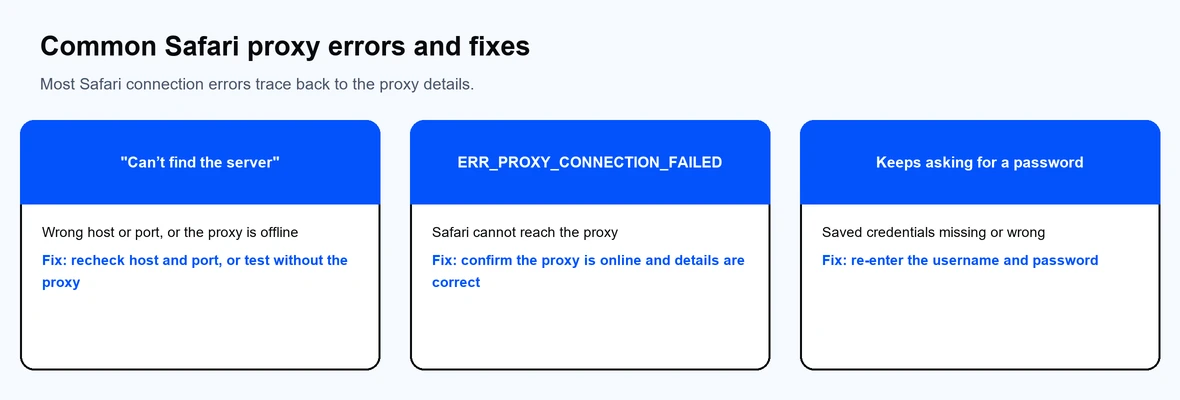
Most Safari connection errors trace back to the proxy details.
Safari works with any standard HTTP, HTTPS, or SOCKS proxy, so the deciding factor is the network behind it. A free public proxy is often slow and unreliable, so a paid service is the steadier choice. Match the type to your task:
Decide between SOCKS5 or HTTP based on the traffic you route, and keep your proxy server address on hand. Proxy-Cheap offers all of these with no monthly commitment, and you can compare the market in our roundup of the best proxy providers. If you also use Chrome, see how to configure a proxy in Google Chrome, and for privacy trade-offs see proxy versus a VPN.