
Imagine you are scraping a website to extract crucial data, and just as you run your script (bam!) you hit a wall of failed requests and 403 responses. That’s where BeautifulSoup parse HTML techniques come in, helping you navigate and structure web content effortlessly. But if the site has strict request limits, you might need tools like proxies to keep sessions stable and reliable.
A proxy acts as an intermediary, rerouting your connection through another server to route your traffic privately. A VPN (Virtual Private Network), on the other hand, encrypts your internet traffic while also changing your IP address. People use these tools for privacy, accessing region-specific content, and keeping their connections secure. When parsing HTML with BeautifulSoup, knowing how to access region-specific content using proxies can make all the difference.
Now, let’s dive into how BeautifulSoup can help you extract and organize web data like a pro!
BeautifulSoup is a powerful Python library designed to help you extract and manipulate web data from an HTML document or XML file. When dealing with web scraping, raw webpage code can be cluttered with multiple HTML elements, scripts, and unnecessary data. Instead of sifting through the entire page manually, BeautifulSoup allows you to efficiently locate, filter, and organize the information you need.
Webpages are built using HTML tags, which define the structure of a site - like headings, paragraphs, links, and images. Sometimes, the data you need is buried under several layers of nested tags. BeautifulSoup helps by letting you access all the tags in a document or target a specific HTML tag to extract only the relevant content. It also supports working with dynamic web pages, which frequently update their content.
For instance, if you want to extract product prices from an online store or retrieve headlines from a news site, BeautifulSoup makes it easy to parse web data without dealing with the complexities of raw HTML. It even works with wap pages, which are simplified mobile-friendly versions of websites.
To use BeautifulSoup, you first need to fetch a webpage’s content. This is usually done by using the import requests library, which allows you to send a request and retrieve the page’s HTML. Once you have the raw HTML, you create a BeautifulSoup object, which enables you to navigate and extract specific elements effortlessly.
However, some websites limit or throttle scraping attempts, especially for dynamic web pages. In such cases, using a residential proxy can help you reach the data without being flagged. You can learn more about them here. Additionally, if you're wondering how web scraping differs from web crawling, this detailed comparison breaks it down.
Image Requirements: Screenshot of BeautifulSoup documentation homepage or a very basic example of HTML being parsed.
When it comes to parsing web data, BeautifulSoup is one of the most beginner-friendly and efficient libraries available. Whether you're working with a structured HTML file or a cluttered HTML document, this library makes data extraction simple and intuitive.
While lxml is faster and better suited for large-scale parsing, BeautifulSoup is more forgiving with messy markup. Using regex for web scraping is highly unreliable, as it lacks the structured approach of a proper HTML parser. In most cases, BeautifulSoup strikes the right balance between ease of use and functionality.
Even with a great tool like BeautifulSoup, web scraping isn’t always smooth. Websites may throttle requests, implement CAPTCHAs, or frequently change their structure. To tackle these web scraping challenges, check out this in-depth guide. Additionally, if you're looking for other data extraction tools, this list of top web scraping tools can help you explore more options.
Before you can start web scraping, you need to install BeautifulSoup, a powerful Python library designed to help you parse and navigate HTML documents, XML files, and other web content. Let’s go step by step to get BeautifulSoup up and running.
To install BeautifulSoup4, simply run the following command:

This installs the latest version of BeautifulSoup, which is compatible with Python 3.x. If you haven’t installed Python yet, make sure you have Python 3.6 or higher, as older versions may not support all features of BeautifulSoup.
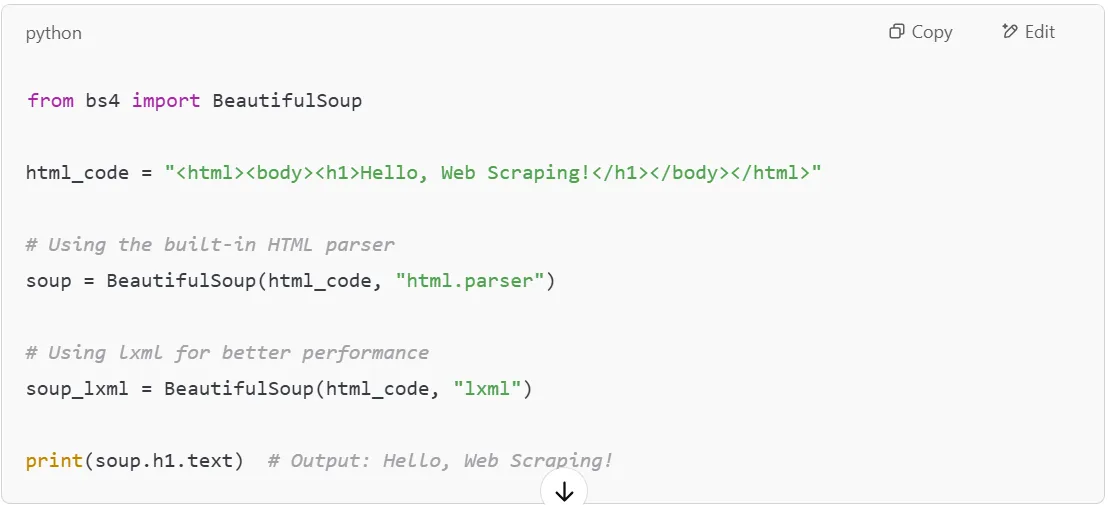
BeautifulSoup needs a parser to read and process the HTML structure of web pages. By default, Python comes with the built-in html.parser, but you can install a faster alternative like lxml for better performance.
To install lxml, use:

Or, if you prefer the html5lib parser (useful for handling modern HTML5 documents), install it with:

Once installed, you can choose the parser when creating a BeautifulSoup object:
To confirm that BeautifulSoup and the required parser are installed, open a Python shell and run:
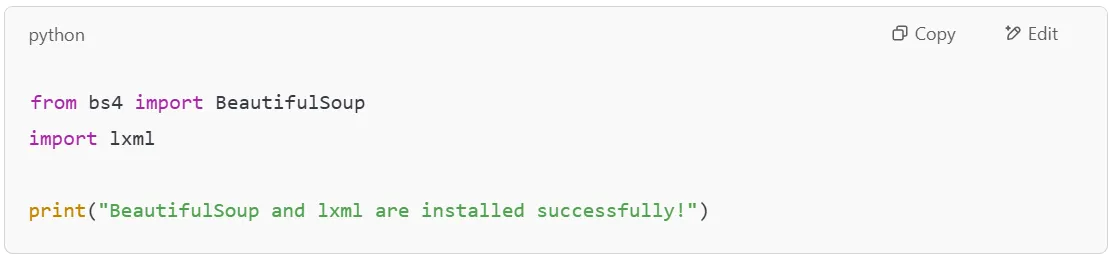
If you see no errors, everything is set up correctly!
Now that you’ve installed BeautifulSoup, you can start using it to extract data from HTML documents, including text, links, images, and even structured HTML tables. BeautifulSoup makes it easy to locate specific HTML tags, access HTML elements, and filter out unnecessary data.
If you’re working with a web scraping API, using BeautifulSoup alongside requests can help you fetch and process data from different web pages effortlessly. You can also extract all the tags in a document or focus on specific sections of an HTML file.
Now that you have BeautifulSoup installed, let's dive into how to use it for parsing an HTML file. Whether you're working with a saved webpage or scraping live HTML data, BeautifulSoup makes it easy to navigate and extract the content you need.
To get started, let’s create a small HTML file with some basic content. We'll use this sample HTML to demonstrate how BeautifulSoup can find and extract specific elements.
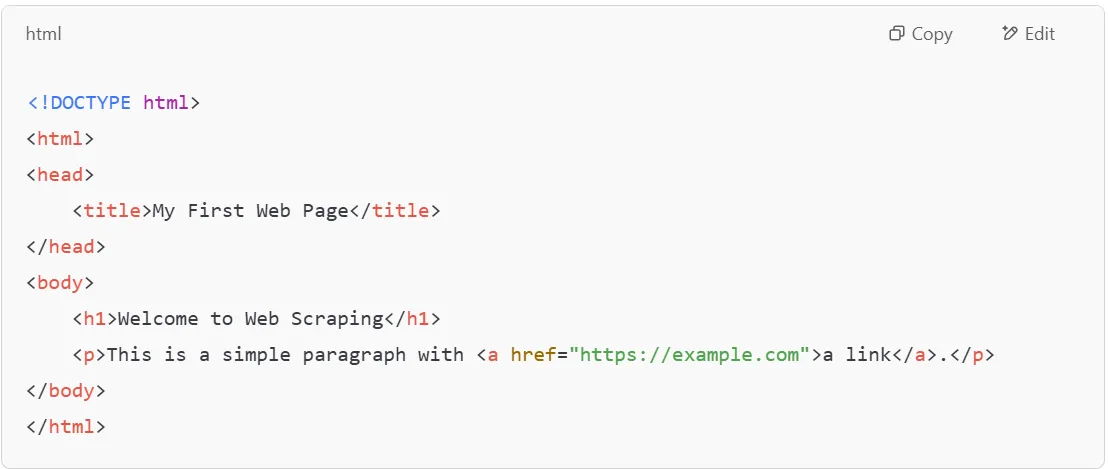
Now, let’s write a Python script to parse this HTML data and extract specific elements using BeautifulSoup.
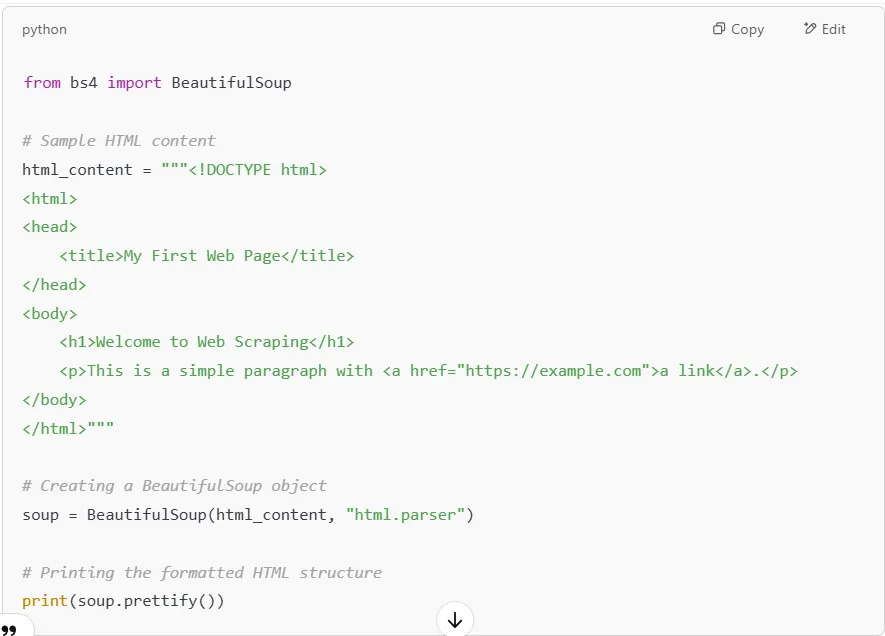
Once we have the BeautifulSoup object, we can extract specific HTML data such as titles, headers, paragraphs, and links.
Extracting the Title of the Webpage




If you need to find all the tags of a certain type, use the .find_all() method.


Now that you understand the basics of using Beautiful Soup, let’s explore how to navigate and search through more complex HTML structures efficiently!
Once you’ve loaded an HTML document into BeautifulSoup, the next step is locating the elements you need. Whether you’re working with web scraping, analyzing web pages, or extracting data for a CSV file, BeautifulSoup provides several methods to find and filter content.
The .find() method searches for the first occurrence of a specific HTML tag in an HTML file.
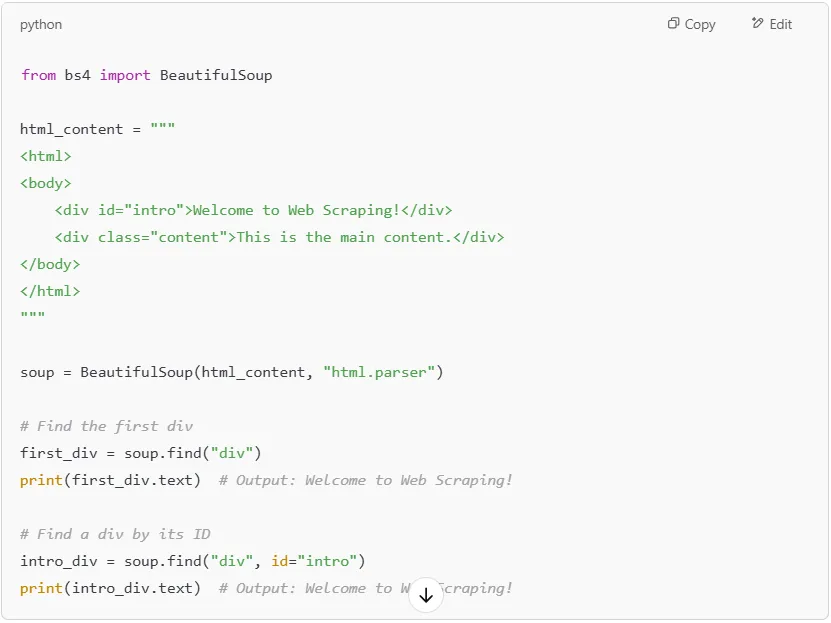
If you need to find all occurrences of an HTML tag, use .find_all(). This is useful when working with lists, HTML tables, or multiple paragraphs.
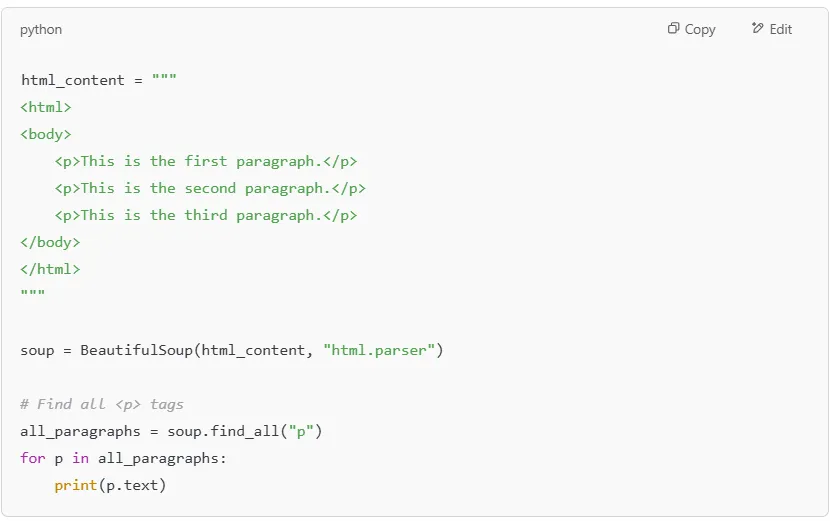
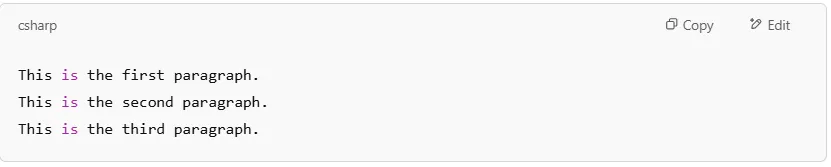
Output:
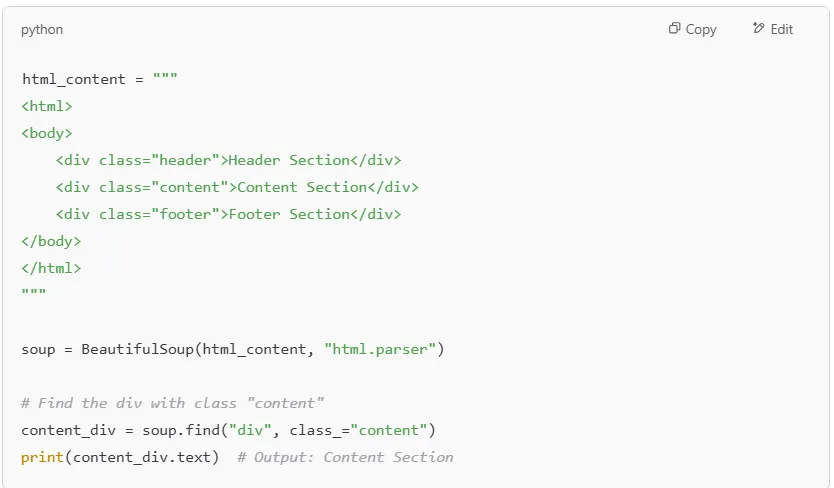
If the HTML file has multiple elements with different classes, you can filter them using the class_ parameter.
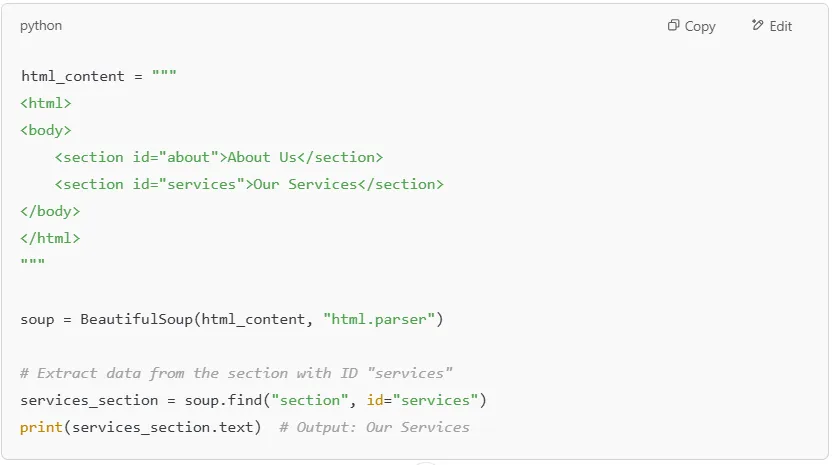
Each HTML document can contain elements with unique IDs, making it easier to locate specific sections.
For more advanced searches, you can use CSS selectors with .select(). This is especially useful when dealing with nested structures in an HTML document.
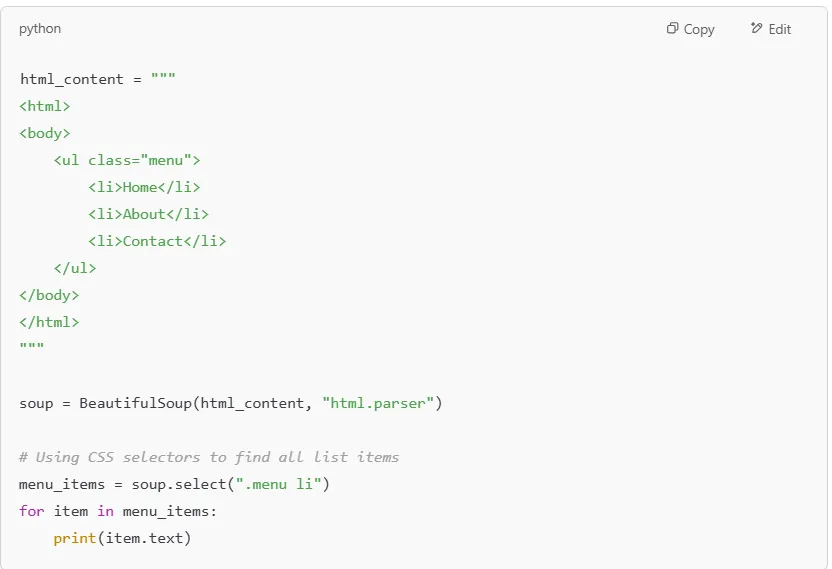
Output:
If you're scraping structured web pages that include HTML tables, you can extract data row by row.
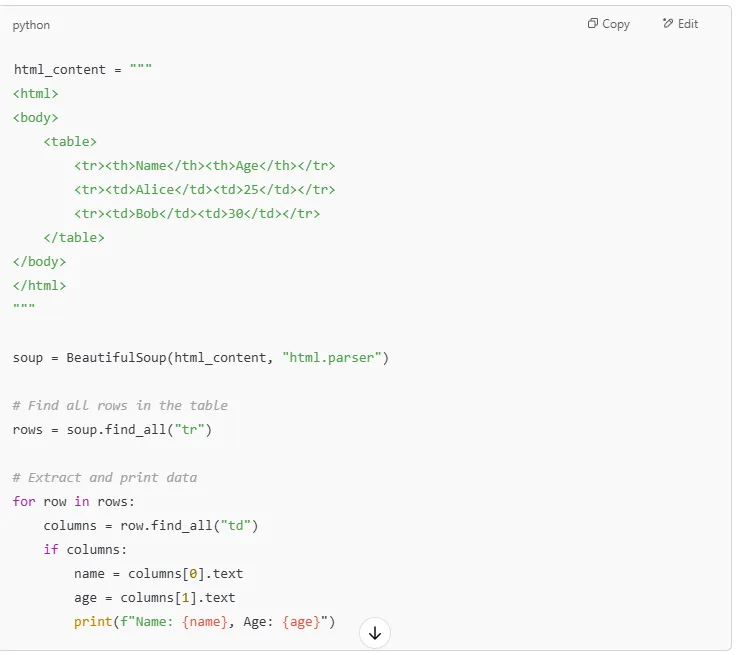
Output:

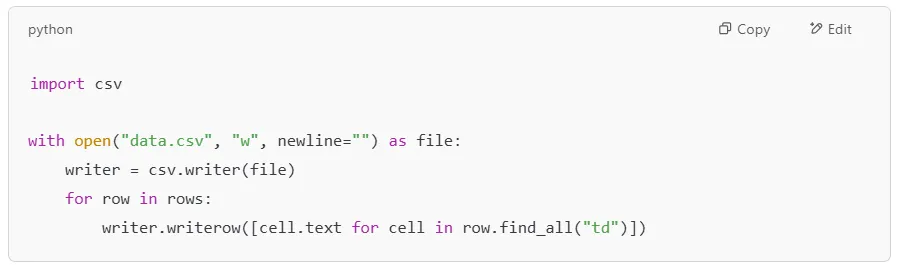
If you’re scraping web pages and need to save data to a CSV file, use the csv module.
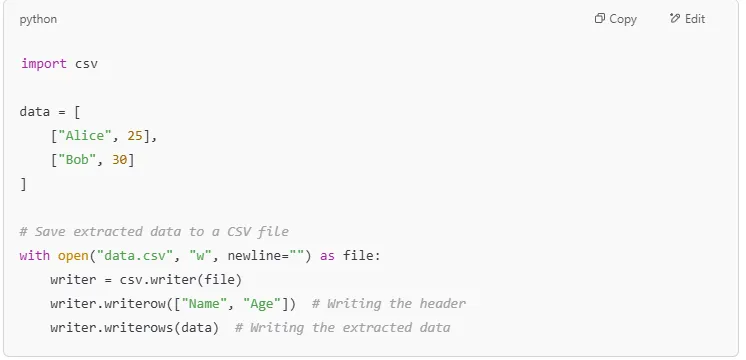
This code creates a CSV file named data.csv with extracted information.
With these techniques, you can extract data from various web pages, parse complex HTML structures, and organize information efficiently!
Once you've extracted elements from an HTML file, you often need to navigate through its structure to access related content. BeautifulSoup makes this easy by treating the HTML document like a tree, where elements have parents, children, and siblings.
In this section, we'll explore how to move through this parse tree using .parent, .children, .next_sibling, and more.
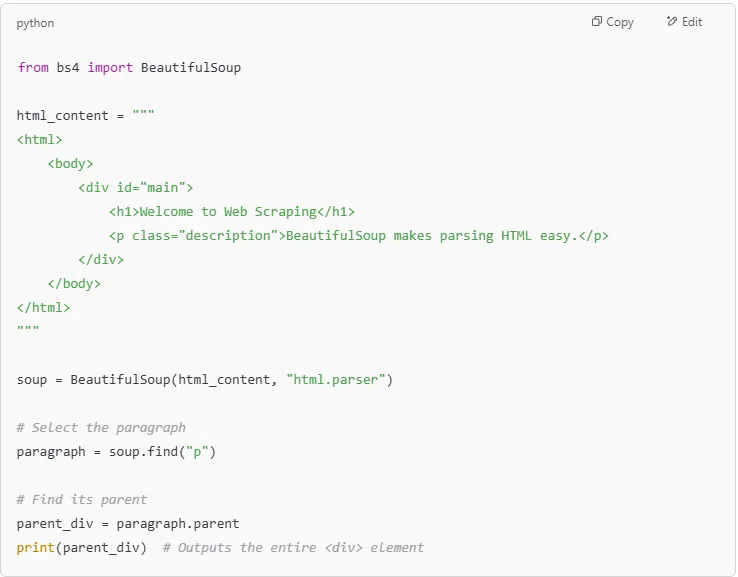
Let’s start with a simple HTML document:
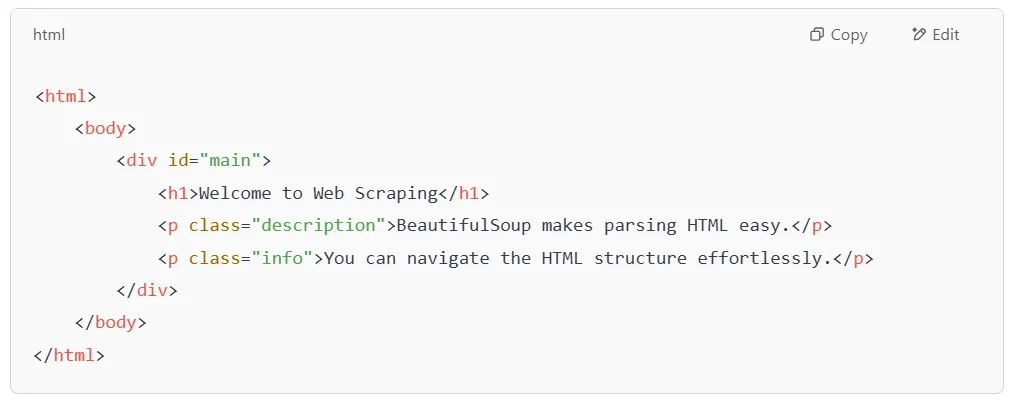
We will now use BeautifulSoup to navigate through this HTML structure step by step.
Every element in an HTML document has a parent. You can use .parent to move up the tree and find the element that contains the current tag.
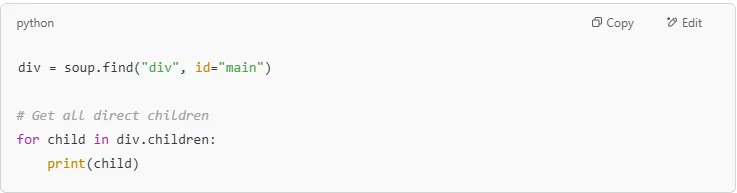
If an element contains multiple nested tags, you can access them using .children. This returns an iterator over all the direct children of a tag.
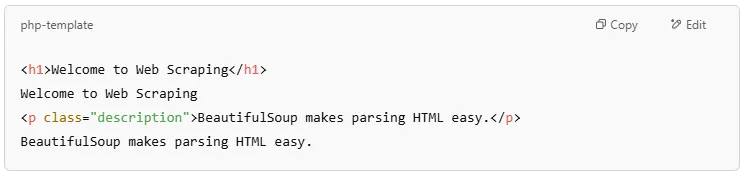
Output:

Unlike .children, which only finds direct children, .descendants finds all nested elements, even if they are deeper in the HTML structure.

Output:
In an HTML file, elements at the same level (inside the same parent) are siblings.
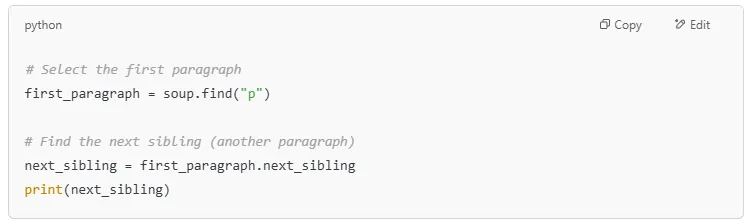

Similarly, you can use .previous_sibling to get the preceding sibling.
The .find_parent() method works like .parent but allows searching up multiple levels.
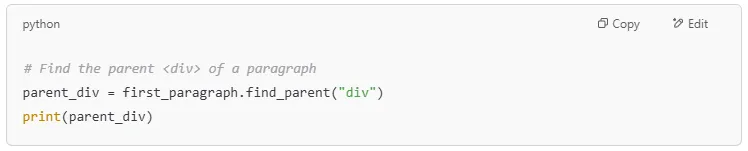
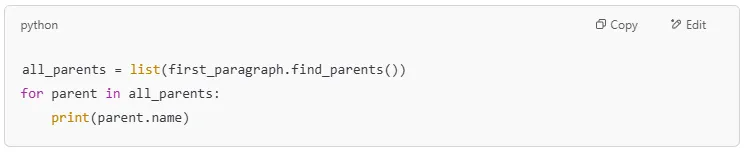
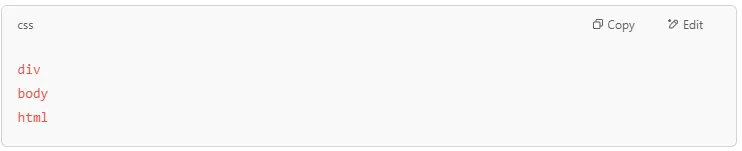
If an element is deeply nested, you can get all parent elements using .find_parents().
Sometimes, you need to find the first matching parent of an element.


If there are multiple sibling elements, use these methods to find specific ones.

Output:



| Method | Function |
|---|---|
| .parent | Finds the direct parent of an element |
| .children | Finds all direct children of an element |
| .descendants | Finds all nested elements within a tag |
| .next_sibling | Finds the next sibling element |
| .previous_sibling | Finds the previous sibling element |
| .find_parent() | Finds the closest matching parent |
| .find_parents() | Finds all parents of an element |
| .next_element | Moves to the next tag or text in the document |
| .previous_element | Moves to the previous tag or text |
Now you can navigate HTML files efficiently using BeautifulSoup. This helps extract structured data from web pages for web scraping projects.
When working with web scraping, one of the most common tasks is extracting specific pieces of HTML data - such as text content and attributes like href, src, class, and more. BeautifulSoup provides simple methods to extract this data efficiently.
In this section, we'll explore how to extract text from HTML tags using .text and .get_text(), extract attributes from HTML elements using .get() and .attrs, and work with real examples to extract links, images, and classes.
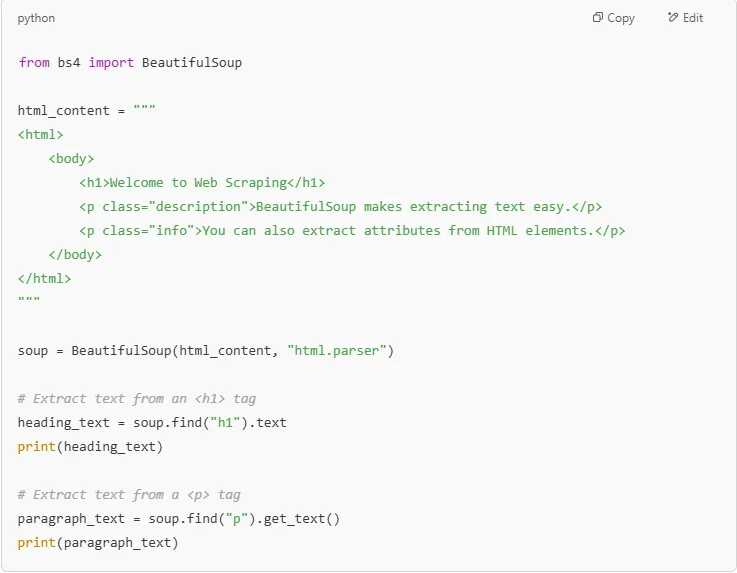
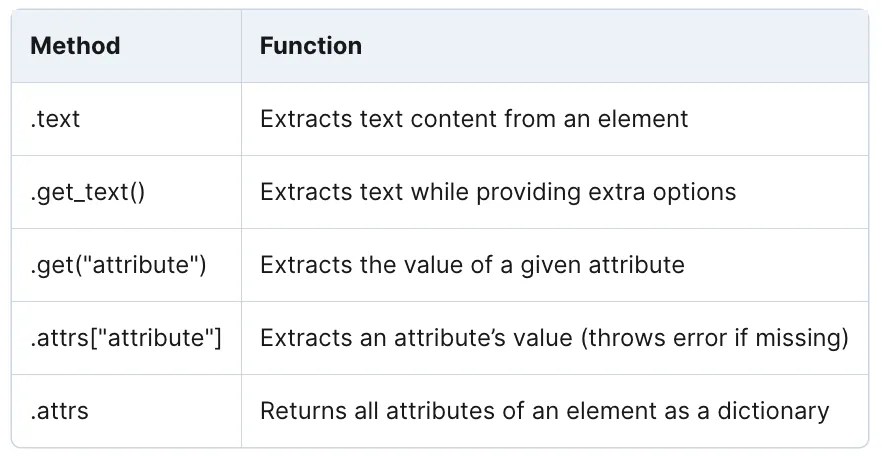
The .text and .get_text() methods allow you to retrieve the text content of an HTML tag, stripping out the actual markup.

Besides text, HTML elements often contain attributes such as:
To extract attributes, use:
Example: Extracting Links (href Attribute)
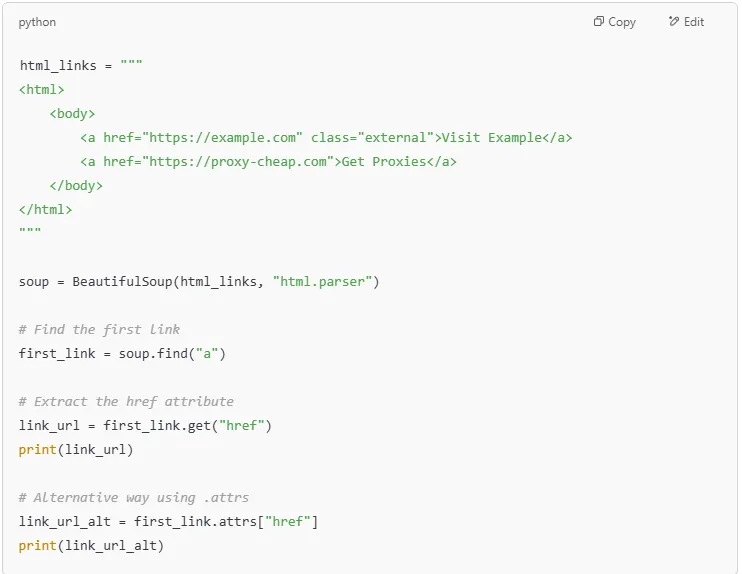

Use .get() when unsure if an attribute exists.
Images are often stored inside <img> tags with a src attribute pointing to the image URL.
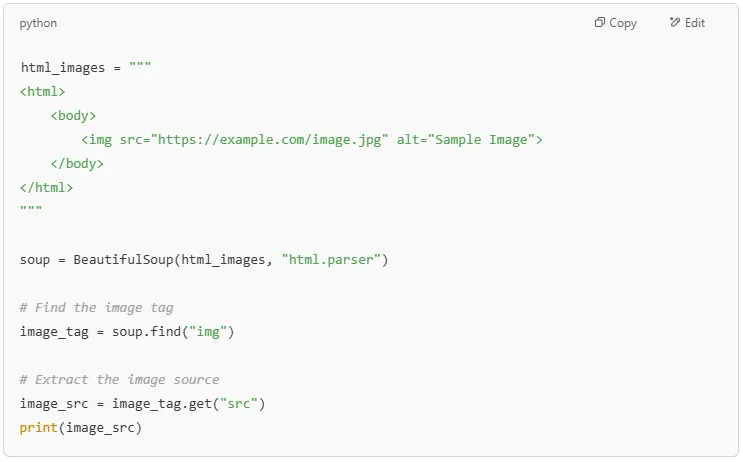

If an image URL is relative (e.g., /images/logo.webp), combine it with the website's base URL for full access.
You can retrieve all attributes of an element at once using .attrs.
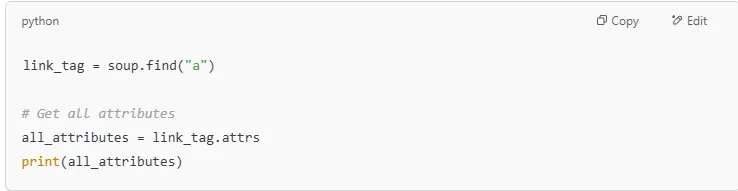

Notice: The class attribute returns a list, as elements can have multiple classes.
Since an element can have multiple CSS classes, they are returned as a list.
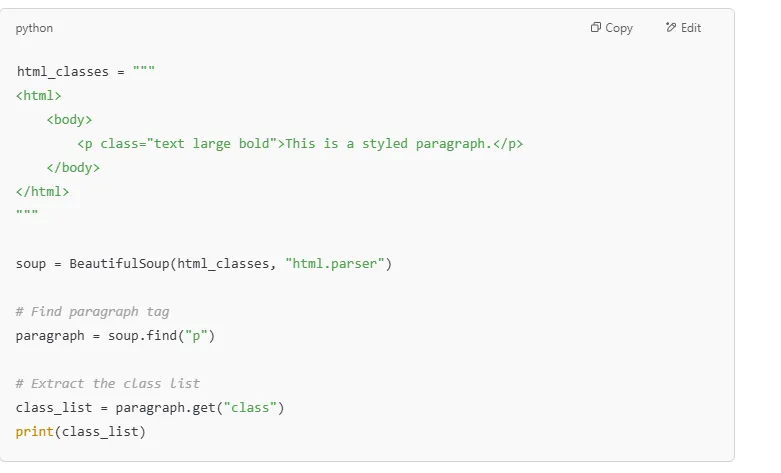
Output:
Tip: To check if an element has a specific class, use:

Extracting data from HTML tables is useful for data extraction projects.
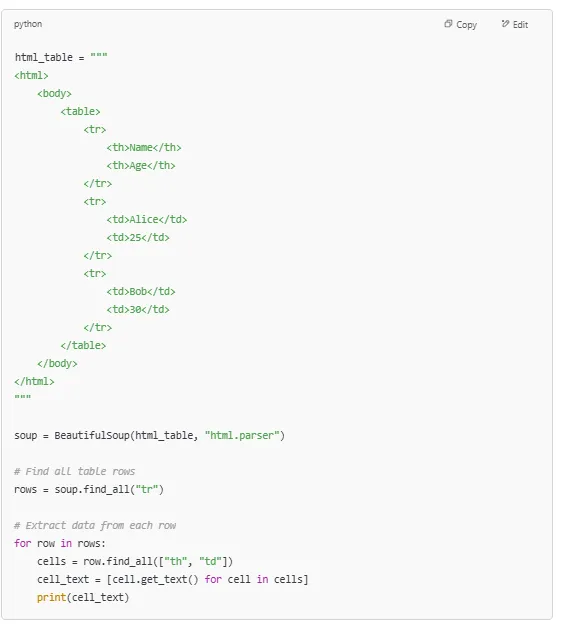
Output:

Tip: You can store extracted data in a CSV file for later analysis.
MethodFunction.textExtracts text content from an element.get_text()Extracts text while providing extra options.get("attribute")Extracts the value of a given attribute.attrs["attribute"]Extracts an attribute’s value (throws error if missing).attrsReturns all attributes of an element as a dictionary
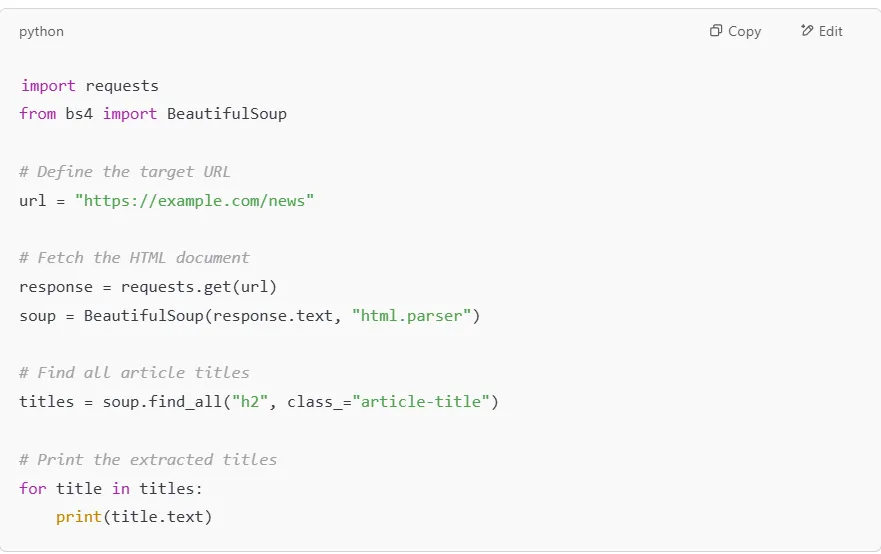
BeautifulSoup is widely used in web scraping to extract valuable web data from HTML documents and XML files. Whether you need to collect article titles, product listings, or extract links from a website, BeautifulSoup makes the process simple and efficient. However, scraping websites can sometimes lead to IP bans. Using residential proxies from Proxy-Cheap helps you maintain stable, reliable sessions and reduce IP-level rate limiting when scraping at scale.
Let’s explore some of the most common BeautifulSoup use cases:
News websites, blogs, and online magazines use structured HTML to display article titles and summaries. You can use BeautifulSoup to extract all headlines from a webpage.

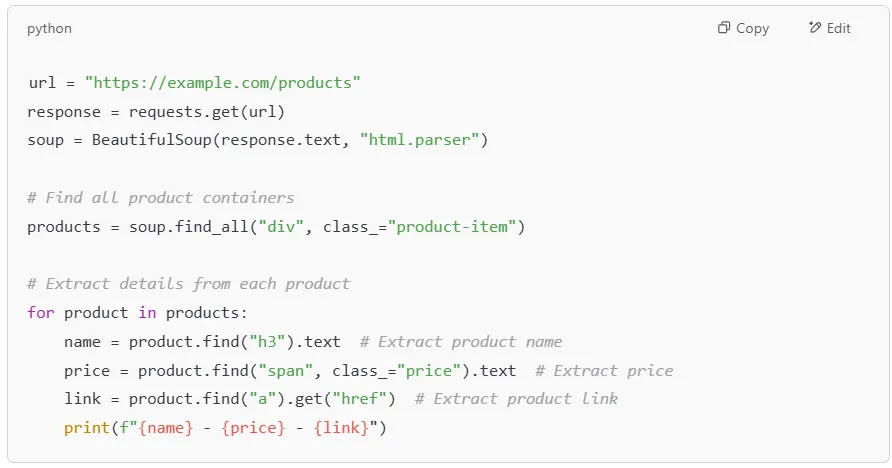
E-commerce platforms use HTML tables and structured data to display products. BeautifulSoup helps scrape product names, prices, and links from online stores.

Web pages contain multiple links (<a> tags) pointing to other resources. You can use BeautifulSoup to collect all URLs from a page.
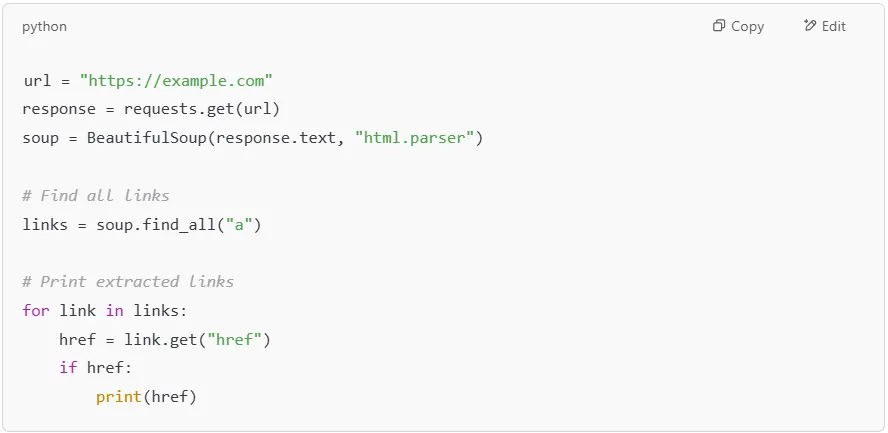
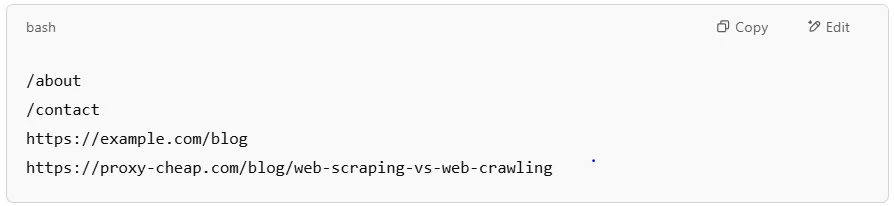
Tip: If the link is relative (e.g., /about), prepend the website’s base URL for full access.
Image data is essential in e-commerce, media analysis, and machine learning. You can extract image URLs from <img> tags easily.
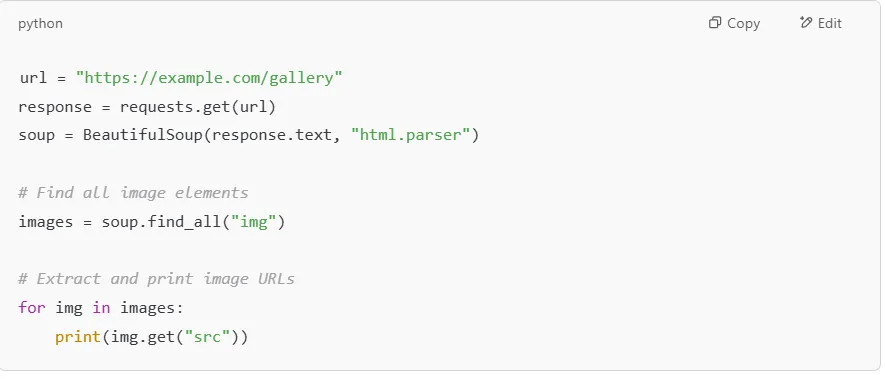

Tip: If an image URL is relative (e.g., /images/pic.webp), prepend the domain name.
Extracting emails and phone numbers from a website is useful for lead generation and business intelligence.
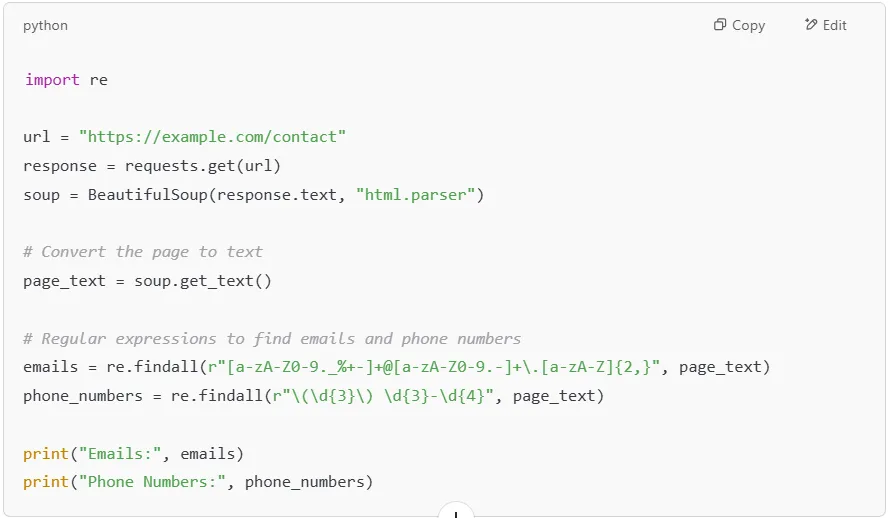

Note: Many sites hide emails behind JavaScript, so this approach works best for static pages.
Websites often throttle scrapers if too many requests come from the same IP. To prevent this, use residential proxies from Proxy-Cheap to rotate your IP address.
BeautifulSoup is a powerful tool for parsing HTML data and extracting useful information from web pages. Whether you're scraping blog titles, product listings, images, or emails, BeautifulSoup simplifies the process.
However, scraping large websites requires caution. Using residential proxies from Proxy-Cheap helps avoid IP bans and ensures seamless data extraction.
When using BeautifulSoup for web scraping, you need a way to fetch live webpage content from the internet. This is where the requests library comes in. The requests module allows us to send HTTP requests to a website, retrieve its HTML document, and pass it to BeautifulSoup for parsing.
Before we start, ensure both requests and BeautifulSoup are installed. You can install them using pip:

Now, you are ready to fetch web pages and parse HTML data.
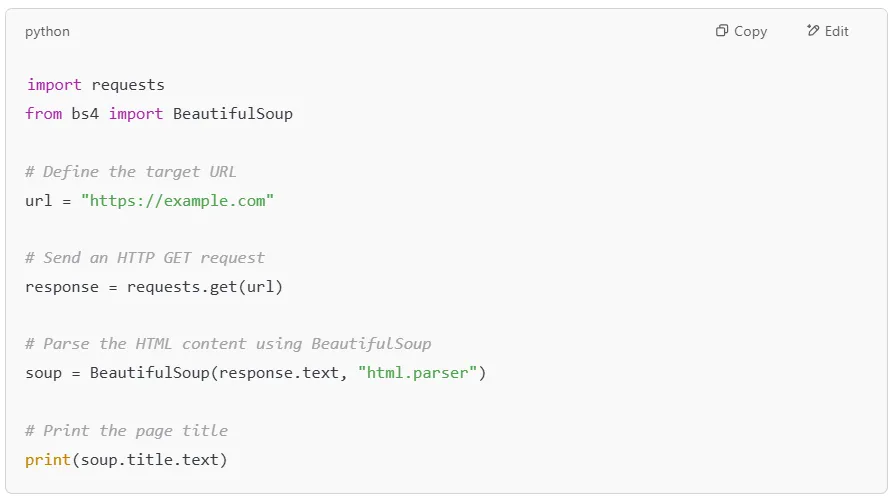
Let's start by fetching a webpage using the requests module and passing its HTML document to BeautifulSoup.

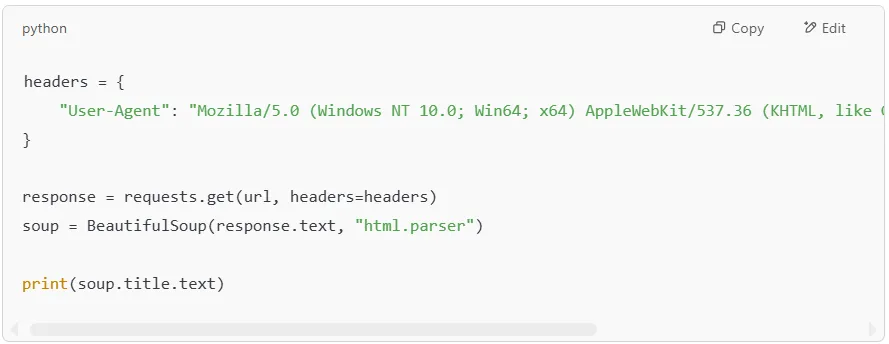
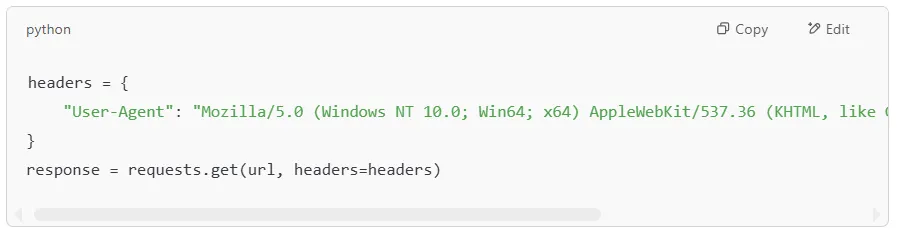
Many websites throttle automated scrapers when requests do not include a browser User-Agent. To avoid this, we can send custom headers that make our request look like it’s coming from a real web browser.
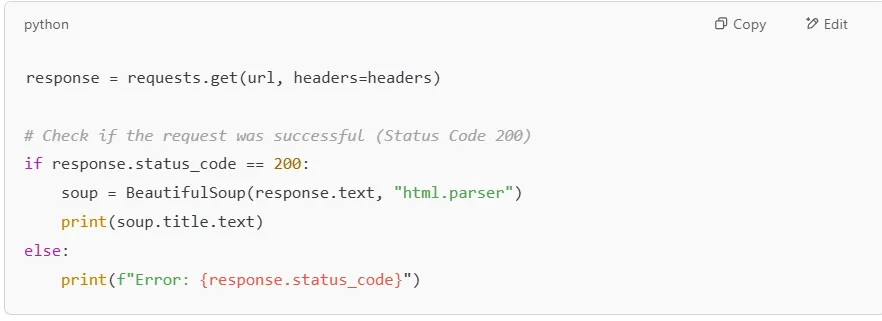
Websites may return errors like 404 (Not Found) or 403 (Forbidden). To avoid crashing your script, you should check the response status before parsing the HTML.
Let’s fetch a real website and extract all the article titles.
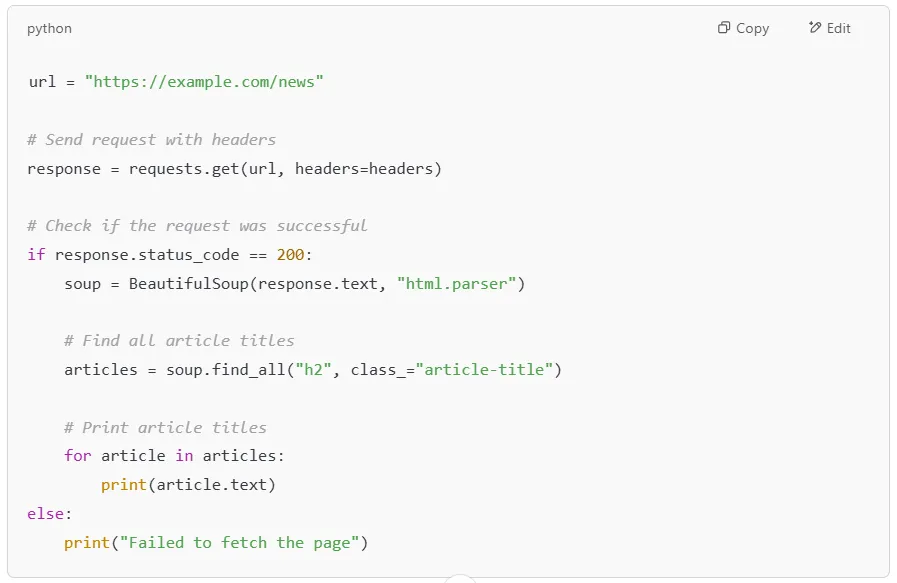

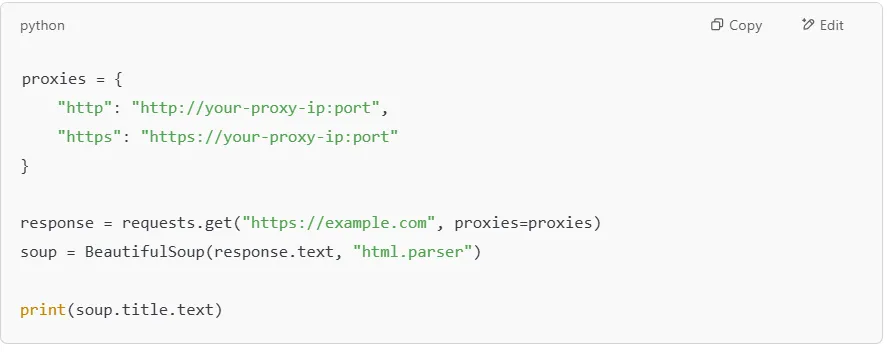
If a website throttles your requests, you can use a proxy to change your IP address. Services like Proxy-Cheap provide residential proxies that help you scrape with consistent access.
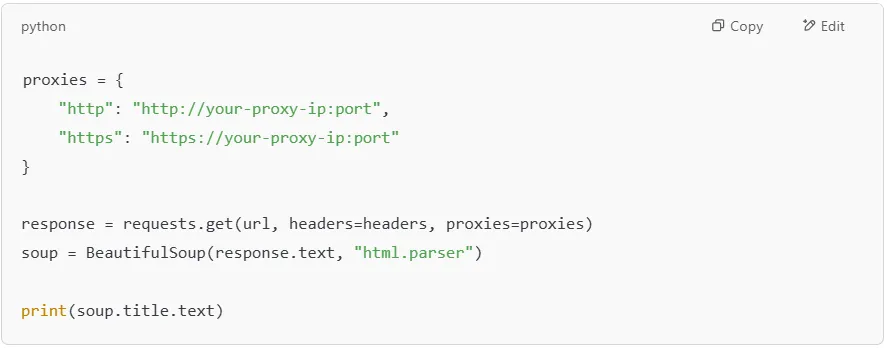
Combining requests with BeautifulSoup is a powerful way to scrape live web pages. By adding headers, handling errors, and using proxies, you can scrape more efficiently while maintaining consistent access.
When using BeautifulSoup for web scraping, beginners often run into errors that can break their scripts. These errors usually stem from using the wrong parser, dealing with broken HTML, or missing elements in the HTML document.
Here’s a detailed guide on common mistakes and how to fix them.
You may encounter an error like this when trying to parse an HTML file:

This happens when BeautifulSoup doesn't know which parser to use.
Make sure you install lxml or use Python’s built-in html.parser.

Specify the parser when creating the BeautifulSoup object:
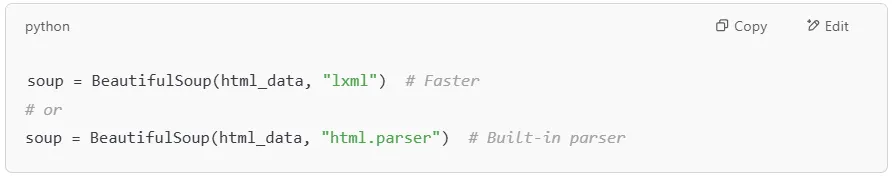
Some web pages contain poorly formatted HTML with missing html tags. This can cause BeautifulSoup to fail when trying to extract data.
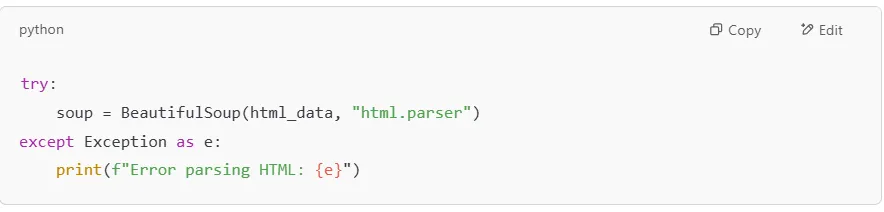
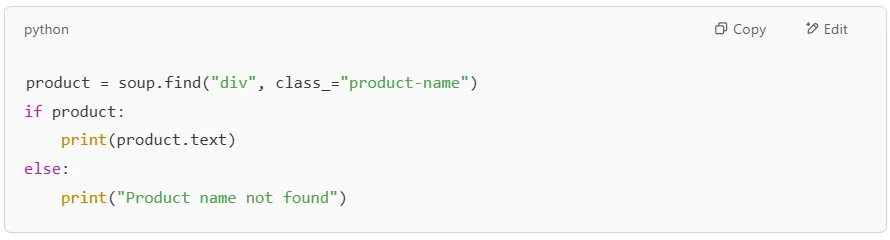
You may get NoneType errors when trying to access an HTML tag that doesn’t exist in the HTML document:

This happens when BeautifulSoup can’t find the requested HTML elements.
Use .get() or check if the element exists before extracting html data.
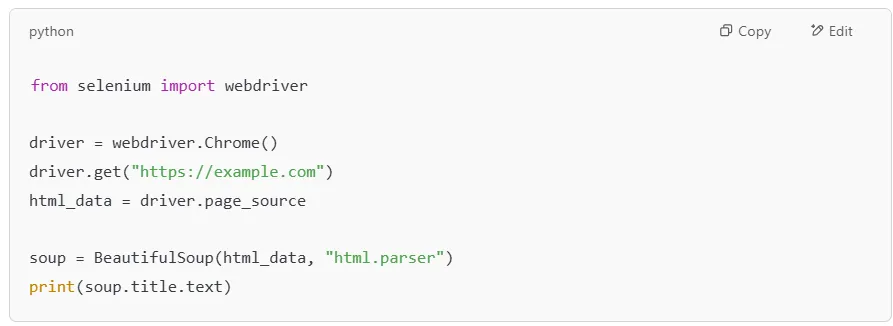
Some web pages load content using JavaScript instead of static HTML. BeautifulSoup cannot parse web data that is loaded dynamically.
Example using Selenium:
Some websites return errors like 403 Forbidden in response to requests.
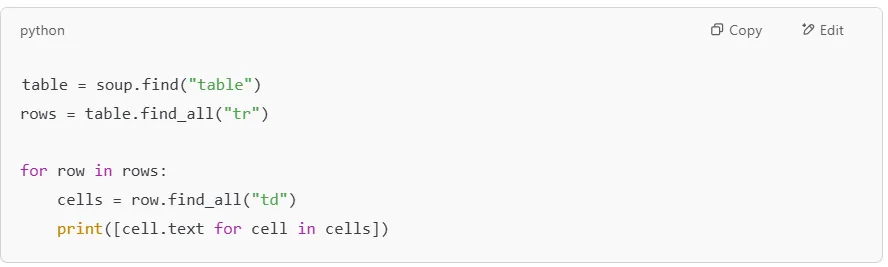
Scraping HTML tables can be tricky if you don’t use the right method.
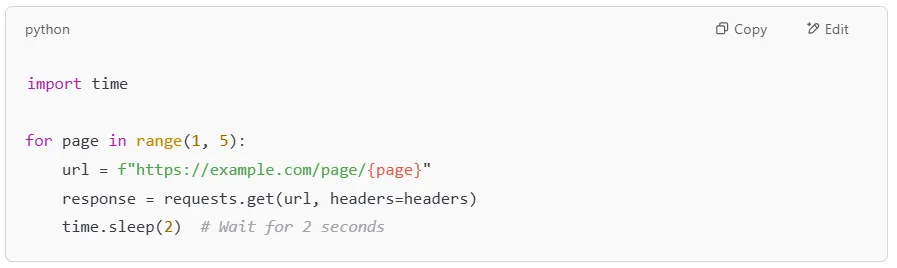
If you send too many requests, websites may rate limit your IP.
Use time delays between requests:

BeautifulSoup is an incredibly powerful and beginner-friendly Python library that simplifies data parsing from web pages. Whether you are extracting HTML elements, locating specific print tags, or navigating through an HTML structure, BeautifulSoup makes the process intuitive and efficient. It allows you to access and manipulate content from a target website with just a few lines of code, making it a go-to tool for anyone interested in web scraping.
By using BeautifulSoup, you can parse HTML with ease, even when dealing with messy or inconsistent data. It provides multiple methods to find elements, navigate through the HTML tree, and extract key details like text content, attributes, and links. With additional tools like the requests library, you can fetch live web pages, process their data, and store valuable insights for further analysis.
Now that you have a solid understanding of how BeautifulSoup works, it's time to take the next steps! Start by practicing on a simple HTML document, experimenting with different find() and find_all() methods, and testing your scripts on a target website. Once comfortable, consider exploring more advanced scraping techniques like handling dynamic pages, using proxies, or integrating with APIs. Additionally, you can save extracted data into structured formats like a CSV file for further analysis.
Web scraping is an exciting skill with endless possibilities. Whether you want to gather news articles, analyze product listings, or extract research data, BeautifulSoup provides the foundation to get started. So, go ahead - pick a website, write a script, and start exploring the world of data parsing with BeautifulSoup!